Every Hour Spent on Admin Is Revenue Lost: How Consultant Software Automates the Business Side of Your Practice


Consultant software is a category of platforms built to handle the operational side of a consulting business - time tracking, invoicing, client communication, scheduling, and project billing - so consultants can spend more time on billable work rather than administrative tasks.
If you run a consultancy and find yourself buried in spreadsheet-based invoicing or manual contract management, you already know the problem. The "business side" of consulting eats into the hours that should be generating revenue. And the irony is sharp: every minute spent chasing down invoice details or updating project timesheets is a minute not spent serving clients.
Consultant software is most commonly used by independent consultants, small consulting firms, and mid-size professional services teams that juggle multiple clients, retainer agreements, and project-based billing. It sits at the intersection of CRM, project management, and accounting - pulling together tools that consultants would otherwise cobble together from five or six separate subscriptions.
This article explores the specific automations that consultant software provides, who benefits most from them, and how to implement them without overhauling your entire operation.
The Real Cost of Manual Admin for Consultants
Think about what a typical Monday looks like at a growing consultancy. You start with client calls, then spend the afternoon doing actual consulting work. But sandwiched between those productive blocks? Logging hours from last week's projects. Chasing a client for an overdue payment. Manually creating an invoice for a retainer that renews on the first of every month. Updating a shared spreadsheet so your associate knows which deliverables are still open.
None of that work is billable. And none of it requires your expertise - it just requires your time.
The problem compounds as you scale. A solo consultant might lose three to five hours a week on admin. A team of ten? You're looking at the equivalent of a full-time hire doing nothing but operational busywork. Consultant software addresses this directly by automating the repetitive processes that don't need human judgment but still consume human attention.
What makes this different from just using a generic project management tool? Project management platforms like Asana or Monday.com are great for tracking tasks, but they rarely cover the billing and client relationship layers that consultancies depend on. Consultant software integrates time tracking with invoicing, ties project milestones to billing events, and gives clients a self-service portal where they can access deliverables, contracts, and payment histories. That integration is what separates a consulting-specific platform from a general productivity app.
Consultancy Scale Toolkit: Admin Automation Checklists
Enter your email address to get a comprehensive, step-by-step guide

Key Automations That Power Modern Consultant Software
The administrative workload in consulting doesn't come from complex decisions - it comes from repetitive processes that happen every day across projects and clients. Modern consultant software automates these routines, so time tracking, billing, client communication, and contract management run with minimal manual effort.
The following automations illustrate where the biggest time savings typically occur.
1. Auto Time Tracking: Stop Logging and Start Billing
Time tracking software is probably the single most impactful automation for a consulting business. Not because tracking time is hard - it's not - but because doing it manually and accurately at the same time is nearly impossible once you're juggling more than two or three projects.
Manual time tracking relies on memory. You finish a 45-minute client call, move on to writing a proposal, get pulled into a quick internal meeting, and by the time you sit down to log your hours at the end of the day, you're guessing. Studies on timesheet accuracy consistently show that employees who log hours at the end of the week (or worse, the end of the month) significantly underreport billable time.
Consultant software with built-in time tracking solves this by running timers against specific projects or tasks in real time. You start a timer when you begin working on a client deliverable, stop it when you switch to something else, and the system logs the exact duration. Some platforms go further by tracking activity across applications and auto-categorizing time based on the tools you're using.
The real payoff comes when that time data flows directly into your invoicing system. No more exporting CSVs, cross-referencing project codes, or manually building line items. The hours get logged, tagged to the right project, and when it's time to bill, the invoice practically writes itself.
When Auto Time Tracking Falls Short
This approach works best for project-based or hourly billing models. If your consultancy operates on fixed-fee engagements, time tracking still matters for profitability analysis, but it won't drive your invoicing directly. Teams that mix hourly and fixed-fee work need a consultant software platform flexible enough to handle both models without forcing everything into one billing structure.
2. Recurring Invoices for Retainers: Set It and Forget It
Retainer management is one of the steadiest revenue streams for a consultancy, but it creates a surprisingly tedious administrative loop. Each month, you need to generate an invoice, confirm the retainer amount, apply any carryover or overage charges, send it to the client, and track payment. For a firm with ten or fifteen retainer clients, that's a half-day of repetitive work - every single month.
Automated invoicing eliminates most of that loop. You configure the retainer once - amount, frequency, payment terms, client details - and the consultant software generates and sends the invoice automatically on the scheduled date. Most platforms let you include variable components too, like overage hours tracked against the retainer cap or expenses incurred during the billing period.
The difference between a consultant software invoice and a simple recurring charge through a payment processor like Stripe is context. A recurring Stripe charge sends the client a receipt. An automated invoice from your consultant software sends them an itemized document showing what the retainer covered, what additional hours were logged, and what the remaining balance looks like. That level of transparency keeps clients informed and reduces the "what am I paying for?" conversations that erode trust over time.
Building Retainer Invoices That Work
Retainers vary. Some are "use it or lose it" monthly buckets. Others roll over unused hours. Some include a base fee plus overage billing. Your consultant software needs to accommodate these variations and eliminate the need to build custom workarounds every time you sign a new retainer agreement. Look for platforms that let you define retainer rules at the client level and auto-calculate overages or credits.

3. Client Portals: Give Clients Access Without Giving Away Your Time
A client portal is a dedicated space where your clients can log in and access everything related to their engagement - deliverables, contracts, invoices, project timelines, and communication threads. It sounds simple, but the time savings are substantial.
In the absence of a portal, every client request for a document, status update, or invoice copy goes through you or someone on your team. "Can you resend the Q3 report?" "Where's the latest version of the proposal?" "What's the status of the brand audit?" Each of those questions takes two to five minutes to handle - finding the file, composing a reply, sending it off. Multiply that across fifteen clients, and you've lost an hour before lunch.
With consultant software that includes a client portal, those questions answer themselves. The client logs in, finds what they need, and moves on. You don't even know it happened, which is the point.
Better portals go beyond simple file storage. They show project progress, let clients approve deliverables, display upcoming milestones, and even allow clients to submit new requests or feedback directly into your task and project management system. That kind of two-way access turns the client relationship into a collaboration rather than a series of email chains.
When Client Portals Work Best - and When They Don't
Client portals are most effective for ongoing engagements with regular deliverables. One-off consulting projects with a single final report don't benefit as much, since the overhead of setting up the portal might not justify the time saved. The sweet spot is recurring client relationships where document exchange and status visibility happen frequently - exactly the type of engagement a consulting CRM - a customer relationship management system tailored for professional services firms - is designed to manage.
4. Contract Renewal Alerts and Billing Reminders
Missed contract renewals are silent revenue killers. A retainer expires, nobody flags it, and two months later you realize the client hasn't been billed - or worse, the client assumed the engagement ended and moved on. Scheduling automation built into consultant software prevents this by generating alerts ahead of contract expiration dates.
The setup is straightforward. When you create a new engagement, you enter the contract start date, end date, and the notice period you want before renewal. The system sends reminders to both you and the client at the intervals you define - maybe 60 days, 30 days, and 7 days before expiration. Some platforms let you attach a pre-configured renewal contract to the alert, so the client can review and sign without any manual effort on your part.
Billing reminders work the same way for overdue payments. Instead of tracking payment due dates in a spreadsheet and manually sending follow-up emails, the consultant software sends automated reminders at intervals you set - say, 3 days, 7 days, and 14 days past due. The tone stays professional, the follow-up happens reliably, and you stay out of the awkward "just checking in on that invoice" conversation.
These automations are small individually but compound quickly. Over a year, a consultancy with twenty active clients might save hundreds of hours on renewal tracking and payment follow-ups alone.
Why Automated Reminders Still Need a Human Touch
Automated renewal alerts and payment reminders keep follow-ups consistent, but they can't replace judgment in sensitive situations. Long-term clients, strategic accounts, or projects undergoing scope changes sometimes require a personal message rather than a scheduled reminder. Consultant software handles the routine follow-up, while consultants step in when the relationship requires a more nuanced approach.
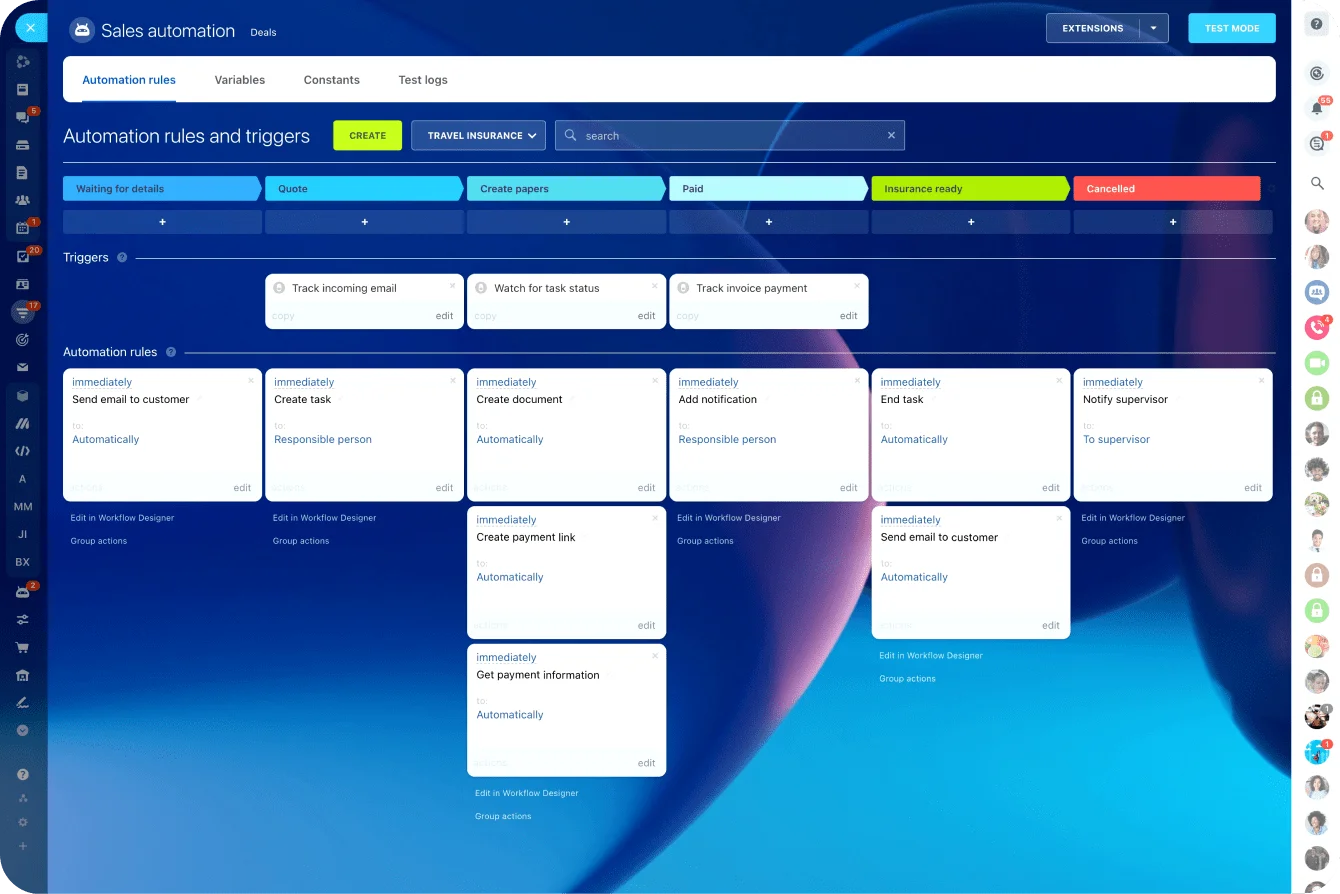
5. Profitability Dashboards: Know Which Clients Actually Make You Money
Revenue is not profit. A client paying $15,000 per month looks great on paper until you realize your team is spending 120 hours on that account and only billing for 80. Profitability dashboards within consultant software connect time tracking data, project costs, and billing records to show you the real margin on each engagement.
This is where project billing analysis gets specific. A good dashboard breaks down margin by client, by project, and by billing model - showing effective hourly rates after unbilled scope creep, flagging projects that consistently run over budget, and ranking clients by revenue per hour of effort.
Without this visibility, consultancies fall into the trap of chasing top-line revenue and overlooking the accounts that actually drain resources. Consultant productivity suffers because teams get assigned to high-effort, low-margin projects while more profitable work gets backlogged.
The best consultant software ties these analytics to specific team members, too. Not to micromanage - but to understand capacity. If a senior consultant is spending 60% of their time on a client that generates 20% of revenue, that's a resource allocation problem. Dashboards make those imbalances visible before they become financial problems.
Limitations of Profitability Tracking
Profitability dashboards are only as accurate as the data feeding them. If your team isn't logging time consistently, or if non-billable tasks like internal meetings and admin aren't tracked, the numbers will be misleading. Adopt the dashboards in parallel with clear time-tracking habits, not as a substitute for them.
Choosing Consultant Software: What to Look For
Not every platform marketed toward professional services actually meets the needs of a consulting business. Here's a comparison of features that matter most, broken down by the type of consultancy.
|
Feature |
Solo Consultant |
Small Firm (2-10) |
Mid-Size (10-50) |
|
Time tracking with project tagging |
High priority |
High priority |
High priority |
|
Automated recurring invoices |
Medium (fewer clients) |
High priority |
High priority |
|
Client portal |
Nice to have |
High priority |
High priority |
|
Profitability dashboards |
Medium |
High priority |
High priority |
|
Contract renewal alerts |
Low (manual OK) |
Medium |
High priority |
|
Multi-user permissions |
N/A |
High priority |
High priority |
|
CRM with pipeline management |
Nice to have |
High priority |
High priority |
The key question isn't "which tool has the most features?" It's "which tool removes the admin work that's actually costing me money?" A solo consultant might only need time tracking and invoicing. A firm with ten consultants and thirty active clients needs the full stack - consulting CRM, portals, dashboards, and scheduling automation.
Putting It All Together: A Workflow That Runs Itself
Here's what a well-automated consulting workflow looks like from start to finish:
- Step 1: A new client signs a contract. The consultant software creates the client record, sets up the billing schedule, and provisions a client portal.
- Step 2: Your team begins working. Time tracking runs automatically against tasks within the project. Internal notes and deliverables are stored in the project workspace.
- Step 3: At the end of each billing period, the system generates an itemized invoice based on tracked hours or the retainer amount. Variable charges are auto-calculated.
- Step 4: The invoice is sent to the client. Payment reminders trigger automatically if it goes unpaid past the due date.
- Step 5: Before the contract renewal date, alerts go out to both your team and the client. A pre-filled renewal document is attached for review.
- Step 6: Profitability dashboards update in real time, showing margin by client, by project, and by team member.
None of those steps require manual intervention once configured. That's the point. Consultant software doesn't just save time - it makes the business side of your consultancy run predictably and reliably so you can focus on the work that actually generates revenue.
Scale Your Consultancy Without Scaling Your Admin with Bitrix24
If your consultancy is still running on spreadsheets, email threads, and manual invoicing, Bitrix24 brings everything under one roof. With built-in time tracking, task and project management, CRM, automated invoicing, and client communication tools, it gives consulting teams a single platform to manage both client work and business operations.
Teams can collaborate on documents, track deliverables inside shared project workspaces, and automate routine processes such as invoice generation, task assignments, and contract reminders. Client portals and shared document access make it easier for consultants and clients to stay aligned without endless email exchanges.
Because everything lives in one connected environment - CRM records, project tasks, files, and communication - consultants maintain full visibility into projects even when teams are distributed. Remote consultants can track time, update deliverables, collaborate on documents, and communicate with clients from anywhere without losing operational control.
Try Bitrix24 today and turn the admin hours you're losing into billable revenue.
Revamp Your Consulting Workflow
Unleash operational efficiency with Bitrix24's automation solutions! Manage clients, track time, streamline invoicing, and much more in one seamless suite.
Start NowFAQ
How can I track time automatically against specific projects?
Tracking time automatically against specific projects requires consultant software with built-in timer functionality tied to your task structure. You select the project and task, start a timer, and the system logs the duration to that specific project code. Platforms like Bitrix24 let you assign time entries to tasks within projects, so every logged minute is tagged and ready for invoicing or profitability analysis.
Can I set up recurring invoices for retainers?
Setting up recurring invoices for retainers is a core feature in most consultant software platforms. You configure the retainer amount, billing cycle (monthly, quarterly, etc.), payment terms, and client details once. The system then generates and sends the invoice automatically on each billing date. Advanced platforms support variable components, like overage billing when tracked hours exceed the retainer cap, so the invoice reflects the actual work performed.
What is the best way to manage multiple client portals?
Managing multiple client portals works best when they're built into your consultant software rather than running as a separate tool. A unified platform creates a portal for each client automatically when you set up a new engagement, with access controls so clients see only their own deliverables, invoices, and project updates. You manage all portals from one dashboard while clients experience a dedicated, tailored space.
How does consultant software differ from generic project management tools?
Consultant software differs from generic project management tools by combining task management with billing, time tracking, CRM, and client-facing features in a single platform. Generic tools handle tasks and workflows well but typically lack automated invoicing, retainer management, client portals, and profitability analysis. Consultant software ties every tracked hour directly to a billing event and gives you a complete financial picture of each engagement, something a standard project management app does not do.
Can I automate contract renewals and billing reminders?
Automating contract renewals and billing reminders is straightforward with the right consultant software. You set the contract expiration date and define reminder intervals (for example, 60 days, 30 days, and 7 days before renewal). The system sends alerts to both your team and the client, often with a pre-configured renewal document attached. Billing reminders for overdue invoices work similarly - you define the follow-up schedule, and the system handles the outreach automatically.
How do I calculate profitability per client or project?
Calculating profitability per client or project requires connecting three data points: time tracked, costs incurred, and revenue billed. Consultant software with profitability dashboards pulls time logs, applies cost rates per team member, and compares total project costs against invoiced amounts. The result is a real-time margin view for each engagement, showing which clients are profitable and which drain resources.