When a Deal Closes, Work Starts: Project Templates and Hand‑offs That Save Hours


The deal just closed. Sales celebrates. Then nothing happens for three days. The project manager doesn't know the deal is won. The delivery team emails the client for information the sales rep already collected. The client wonders if they made the right choice.
According to Magnetic's analysis, teams spend 3–5 hours on handoff admin per project.
At 100 projects per year, that's 300–500 hours of unbillable work.
The fix is structural: trigger a project template the moment a deal closes, so tasks, owners, and deadlines appear automatically instead of being rebuilt every time.
In this guide, you’ll see how deal-to-project automation works, what a strong template includes, and how to implement it so every closed deal becomes a structured, ready-to-run project in seconds.
TL;DR: Manual sales-to-delivery handoffs waste hours, lose context, and create inconsistent project starts. Deal-to-project automation triggers a predefined template when a deal moves to "Won", instantly creating tasks, assigning owners, transferring CRM data, and notifying the delivery team. Every closed deal becomes a structured project in seconds.
Why sales-to-delivery handoffs break down
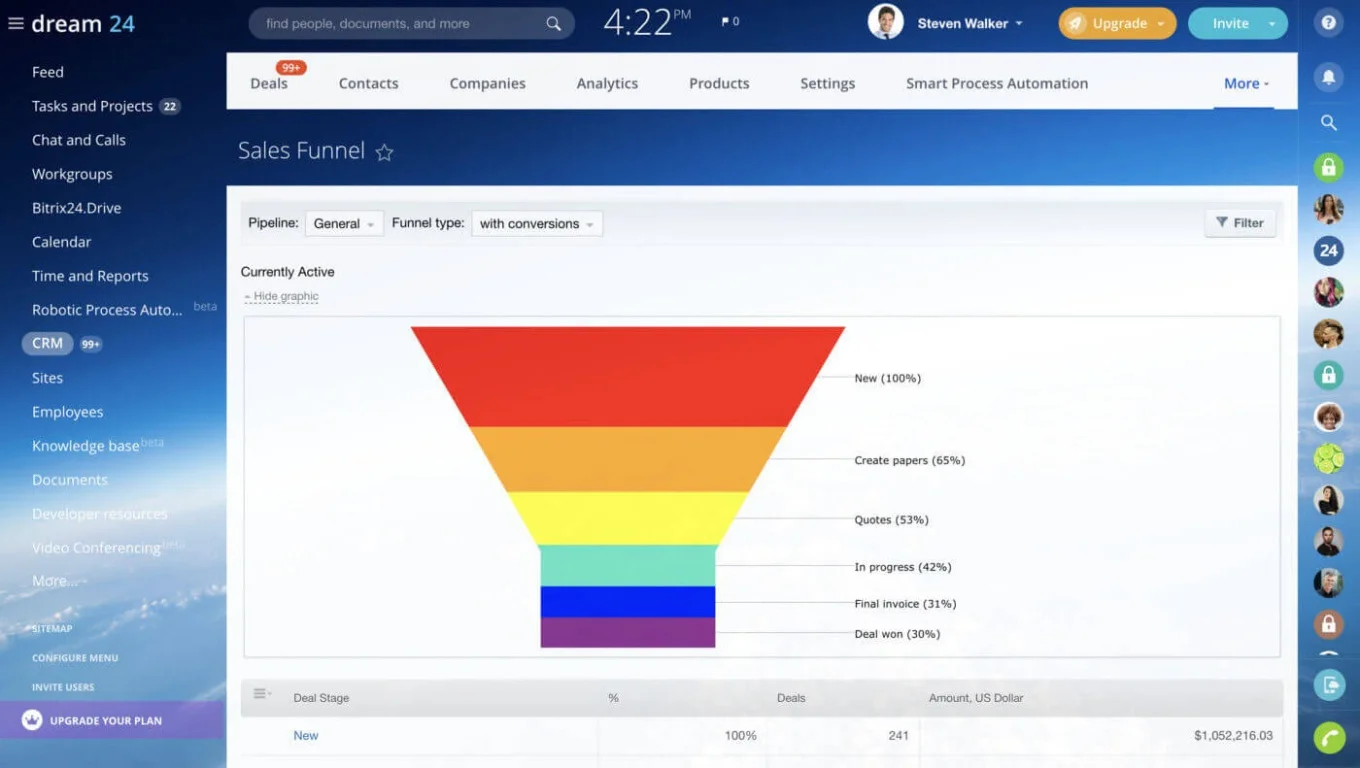
Freshworks' 2024 CRM survey found that CRM automation saves businesses 5–10 hours per week, with the top benefits being automating repetitive tasks (50%), centralizing data (46%), and streamlining communication (41%). The handoff from sales to delivery is one of the highest-leverage places to apply that automation.
Three patterns cause the breakdown:
Critical context disappears
During sales, conversations contain everything that shapes delivery: client goals, agreed deliverables, timelines, constraints, and special requirements. When this context isn't transferred systematically, delivery teams start without the full picture (and clients repeat details they already discussed).
Teams rebuild the same workflow every time
After every closed deal, someone manually:
- Creates a project workspace
- Builds task lists
- Assigns team members
- Sets deadlines
- Schedules the kickoff meeting
These steps are nearly identical across engagements, yet they're recreated from scratch each time.
Manual coordination doesn't scale
At a handful of deals per month, manual handoffs feel manageable. As volume grows, the administrative overhead grows faster: every new client requires setup work before delivery can begin, and without a standardized process, organizing projects consumes more time than executing them.
Together, these issues create slow, inconsistent project starts that waste time and frustrate both teams and clients. The solution is to replace manual handoffs with a system that automatically turns every closed deal into a structured project.
Deal-to-Delivery Playbook: Project Handoff Templates That Save Hours
Enter your email address to get a comprehensive, step-by-step guide

How deal-to-project automation works
Instead of manually organizing delivery after each sale, your CRM automates the entire transition in four steps:
- The trigger — a sales rep marks a deal as "Closed Won" in the pipeline. This stage change becomes the automation trigger.
- The template launch — the system creates a new project using a predefined template containing your standard onboarding and delivery structure.
- CRM data flows into the project — client contacts, company details, contract value, and sales notes transfer directly into the new workspace. Delivery teams get context without asking for it.
- The team is notified instantly — project managers, delivery leads, and assigned team members receive notifications the moment the project is created.
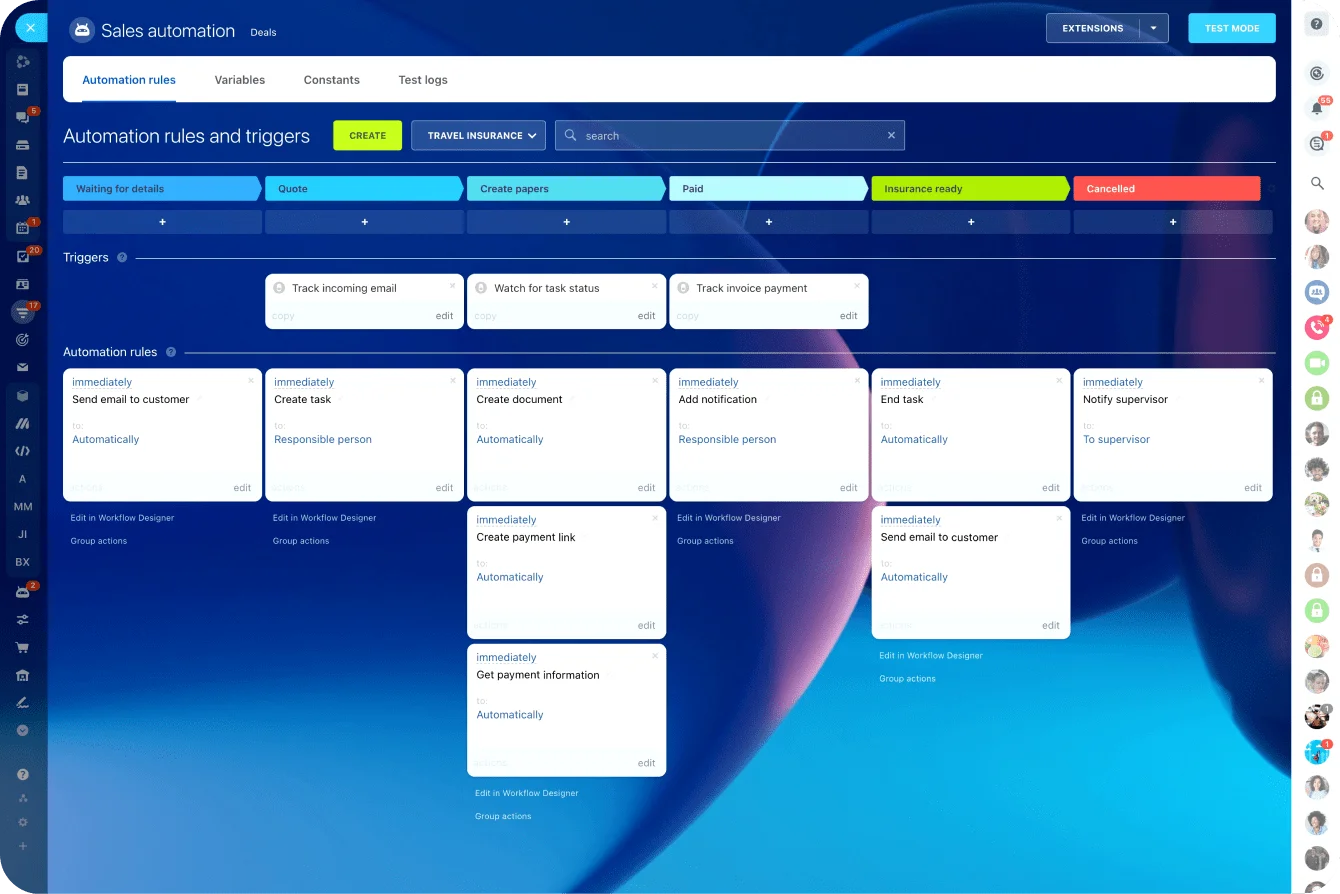
In Bitrix24, this works because CRM pipelines, project management, tasks, and workflow automation all live in the same workspace. When a deal stage changes, automation rules launch templates, assign tasks, and notify the right people. With zero manual coordination needed.
What a strong post-sale project template includes
The quality of your template determines how consistently your team starts new engagements.
|
Template element |
What it covers |
Why it matters |
|
Internal kickoff prep |
Review deal notes, confirm deliverables, identify stakeholders, assign project manager |
Delivery team aligns before the client meeting — no confusion during kickoff |
|
Client onboarding workflow |
Welcome email, kickoff meeting scheduling, onboarding documents, team introductions |
Onboarding becomes predictable and professional rather than improvised |
|
Delivery milestones |
Discovery, planning, execution, review/approval, final delivery |
Projects are structured into phases with clear progress markers |
|
Task ownership |
Every task has an assigned owner — PM, delivery specialist, CS manager, billing contact |
Work starts immediately without “who’s handling this?” delays |
|
Communication checkpoints |
Kickoff meeting, milestone updates, review meetings, final presentation |
Proactive client communication replaces reactive “any update?” emails |
When these elements are built into the template, every closed deal becomes a structured project, whether you close five deals this month or fifty.

Real-world examples across industries
Deal-to-project automation works the same way across industries, but the specific tasks and workflows vary by engagement type. Here’s how it plays out in practice.
Agency client onboarding
The template creates tasks for internal kickoff prep, client welcome communication, asset collection, and campaign planning. The delivery team receives the workflow instantly and begins preparing without rebuilding the process. Typical timeline: internal alignment within 24 hours of close, client kickoff within 48.
SaaS implementation
Closing a software deal triggers account setup, customer success manager assignment, onboarding call scheduling, configuration tasks, and training delivery. Templates ensure consistent quality regardless of how many customers onboard simultaneously (which matters most during high-volume sales quarters when implementation teams are stretched).
Consulting engagements
The template generates discovery sessions, research tasks, planning meetings, progress checkpoints, and final delivery milestones. Consultants focus on solving client problems rather than organizing project logistics. The template also ensures that scoping assumptions from the sales process are documented and visible to the delivery team before the first client conversation.
The principle is the same across all three: predictable post-sale steps become automated workflows rather than manual checklists rebuilt each time.
How much time this actually saves
The individual savings seem modest. Maybe 30 minutes to create a project, another 20 to assign tasks, 15 more to schedule the kickoff. But multiply across every deal:
- 10 deals/month → roughly 10–15 hours on project setup alone
- 25 deals/month → a full-time employee's worth of administrative work
- 100 deals/year → 300–500 hours of unbillable capacity recovered
Templates also reduce costly mistakes:
- Onboarding steps are less likely to be forgotten
- Client communication happens on schedule rather than when someone remembers
- New team members run the same structured process experienced staff do
The less visible savings matter too. When delivery teams receive full CRM context, they stop emailing sales reps for deal details. When kickoff meetings are pre-scheduled in the template, clients experience a seamless transition rather than a three-day silence after signing.
As deal volume increases, teams using automated templates handle a larger sales pipeline without adding administrative coordination.
How to implement this in four steps
You don’t need a complex system to make this work. With a clear process and the right trigger, you can implement deal-to-project automation in four steps.
Step 1: Map your post-sale process
Document what your team normally does after a deal closes:
- Internal prep and stakeholder alignment
- Client onboarding and welcome communication
- Kickoff scheduling
- Project planning and scope confirmation
- Billing or contract finalization
Talk to both sales and delivery teams: sales knows what was promised, delivery knows what's needed to execute. The gap between these two perspectives is exactly what the template must bridge. Identify which steps are predictable enough to standardize and which vary by deal type.
Step 2: Create a reusable template
Convert your mapped process into a project template with standard task lists, assigned roles, milestones, and communication checkpoints. For teams new to structuring these workflows, our article on business process automation fundamentals covers how to think about which steps to standardize.
Step 3: Connect the template to your CRM pipeline
Link the template to a CRM stage trigger. When a deal moves to "Closed Won," the automation rule launches the template and creates the project automatically.
Step 4: Refine over time
Your first template won't be perfect. As your team uses it, patterns emerge:
- Certain tasks get added to every project manually — add them to the template
- Some milestones need earlier or later deadlines — adjust the defaults
- Communication checkpoints may need to shift — update based on client feedback
Treat the template as a living document. Review quarterly and collect feedback from both delivery teams and clients. Bitrix24 makes this straightforward because CRM pipelines, project templates, task management, and automation rules all live in one workspace.
When this approach may need adjustment
Automated deal-to-project templates work best when post-sale delivery follows a predictable pattern. Some situations require a different approach:
- Highly custom engagements where no two projects look alike. If every deal produces a fundamentally different scope (different deliverables, different team composition, different timeline structure), a single template adds minimal value. In these cases, use the automation to create the project shell and notify the team, but let the PM build the task structure based on each deal's specifics.
- Deals that require a scoping or discovery phase before delivery can be planned. Some sales processes close before the full scope is defined, especially in consulting, custom development, or complex integrations. Launching a full delivery template prematurely creates tasks that may not apply. Instead, trigger a lighter "discovery phase" template first, then launch the delivery template once scope is confirmed.
- Organizations where sales and delivery are handled by the same person. Solo consultants, freelancers, and very small agencies often close and deliver themselves. The handoff problem doesn't exist because there's no hand to off to. Templates still help with consistency, but the automation trigger is less critical — a saved template you manually apply is usually sufficient.
- Long sales cycles with phased contracts. When a deal closes in stages (ie, pilot, phase one, full engagement), a single template triggered at "Closed Won" doesn't map to the delivery reality. Build separate templates for each phase and trigger them at the corresponding pipeline stages rather than trying to capture the entire engagement in one template.
In these cases, the goal isn’t to avoid automation, but to adapt it. Adjust the trigger, simplify the template, or split workflows by phase so the system reflects how your delivery actually works.
Turn every closed deal into a structured workflow
Closing a deal shouldn’t trigger internal chaos. It should trigger execution.
The moment a deal is won, your CRM should already be building the project. Tasks assigned. Deadlines set. Context transferred. No delays, no reconstruction, no guesswork.
Start for free with Bitrix24 and turn every closed deal into a structured workflow that runs itself.
Automate Your Workflow
Bitrix24 offers deal-to-project automation to help you save hours on labor-intensive handoffs. Start working smarter and boost your overall productivity.
Try Bitrix24 nowFrequently asked questions
How long does it take to set up a deal-to-project automation?
Most teams configure a basic workflow in one to two hours: mapping post-sale steps, building the template, and connecting the CRM trigger. The first version doesn't need to be comprehensive; start with the steps that are most consistent across engagements and expand from there.
Can I use different templates for different types of deals?
Yes. Bitrix24 allows different templates based on deal type, pipeline, product line, or deal value. A SaaS implementation template might include configuration and training tasks, while a consulting template focuses on discovery and research. Matching the template to engagement type ensures relevance without manual customization.
What CRM data should transfer into the project?
At minimum: client contact details, company name, deal value, and sales notes. Many teams also transfer agreed deliverables, timeline expectations, and specific requirements from negotiations. The goal is to give delivery enough context to begin without asking the client to repeat information.
Does this work for teams that don't use agile sprints?
Absolutely. Deal-to-project automation doesn't require any methodology. Whether your team uses sprints, phases, milestones, or simple task lists, the template reflects however you already structure delivery.
What happens when the template needs to change?
Update the master template and all future projects launch with the new version. Existing projects continue with their original structure, so you can iterate continuously without disrupting work in progress.
How do I include billing or contract steps in the automated workflow?
Add them as tasks within the template, assigned to your finance or operations contact. When the deal closes, the template creates tasks for sending the invoice, countersigning the contract, setting up billing, and scheduling payment reminders (running in parallel with delivery onboarding so neither side waits on the other).