Before You Switch Tools: The Migration Costs Nobody Puts in the Business Case


TL;DR (Quick Summary)
Most migration business cases weigh the new license against the old one and call it a decision. The costs that actually settle it- data cleanup, rebuilt integrations, retraining, and the output you lose at cutover- never reach the spreadsheet.
- What does a new tool really cost? → The license is the visible sliver; the rebuild, the retraining, and the lost output land on your team.
- One swap, or many? → Change a single field and workflows, approvals, audit trails, and the reports built on them move with it.
- Does the data just come across? → Exports arrive broken, history flattens, and many of the old custom fields shouldn't survive the trip anyway.
- Do integrations and reports carry over? → Mostly they get rebuilt, and a matching connector logo guarantees nothing about the workflow behind it.
- What's the cost nobody forecasts? → The productivity dip after go-live, because no one wants to predict worse numbers right after signing the contract.
- Switch now, later, or stay put? → Weigh what the current system costs you every month against the concentrated pain of replacing it.
- Are you actually ready? → If the readiness answers are guesses, you need more discovery, not a cutover date.
Takeaway: Most of a migration's cost never reaches the quote, so find it before you sign, because cutover is the expensive place to learn it.
Switching tools reads like a swap on a line item: less money here, a nicer interface there. That line is the cheap part. Everything the old system did without being noticed (the fields feeding reports, the rules routing approvals, the integration nobody has touched in two years) has to be found, rebuilt, and trusted again before the replacement earns its price.
Price the disruption honestly, and you'll reach the decision knowing whether to move now, wait, or fix what you already have.
The business case usually counts license savings and misses the cost of disruption
License savings show up on the first slide. The disruption shows up on your team's calendar.
What your team has to absorb
Someone inside has to make the change work. Operations maps the processes and fields. IT reviews permissions and integrations. Managers test workflows. Finance and analytics re-validate the reports behind month-end. Then every frontline user relearns their own routine.
The work that rarely makes the estimate:
- documenting the current setup
- cleaning data before it moves
- rebuilding workflows and automations
- testing integrations
- validating reports
- training users and staffing internal support
- double-keying during cutover
- fixing what breaks after launch
A "simple" CRM move turns out to touch lead assignment, approval rules, forecast categories, renewal reminders, dashboards, and the spreadsheet finance closes the month with.
Ask a better financial question
Stop asking only what the new software saves. Ask what has to be rebuilt, relearned, tested, and supported, and how much interruption the business can take while that happens.
Savings are easy to see. Disruption you have to go looking for.
One warning about the numbers you'll find along the way. Search for migration failure rates, and you'll hit a much-repeated claim that more than 80% of data migrations fail or blow their budgets. Follow it to the source and it dissolves into vendor white papers citing decade-old analyst work.
Treat a figure like that as a reason to plan, never as an input to your model. The disruption cost that counts is the one you estimate for your own systems.
Pro tip: Build the case in internal hours, not just vendor fees. Put names against the work: operations, IT, managers, analysts, frontline users. Even a rough hour count makes the hidden effort comparable to the promised benefit.
Hidden Migration Cost Calculator + Stakeholder Buy-In Deck
Enter your email address to get a comprehensive, step-by-step guide

A tool migration is really a chain of dependent changes across data, workflows, and people
A core system doesn't just hold a screen. It holds structured data, drives task flow, controls who sees what, feeds the reports, and trades information with half a dozen other tools. Move one part and the rest move with it.
One configuration change can spread quickly
A field change alters a workflow. The workflow changes an approval. The approval rewrites the audit trail. The audit trail feeds a report a manager reads every Monday.
Take a support platform where status values fire escalations and response-time rules. Swap in a tool with different status logic and renaming the fields fixes nothing. The team has to settle:
- which cases land in which queue
- when the escalation clock starts
- who owns an exception
- how response time gets counted
- which states show up in management reports
Follow the process from start to finish
The same trap sits inside CRM, project management, finance, and HR systems. Software carries business rules the team stopped noticing years ago, because the system applies them without being asked.
So trace a few real workflows end to end. For a sale, follow one lead through:
- Capture
- Assignment
- Qualification
- Quoting
- Approval
- Close
- Customer handoff
Every automatic step on that path is migration scope.
Move that process into Bitrix24 CRM and the comparison has to cover pipeline stages, ownership rules, required fields, activities, automations, and downstream handoffs, not just a feature checklist.
Data rarely moves cleanly: export quality, history gaps, and field mismatches shape the real migration effort
Data migration sounds mechanical until you open the export.
Records arrive split across files with keys that don't line up. Attachments come loose from the records that explained them. Activity history flattens. Timestamps drop the detail that made them mean something inside the old app.
Whatever the export can't carry sets the ceiling on what you keep.
The export is also where hidden problems surface. Gartner surveys have found that 59% of organizations don't measure data quality at all, so this is often the first hard look anyone has taken at what's really in the records.
Decide what history actually needs to move
Some history has to live inside the new system. Some only has to stay reachable in an archive. The split changes by function.
Sales wants open opportunities and recent account activity on day one. Finance needs historical deal states to reconcile against. Support pulls old cases when a dispute lands. Compliance needs an auditable record that frontline staff might never open.
Archive access is where teams get lazy. The old files sit somewhere, but nobody decides who reaches them, how they're searched, or how an employee digs out evidence six months later.
When archived documents have to stay usable next to live work, the plan has to define the future document management process as well as the export.
Clean up the schema before rebuilding it
Custom fields are the next trap. The old system is full of internal categories, exception flags, required fields inherited from someone who left, duplicate concepts, and free-text boxes that quietly became structured data.
Run each field through a few questions:
- Is anyone still using it?
- Who owns its definition?
- Does a workflow depend on it?
- Does a report depend on it?
- Does the new system have a real equivalent?
- Should it exist in the future process at all?
A sales team sitting on four versions of "lead source" gains nothing by rebuilding all four in the new CRM. Migration is the moment to pick the one that survives.
Skipping that has a price. Gartner puts the average cost of poor data quality at $12.9 million a year per organization. Move messy fields across as they are and the cost doesn't stay behind in the old system. It rides along into the new one, wearing the fresh paint of a clean start.
Pro tip: Don't open with a field-to-field mapping sheet. First flag the fields that drive workflows, reporting, compliance, or live user decisions. That separates data the business runs on from old configuration you can retire.
Four questions that quickly expose migration difficulty
|
Migration data question |
Why it changes effort |
|---|---|
|
Can records be exported cleanly? |
Poor exports create transformation and validation work |
|
Is history needed inside the new tool? |
Embedded history is harder than archive-only retention |
|
Do custom fields map directly? |
Schema redesign may be required before import |
|
Are attachments and metadata preserved? |
Missing context reduces record usefulness after go-live |
"We migrated the data" can mean almost anything, then. Current records work perfectly while the historical ones turn unusable.
The usual validation hides that gap. Teams match record counts between old and new, which proves the rows arrived, not that the links between them held. Every record can be present while the connections joining contacts to companies, or invoices to accounts, sit quietly broken. That surfaces weeks later, when a report or the first campaign refuses to add up.
Define what "successfully migrated" means for current and historical data before anything moves.

Integrations, automations, and reports often have to be rebuilt rather than transferred
You think you're replacing one application. You're replacing everything wired to it.
A core tool trades data with billing, identity providers, support systems, document storage, warehouses, and the small scripts one person in operations keeps alive.
Inventory behavior, not connector names
A logo in both vendors' integration directories proves nothing about whether the workflows match. An integration directory is a marketing page, not a compatibility guarantee.
One connection updates in real time; its replacement syncs on a schedule. The available fields differ. Triggers, retries, error handling, and permissions all shift. Before you rebuild a connection, write down:
- the source system
- the destination
- what triggers the exchange
- which fields move
- which direction the data flows
- what happens when the sync fails
- who owns it today
That inventory tends to expose a few integrations nobody meant to keep.
The same test applies to Bitrix24 integrations: check the data flow and trigger behavior the process actually needs, instead of treating a listed connector as proof the work is done.
Revalidate every automation
Automation logic hides its exceptions. A workflow routes most requests one way, then does something different for strategic accounts, overdue tasks, missing fields, or a manager's sign-off.
Those exceptions are the ones that don't get rebuilt, because nobody remembers they exist. The rule that quietly flagged your biggest accounts for a senior rep lives in the old system's config and in one person's memory, and that person changed jobs last spring. You find out it was there the first time a major account drops into the general queue. Test at least:
- a normal record
- an incomplete one
- a duplicate
- a permission exception
- a failed integration
- any state that triggers special routing or approval
Pro tip: For every automation that matters, document the normal path and its main exceptions before you rebuild it. Testing finds the happy path in minutes. The exceptions are what break in production.
Protect metric definitions during the move
Reporting is where the budget blows late.
A dashboard holds definitions the business has learned to trust. If the new tool reads stages, statuses, ownership, dates, or reopened records even slightly differently, a KPI that looks identical returns a different number. Not long after go-live the win-rate figure drifts and nobody trusts it, because the new tool counts a reopened deal as a fresh one, and the number the board saw last quarter no longer means the same thing.
Before cutover, pin down for each metric:
- the definition
- the fields it uses
- the date logic
- what's included and excluded
- who owns it
- which historical comparisons have to stay valid
If reporting moves into Bitrix24 analytics and reporting tools, your analysts have something concrete to test against, instead of eyeballing a new dashboard and deciding it looks about right.
The most underestimated line item is the temporary drop in team productivity
Every transition opens with a slowdown.
People move slower because the familiar moves have shifted. Names changed. Permissions behave differently. Shortcuts vanished. Work that used to run on muscle memory now takes a pause and a second guess.
This line gets underbudgeted for a human reason: nobody wants to stand in front of leadership and forecast worse performance right after signing an expensive contract. So the dip goes unmentioned until it turns up in the numbers leaders actually watch, slower order processing, a longer month-end close, response times creeping up, which is exactly when the second-guessing starts.
Its depth owes more to how well people were prepared than to the software itself…
Train people around actual tasks
Generic product training misses the point. People need to know how their own day changes.
A salesperson has to find where to create and update an opportunity, schedule the next follow-up, request an approval, pull up a customer's history, and hand an account to another team. A service agent needs a different list entirely.
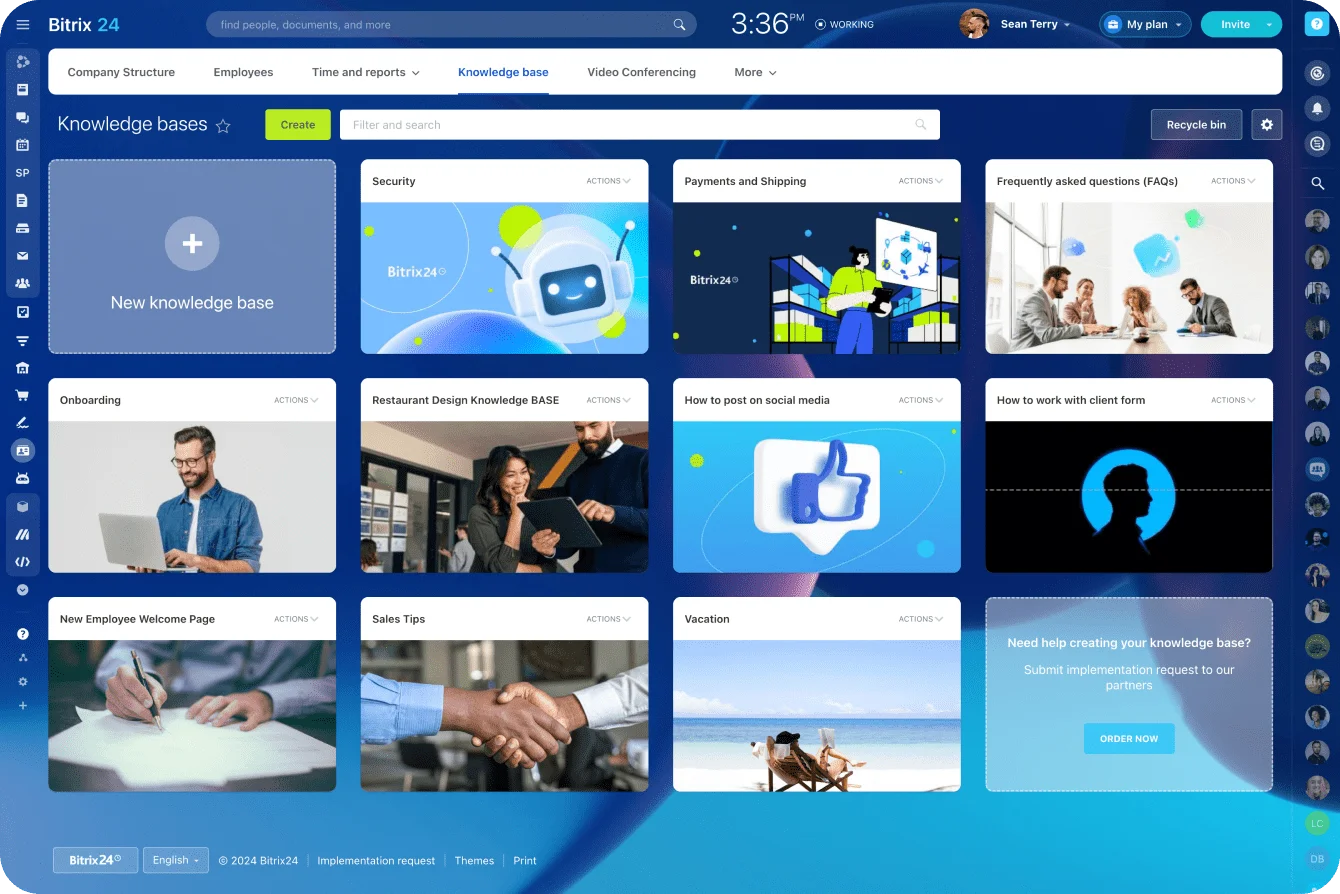
A shared Bitrix24 knowledge base keeps the role-by-role instructions, cutover notes, and known issues in one place while everyone finds their feet.
Control the parallel-running period
Cutover doubles the work for a while. For a stretch, people key information into two systems, cross-check reports, confirm integrations fired, fix records that landed wrong, chase permission problems, and ask a manager which system to believe.
The mistake is letting that period run with no end date. People build spreadsheets and side processes because nobody will say which system is authoritative. Name the person who calls time on each old process.
Watch for confidence problems
Confidence drives throughput. When people aren't sure an automation ran, whether a field matters, or whether a report is right, they check by hand. They keep private notes. They sit on updates until someone can help.
So the plan needs owners named before launch:
- who answers user questions
- who fixes configuration
- who investigates data errors
- who handles failed integrations
- who updates the training when the same issue keeps coming back
Without those names, small problems harden into permanent workarounds.
Comparing switch now, switch later, or stay put means weighing urgency against migration friction
Once you can see the full switching cost, timing becomes part of the decision. The real comparison sits between what the current system costs you every month and the concentrated disruption of replacing it.
Two biases tilt the call. The pull of a better tool, plus the effort already sunk into evaluating it, pushes teams to switch, so "fix what you have" gets picked less than the evidence warrants. And "switch later" slides into "switch never" unless someone owns the date to revisit it, because a deferred project never argues its own case.
Switch now
Switch now when the current system creates real business risk or blocks work you already have to do. That looks like:
- a control or permission model the tool can't support
- critical work propped up on fragile manual workarounds
- reporting gaps that leave you without oversight
- volume or structure the system can't hold anymore
- integration limits that keep interrupting operations
The migration still costs time and focus. Waiting costs more.
Switch later
Defer when the destination is right, but the capacity isn't there yet. A launch is coming. Finance is heading into a heavy reporting stretch. The people who'd validate the new setup are already booked.
A better platform won't rescue a cutover scheduled when nobody has time to test it. If you defer, set the conditions to clear first:
- finish the data cleanup
- document the critical workflows
- assign migration ownership
- get through the major reporting cycle
- lock in time from the experts you'll need
Then put a date on the calendar to decide again, and give that date an owner. Deferral without an owner is how "later" becomes "never."
Stay put
Staying put is rational when the problems are livable and a migration would cost more than the near-term gain buys back. Plenty of pain eases without one:
- clean up the fields
- simplify the workflows
- tighten permission governance
- retire dead automation
- write better user documentation
- add only the integrations you need
- put clear owners on the processes
If the goal is pulling scattered work into one place, model the future process in Bitrix24 task management before you commit to the whole move. It makes ownership, handoffs, deadlines, and exceptions visible while the current system still runs beside it. The Free plan can be used by one or two people to build and test that target-state model before anyone signs off on a migration budget.
Don't ignore the calendar
A justified migration still fails at the wrong moment. Hershey found that out in 1999, when it switched on a new system in July, weeks before its Halloween peak, and couldn't ship an estimated $100 million in orders while the candy sat in the warehouse. Quarterly profit dropped 19%. The software worked; the timing didn't. Check the cutover date against:
- contract renewal windows
- peak sales or service periods
- product launches
- financial close and reporting
- compliance deadlines
- major internal projects
- whether the operational owners are actually available
Migration capacity is finite. Spend it deliberately.
Use this checklist to decide whether the move is justified and whether the organization is ready
Run the business case and your own readiness through these before you commit.
Data and system readiness
- Can you pull records, metadata, attachments, and history in a form people can actually use?
- What has to live inside the new system, and what can sit in an archive?
- Do the custom fields map cleanly, or does the schema need a redesign first?
- Which syncs, scripts, identity flows, and downstream dependencies have to be rebuilt?
- Which workflows hide special routing, approvals, retries, or edge cases?
- Which dashboards, metric definitions, and historical comparisons have to stay trustworthy?
People and operating readiness
- How much behavior change does this actually demand?
- Where will the work slow down during the move?
- Who decides when a process can't be reproduced exactly?
- Who verifies records, automations, permissions, integrations, and reports?
- Who declares the old system no longer authoritative?
- Who owns questions, fixes, data errors, and process changes after launch?
If several of those answers are guesses, you're not ready to cut over. You're ready to do more discovery.
Cut migration risk with one connected workspace
Bitrix24 brings CRM, tasks, docs, workflows, and reporting together, reducing rebuilds, handoffs, and post-cutover confusion.
Get Started NowThe number that matters
An honest business case sets data cleanup, rebuilds, training, validation, cutover, and lost output right next to the software quote. That total is what the decision turns on, and it's the one most teams meet for the first time halfway through the cutover, when it's most expensive to learn.
So do the accounting before you sign. Price the disruption, name the owners, check the calendar, and the choice to move, wait, or stay stops being a guess.
Takeaway: The software quote is the cheapest number in the decision; the cost that should drive it is the disruption you'll absorb before the new tool starts paying off.


