After the Sale: Map the Moments That Decide Whether Customers Stay


TL;DR (Quick Summary)
Customers judge the post-sale experience long before renewal. A good journey map shows where handoffs, delays, unclear ownership, and weak signs of progress start damaging trust.
Use it to identify the moments that matter, assign ownership, and catch retention risk earlier.
Takeaway: Retention is shaped by what customers experience after the sale, not by what your internal process says is complete.
Most companies know when a customer buys.
Far fewer know when that customer starts regretting it.
There’s no alert for the first awkward handoff. No dashboard notification when a customer has to explain the same thing twice. No obvious warning when “everything is on track” internally, but the customer still can’t see what they’re getting from the relationship.
By the time renewal becomes difficult, those moments are old news.
Post-sale journey mapping gives you a way to see them earlier.
It shows you where customers are waiting, guessing, chasing, repeating themselves, or wondering whether anyone is actually in charge. More importantly, it shows you what your teams need to change before those moments turn into a retention problem.
This article maps the post-sale experience from the first handoff through renewal, with a focus on the moments that quietly decide whether customers keep trusting you.
After the sale is where retention is won or lost
The first retention risks are usually mundane.
A handoff happens late. Nobody explains who owns the account. Sales context stays in someone’s notes. A customer gets a meeting invite without knowing why they’re there. Support exists, but finding the right channel takes more effort than it should.
None of these problems looks serious on its own.
That’s part of the problem.
From inside the company, they can be dismissed as admin. From the customer’s side, they answer much bigger questions:
- Who owns this relationship?
- How much effort is this going to take?
- Will I have to repeat myself?
- Is anyone paying attention to our progress?
- Did we make the right decision?
That’s why post-sale friction is easy to underestimate. The operational mistake and the customer’s interpretation of it are rarely the same thing.
The customer often becomes the backup system
Consider a sales team that tracks deal context through private notes, direct messages, and memory. The salesperson may believe the handoff is complete, while the onboarding manager receives only the contract, contact name, and product package.
The customer then spends the kickoff meeting repeating goals, explaining constraints, and correcting assumptions.
No major service failure has occurred, yet trust has already weakened.
A post-sale journey map makes these moments visible. It helps teams see where customers may lose confidence, who owns the next action, and what evidence of progress the customer needs.
30-Day Retention Touchpoint Map + Copy Library
Enter your email address to get a comprehensive, step-by-step guide

What post-sale UX journey mapping actually means
Post-sale UX journey mapping is a structured, post-purchase application of customer journey mapping. It tracks each interaction from welcome through renewal, including what the customer expects, what they need to do, what may worry them, and where confusion could interrupt progress.
This is broader than onboarding. It includes product usage, service delivery, support, billing, stakeholder communication, feedback, and renewal preparation.
Map the customer’s state, not just the company’s status
An onboarding checklist records what the company intends to complete. A journey map shows what the customer is actually experiencing while those activities happen.
For example, an internal project tracker may show that implementation is 70% complete. The customer may still feel that nothing has happened because they haven’t seen a working result or received a useful update.
A practical map records both sides:
|
Customer view |
Operational view |
|
What is the customer trying to achieve? |
Which team owns the next action? |
|
What question are they asking? |
What triggers the workflow? |
|
What evidence of progress can they see? |
Where is that evidence recorded? |
|
What could create doubt or extra work? |
What escalation rule applies? |
|
Which stakeholders need reassurance? |
Who communicates with them? |
A polished diagram has little value unless sales, onboarding, support, customer success, billing, and product teams can use the journey map to make daily decisions.
Build the first map from real account evidence
A useful initial mapping session usually takes 60 to 90 minutes. Include one person each from sales, onboarding or delivery, support, customer success, and operations. Product or billing should join when their work creates major customer touchpoints.
Start with a recently completed customer journey rather than an idealized process. Review:
- CRM activity
- Emails and meeting notes
- Support requests
- Milestone dates
- Billing communications
- Customer feedback
- Delays and escalations
Mark every point where the customer had to wait, ask for clarification, repeat information, or chase an owner.
At each phase, document the relevant customer journey map elements:
- The customer’s immediate goal
- Their likely question or concern
- The action they’re expected to take
- The proof of progress they should receive
- The internal owner
- The system where the interaction is recorded
- The response or escalation time
- The signal that the account is ready to move forward
A shared record in Bitrix24 CRM can connect these elements to the account. Teams can store promised outcomes, stakeholder roles, onboarding requirements, contract dates, risks, and upcoming milestones alongside the deal history.
Pro tip
Add a required “handoff ready” check before a closed deal enters onboarding. Include the customer’s primary goal, expected timeline, decision-makers, known constraints, commitments made during sales, and first agreed milestone. A contact name and deal value aren’t enough.

Why post-sale trust mapping matters to revenue and retention
Customers rarely wait until renewal to decide how they feel about an account. They form that opinion much earlier, based on whether the purchase seems useful, burdensome, underused, or risky.
That judgment affects activation, usage, support behavior, stakeholder confidence, referrals, and willingness to consider additional products.
It exposes risk before renewal
Without a journey map, retention issues often appear as disconnected symptoms:
- A customer misses two training sessions.
- An integration remains incomplete.
- Product usage starts falling.
- An executive sponsor stops attending reviews.
- Support requests become more urgent.
- The account manager can’t explain the value delivered so far.
These signals may sit in different systems. Nobody recognizes the pattern until the renewal date is close.
A mapped journey defines the evidence expected at each phase.
Teams can compare the intended path with the real account. An absent sponsor or overdue success milestone then becomes an actionable risk signal rather than background noise.
It gives teams a shared point of reference
Sales, onboarding, support, customer success, and product often work from different schedules and systems. A journey map gives them shared customer moments around which to coordinate.
Customers judge every handoff as part of one continuous relationship, regardless of which department owns the work.
For example, sales may believe the customer purchased the platform to improve reporting. Implementation may assume the priority is data migration. Both teams can finish their assigned tasks and still miss the result the customer expects.
Clear mapping can support:
- Faster time to an observable result
- Fewer repeated questions
- Better handoffs
- Earlier risk identification
- More useful account reviews
- A clearer case for renewal or expansion

How the post-sale journey works as a trust system
The post-sale journey works as a sequence of trust tests. Each phase asks customers to believe something new, and each interaction confirms or weakens that belief.
The customer’s questions change over time
Immediately after purchase, customers ask:
- What happens next?
- Who is responsible?
- When will I hear from someone?
- What do you need from me?
During setup, the questions change:
- Am I doing this correctly?
- Are we on schedule?
- When will I see a useful result?
- What happens if we hit a blocker?
Once the product or service is active, they ask:
- Where do I get help?
- How quickly will someone respond?
- Are we using what we bought?
- Does the wider team understand the value?
Near renewal, the questions become:
- What did we achieve?
- Is the value greater than the cost and effort?
- Does this provider still fit our priorities?
- What would continuing or leaving require?
Message volume matters less than timing and relevance. Each phase should answer the question the customer is asking at that point.
Continuity matters more than communication volume
The welcome phase shows whether the company is organized. Setup milestones provide evidence of movement. Handoff notes stop customers from repeating themselves. Visible support reduces perceived risk. Renewal cues connect current activity to future value.
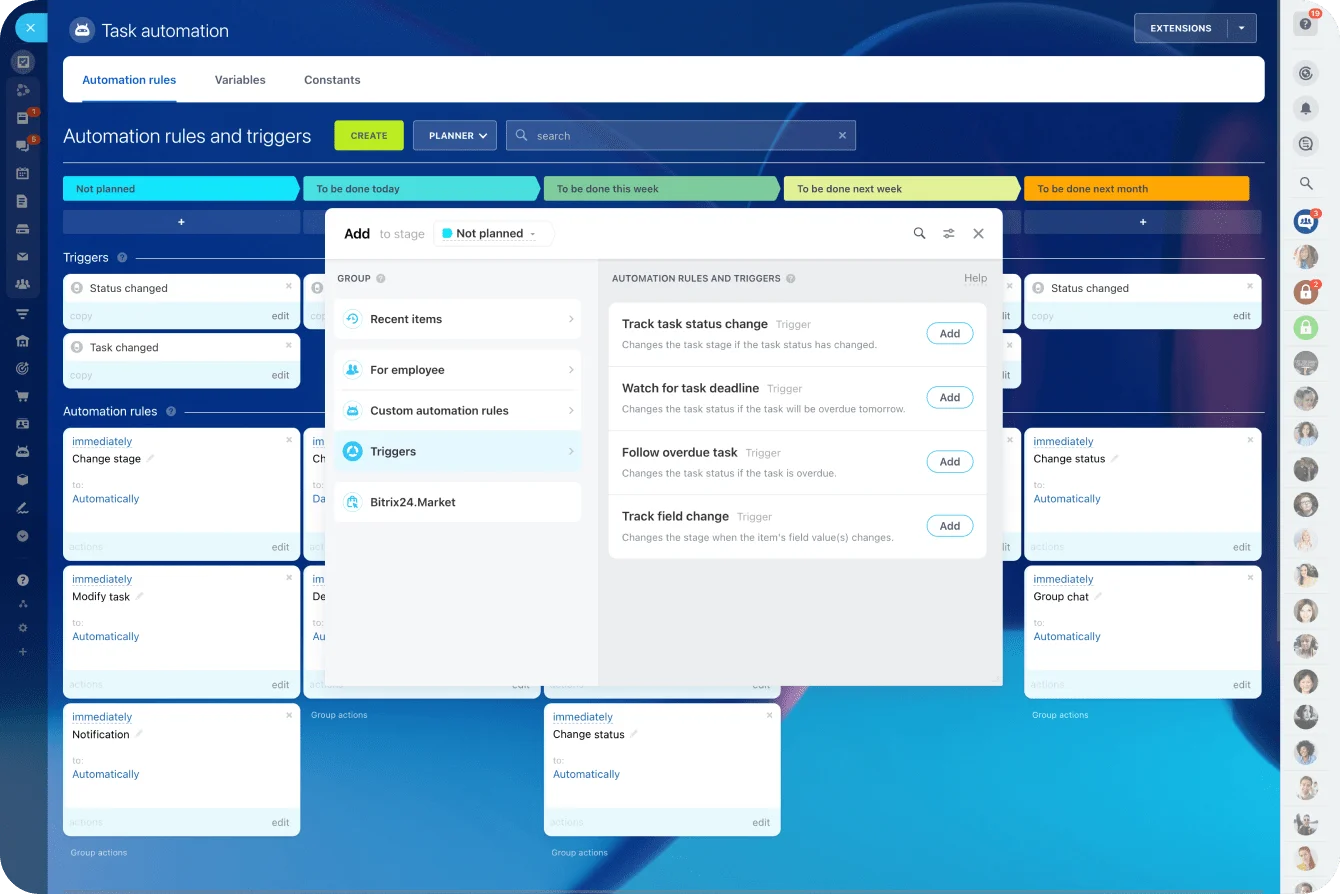
Task automation in Bitrix24 can connect these stages. Moving a deal to “won,” for example, can create an onboarding task, assign an owner, set a deadline, and schedule a follow-up.
Automation should begin only after the required account information has been completed. If an automated email promises that an onboarding manager will make contact but nobody’s been assigned, the workflow creates another trust problem.
Core moments that shape the post-sale experience
1. Welcome and orientation
Customers need prompt acknowledgment, a clear point of contact, and an understandable next step. Silence after a contract signature or completed checkout creates unnecessary uncertainty.
The first communication should answer:
- Who owns the next phase?
- What will happen first?
- What does the customer need to prepare?
- When will the next interaction happen?
- What result should they expect first?
For a high-touch account, this may include a personal introduction and kickoff invitation within one business day. A self-service customer may receive an immediate setup checklist, introductory guidance, and a clear route to human help.
The common failure is sending a warm but vague message. “We’re excited to have you” doesn’t explain what the customer should do next.
2. Setup milestones and first proof of value
Customers need evidence that their effort is producing movement. A milestone should represent a meaningful result, rather than an internal activity that happens to be complete.
Useful milestones could include:
- The first user completing a core task
- The first integration passing data correctly
- The first approved campaign going live
- The first report reaching internal stakeholders
- The first service deliverable being reviewed and accepted
A software team may mark configuration as complete while the customer still can’t run the report they purchased the system to produce. The internal task is finished, but the customer hasn’t received proof of value.
Pro tip
Track time to first proof, not only time to task completion. The timer should stop when the customer can see or use a meaningful outcome. An integration marked “connected” isn’t complete if the data is still inaccurate or unusable.
3. Internal handoff and account continuity
Handoff notes are invisible to customers, but missing context quickly becomes obvious.
The receiving team should know:
- Why the customer purchased
- What outcomes were discussed
- Which stakeholders matter
- What concerns slowed the sale
- What deadlines or dependencies exist
- Which commitments were made
- What the customer already understands
- Which issues require extra care
When teams manage this information through scattered inboxes and private messages, the customer becomes the backup storage system.
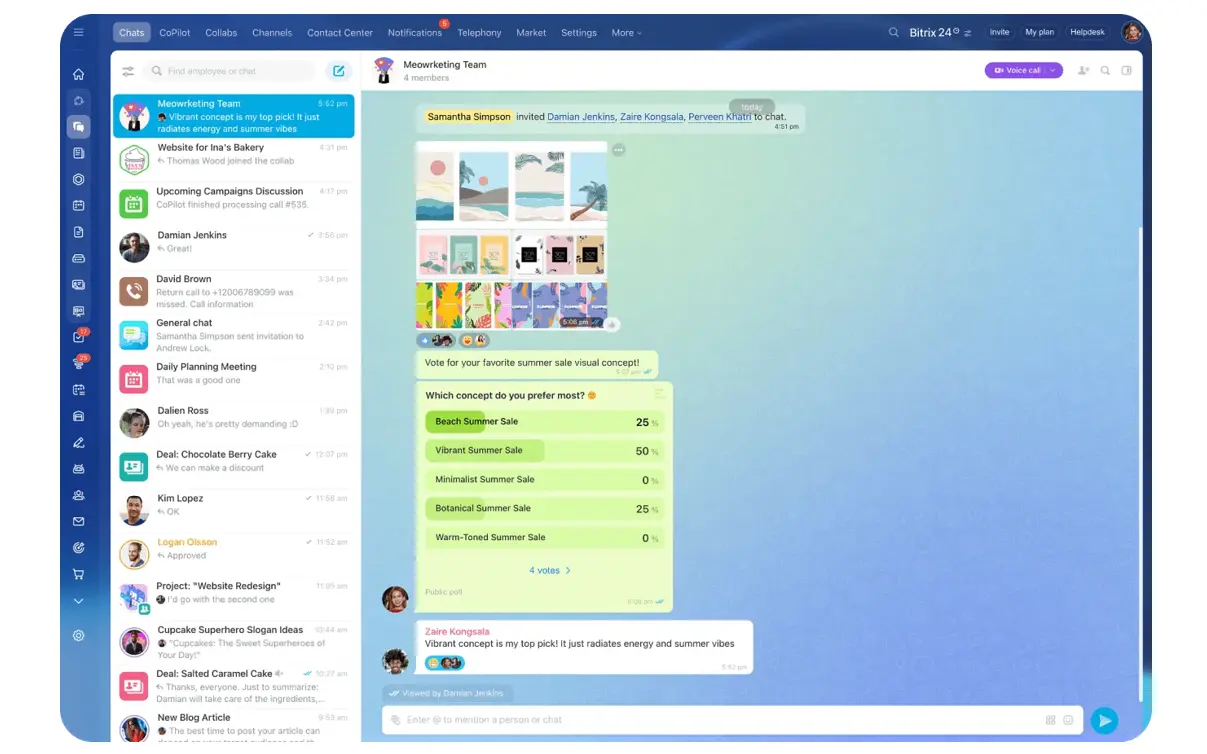
Bitrix24’s communication tools can keep messages, calls, meetings, and internal discussions connected to the relevant account. This gives the next employee a usable history before speaking with the customer.
4. Support visibility and escalation
Customers shouldn’t need to encounter a problem before learning how to get help.
Make the following clear during onboarding:
- Available support channels
- Typical response times
- Support hours
- Escalation rules
- Self-service resources
- The difference between technical support and account guidance
- Who can authorize or prioritize a request
This information should also be easy to find later. A support slide shown once during kickoff isn’t enough.
One common edge case occurs when customers use unofficial channels. A client may message the account manager directly because it feels faster. Unless the request is logged and routed, it can remain invisible to support teams and reporting.
5. Renewal cues and value reinforcement
Renewal shouldn’t begin with a reminder that the contract expires next month.
Useful renewal cues appear throughout the relationship:
- Milestone summaries
- Usage or participation trends
- Outcomes connected to the original goal
- Stakeholder updates
- Account reviews
- Training completion
- Service delivery records
- Unresolved risks
- Plans for the next period
The owner might review these signals monthly for high-touch accounts or at key lifecycle points for scaled accounts. The cadence depends on contract length and complexity, but waiting until the final few weeks leaves little time to correct problems.
A frequent mistake is presenting activity as value. “Your team logged in 140 times” doesn’t explain whether the purchase improved the process the customer actually cared about.
Connect activity to an observable result, such as faster approvals, a completed workflow, fewer manual steps, or better access to information.
6. Feedback loops
Customers need a clear way to report friction, request changes, and explain where value is being blocked.
Feedback becomes useful when teams define a response process:
- Who reviews the feedback?
- How quickly is it acknowledged?
- Which issues require direct follow-up?
- Where are product requests recorded?
- How will the customer learn what happened?
- When should feedback trigger an account review?
A low survey score without follow-up can weaken trust further. The customer has spent time warning the company and received silence in return.
Teams can combine surveys, account interviews, support patterns, review calls, and other customer feedback methods. Enterprise customers may explain more during a scheduled review, while self-service users may respond better to one short question after completing a task.
Pro tip
Treat silence as unknown, not positive. A customer who hasn’t complained may be satisfied, disengaged, blocked, or already considering alternatives. Check behavior, milestone progress, and stakeholder participation before assigning a health status.
Common mistakes and misconceptions in post-sale UX
Treating onboarding as the entire journey
Onboarding is one phase. Billing messages, support interactions, educational content, product changes, stakeholder reporting, service delivery, and renewal management continue shaping trust afterward.
A strong kickoff can’t compensate for months of unclear ownership or inconsistent support.
Mapping internal stages instead of customer moments
An internal lifecycle may move an account from “closed won” to “implementation” to “managed.” Those stages help with reporting, but they don’t explain what the customer understands or still needs.
Add customer-facing exit criteria to each stage. Onboarding shouldn’t close simply because every internal task is checked. It should close when the customer has reached the agreed milestone, knows where to get help, and understands what happens next.
Automating unclear or incomplete work
Automation can make a sound workflow more consistent. It can also spread bad timing and missing context across every account.
Common failures include:
- A welcome sequence starts before ownership is assigned.
- Two teams send competing instructions.
- Reminders reach customers who already completed the task.
- An inactive user receives a renewal email before receiving help.
- A feedback survey arrives while an urgent issue is unresolved.
- Every account receives the same cadence despite major differences in complexity.
Automation needs entry conditions, suppression rules, ownership, and exception handling.
Assuming friendliness creates trust
Tone matters, but customers usually judge reliability through clarity, continuity, responsiveness, and progress.
A friendly message that avoids the customer’s question won’t repair trust. A concise update that explains the delay, identifies the owner, and gives a new deadline is more useful.
Collecting data without deciding who acts
Teams sometimes create detailed customer health dashboards without defining what happens when a signal changes.
A warning means little unless someone owns the response. For every risk indicator, define:
- Who receives the alert
- How quickly they should review it
- What information they need
- Which action they should take
- When the issue should be escalated
- How the outcome will be recorded
The data becomes useful only when it is tied to a decision, owner, and workflow.

Real-world business use cases for trust-based journey mapping
The exact touchpoints vary by business model, but the same trust questions appear repeatedly: Do customers know what happens next? Can they see progress? Do teams remember their context? Can they get help? Is value being reinforced?
SaaS: reducing early adoption stalls
In SaaS, mapping is often most useful between purchase and initial adoption.
A typical path may include:
- Sign-up or contract confirmation
- Owner introduction
- Workspace configuration
- Data import or integration
- First successful workflow
- Team training
- Usage review
- Renewal preparation
A sales operations team may complete setup but postpone internal training. Administrators use the platform, while most employees never adopt it. The customer appears active in the CRM, but the purchase remains vulnerable because value is concentrated in one or two users.
Mapping the journey helps teams distinguish technical setup from organizational adoption.
Services and agencies: turning promises into delivery confidence
Service businesses need to carry sales context into delivery.
Critical moments include:
- Kickoff expectations
- Stakeholder introductions
- Scope confirmation
- Access and asset collection
- Progress reporting
- Review and approval cycles
- Issue escalation
- Change requests
An agency may deliver strong work but lose client confidence because status updates are inconsistent. Even strong output can lose credibility when the client can’t see whether work is on schedule, who is waiting on whom, or when the next deliverable will arrive.
A mapped journey defines when updates occur, who sends them, and what each update should clarify.
E-commerce and subscription businesses: supporting the purchase after checkout
In e-commerce and subscription models, the journey often runs through:
- Order confirmation
- Delivery updates
- Product guidance
- Setup or usage instructions
- Returns and exchanges
- Support access
- Reorder or renewal prompts
- Feedback collection
A customer who can’t understand how to use a product may interpret the problem as poor product quality. Timely guidance can resolve the issue before it becomes a return, complaint, or negative review.
How to scale post-sale journey mapping
At small scale, post-sale experience may be held together through individual effort and memory. As the customer base grows, that stops working.
Teams need shared ownership, reliable customer data, agreed communication timing, and common definitions for important moments.
The journey becomes harder to manage across segments
A business may serve:
- Self-service customers
- Small high-growth accounts
- Enterprise customers
- Partner-managed accounts
- Customers using different products
- Customers in different countries or time zones
These customers shouldn’t all receive the same workflow. However, the underlying trust logic should remain consistent.
Each segment still needs:
- Clear orientation
- Evidence of progress
- Account continuity
- Visible support
- Value reinforcement
- A working feedback channel
The delivery model changes. A self-service customer may use automated guidance and a knowledge base. An enterprise account may need named contacts, structured reviews, and a formal escalation plan.
Reactive management versus a mapped journey
|
Dimension |
Reactive post-sale management |
Mapped trust journey |
|
Handoffs |
Context is lost between teams |
Account history follows the customer |
|
Visibility |
Customers infer next steps |
Next steps are explicit |
|
Progress |
Internal tasks indicate completion |
Customer-visible outcomes indicate progress |
|
Support readiness |
Help is discovered during problems |
Help channels are known in advance |
|
Renewal timing |
Value discussion starts late |
Value is reinforced over time |
|
Feedback |
Input appears sporadically |
Signals are gathered and routed consistently |
|
Ownership |
Problems are assigned after escalation |
Owners are defined before the moment occurs |
|
Exceptions |
Employees improvise |
Escalation rules guide the response |
Know what journey mapping can’t fix
Journey mapping can expose preventable friction, but it can’t compensate for weak product value, poor service delivery, or pricing misfit.
It can reveal:
- Where trust is being lost
- Where ownership is unclear
- Which messages arrive too early or too late
- Which milestones matter to customers
- Where information disappears between teams
- Which retention problems are caused by preventable friction
Use it to diagnose coordination and experience failures. If customers still can’t achieve the promised result after those failures are removed, the underlying product, service, or commercial offer needs attention.
FAQs
How is a post-sale journey map different from onboarding, a CRM lifecycle, or a customer success playbook?
The systems overlap, but they serve different purposes.
- Onboarding focuses on early implementation and education.
- A CRM lifecycle tracks account stages for internal management.
- A customer success playbook defines actions employees may take.
- A journey map organizes those activities around what the customer is experiencing, expecting, and risking.
The journey map provides the customer-centered structure into which the other systems fit.
What should teams do when customer journeys differ widely?
Don’t force every account down an identical path.
Define a shared trust structure across segments:
- Welcome and orientation
- Evidence of progress
- Continuity between teams
- Support visibility
- Value reinforcement
- Feedback and response
Then vary the delivery method.
A self-service account may receive automated guidance, knowledge base content, and behavior-based reminders. An enterprise account may need named contacts, customized milestones, scheduled reviews, and a formal escalation path.
The trust questions stay similar even when the execution changes.
How can teams identify renewal cues when usage data is incomplete?
Look beyond product telemetry and contract dates.
Useful signals may include:
- Milestone completion
- Stakeholder participation
- Training attendance
- Support patterns
- Delivery delays
- Response times
- Feedback sentiment
- Changes in the customer’s priorities
- Whether promised outcomes were ever clearly defined
- Whether the main sponsor is still involved
When usage data is limited, qualitative signals matter more. Account conversations, support interactions, meeting attendance, and milestone reviews can indicate whether confidence is growing or fading.
How often should the journey map be reviewed?
Review the map quarterly during its first year, or after a major product, process, or pricing change.
Teams should also revisit it when they notice:
- Repeated onboarding delays
- Rising early-stage churn
- Confusion about ownership
- Support requests clustering around the same issue
- Low participation in training or reviews
- Renewal objections that appear too late
- Different departments describing the customer journey differently
Compare the map regularly with what customers are actually experiencing, and revise it when the process or customer behavior materially changes.
Turn post-sale moments into retention
Bitrix24 unites CRM, tasks, automation, and support history so teams manage handoffs, milestones, and renewal risks in one place.
Get Started NowRetention starts with what happens next
By the time a customer says they’re considering leaving, the useful warning signs may be months old.
That’s why the post-sale journey deserves the same attention as the sale itself. Look for the moments where customers have to wait, chase, repeat themselves, or wonder what progress actually looks like. Give each one an owner, a clear next step, and a visible outcome.
The goal isn’t to create a prettier journey map. It’s to make the customer experience easier to run.
If those handoffs, onboarding tasks, communications, and account milestones currently live in different places, sign up for Bitrix24 free and bring the post-sale workflow into one shared system.