Copilots don’t manage projects — they eliminate them

Most recurring work doesn’t fail because teams manage it poorly.
It fails because it’s treated like a project in the first place.
The best teams have started to recognize this distinction. When work follows the same pattern every time, they don’t manage it. They systematize it.
With Bitrix24, automation, templates, and CoPilot work together to launch workflows, assign owners, and move work forward without you coordinating each step.
Teams report 30 percent fewer status calls and 22 percent faster handoffs, not because they’re working harder, but because the system runs the work for them.
This article shows you exactly how to build self-running workflows that eliminate project management overhead. You’ll see the three tools that make it possible, real examples of automation in action, and a framework for implementing your first playbook this week.
Once you see a self-running workflow in action, you won’t go back.
The problem: Most teams rebuild the same projects again and again
Look at your team's workload, and you'll see the same pattern everywhere. Many of your "projects" aren't really projects at all. They're repeatable processes disguised as new work.
Yet every cycle, you start from scratch. You rebuild task structures, reassign responsibilities, rewrite briefs, and explain the same steps to the same people.
When teams switch to workflow automation, the coordination tax disappears. The real opportunity isn't to manage recurring projects better. It's to stop managing them entirely. Bitrix24 eliminates project management for recurring work by combining three tools into one workflow engine.
How Bitrix24 actually does it: The core tools working together
To eliminate project management for recurring work, you need more than templates or checklists. You need a system that automatically handles structure, timing, and coordination. Bitrix24 brings this together by combining Automation, Project Management, and CoPilot into one workflow engine. Each tool plays a specific role, and the real power lies in how they work together as a single system.
1. Automation: Your always-on workflow engine
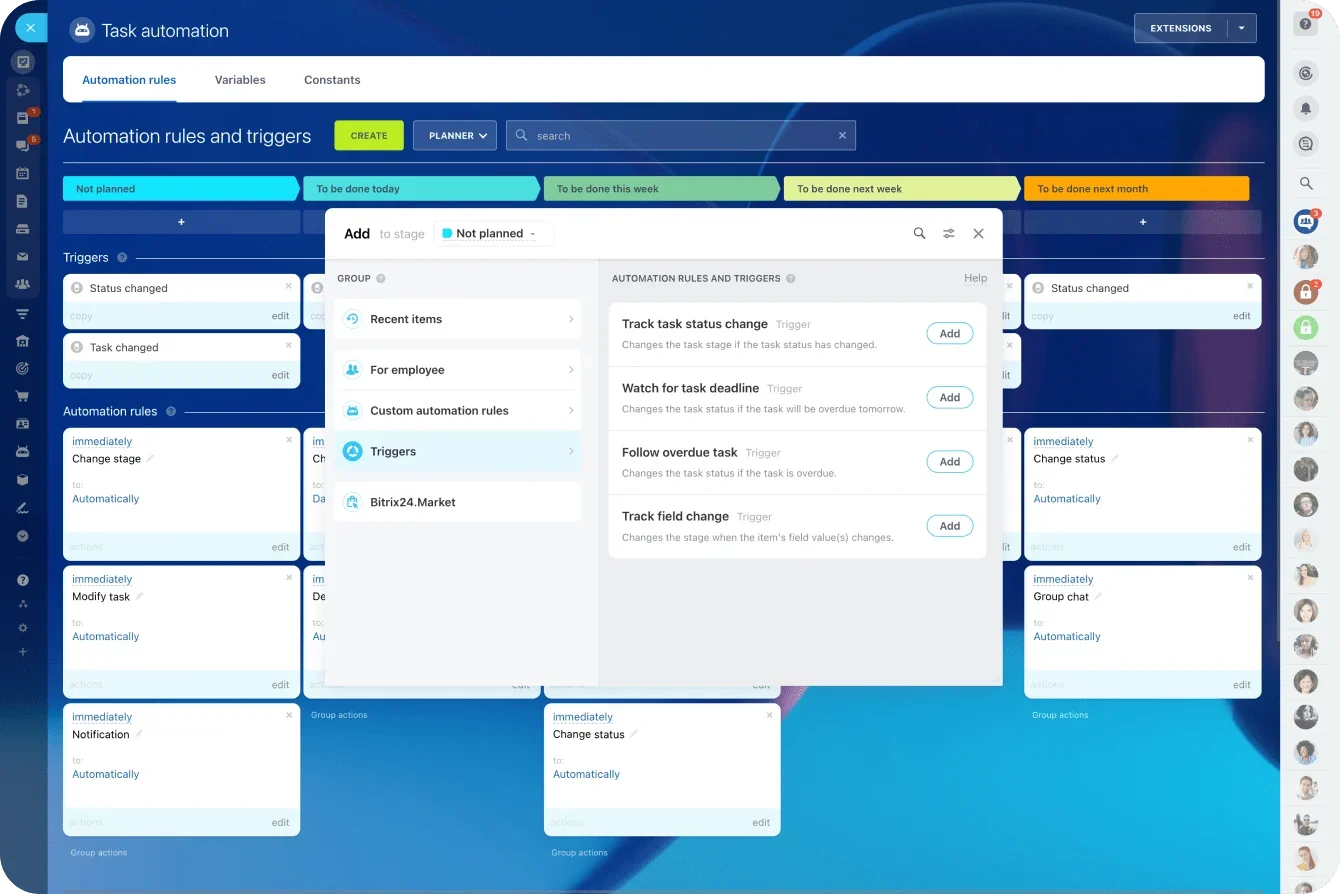
Automation handles the routine decisions that slow teams down. You set the rules once, and Bitrix24 runs them every time the workflow repeats.
Automation can:
-
launch projects or task groups on a schedule or event trigger
-
assign tasks based on workload, role, or stage
-
send reminders before deadlines
-
escalate delays so nothing gets stuck
2. Project management: Structure that builds itself
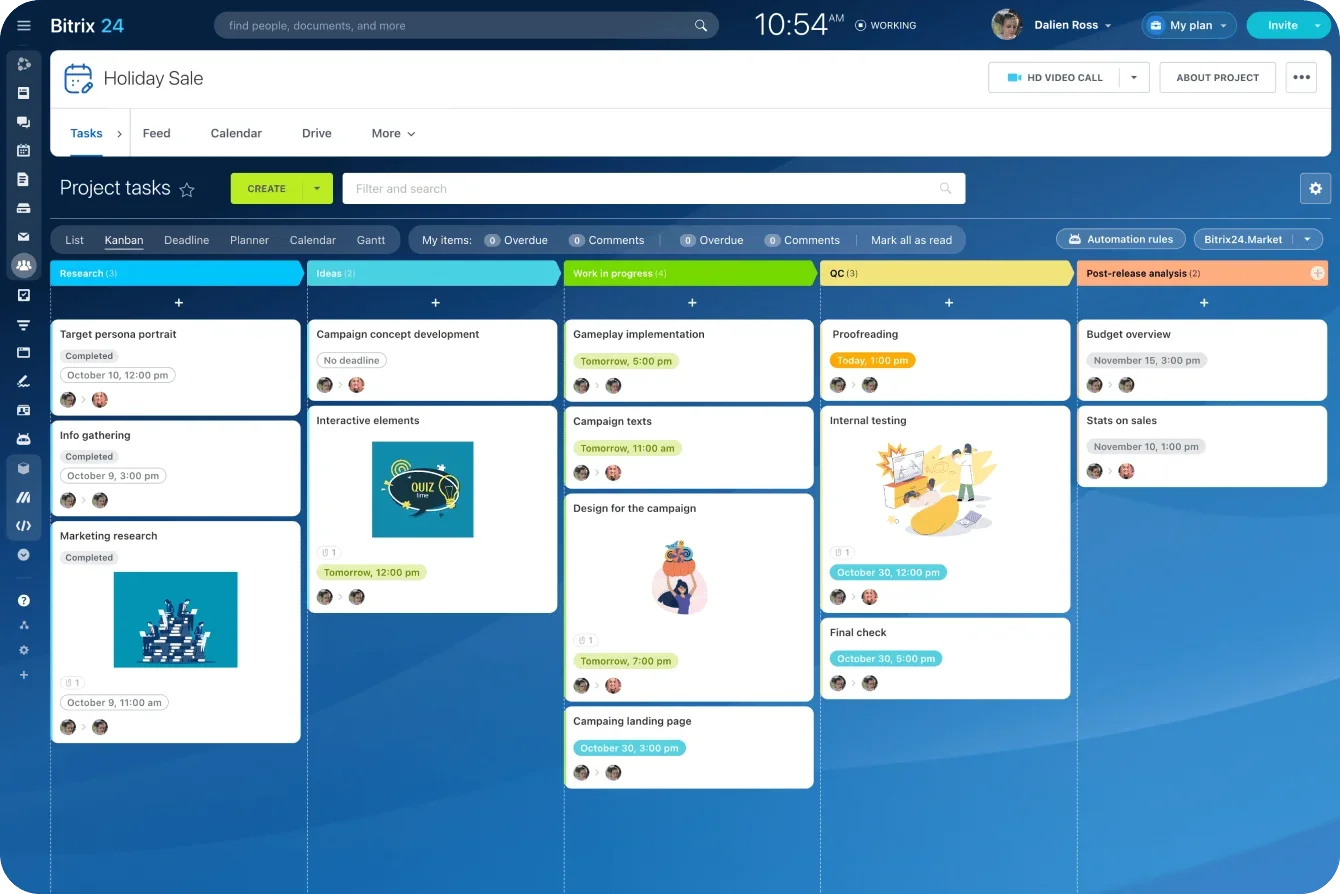
Bitrix24 lets you build project templates with subtasks, dependencies, and timelines baked in. When a workflow runs, the entire structure appears instantly.
Project templates allow you to:
-
generate complete task hierarchies
-
enforce the correct sequence with dependencies
-
set automatic deadlines based on your logic
3. CoPilot in Tasks and Projects: The AI that orchestrates work
Automation provides timing. Project tools provide structure. CoPilot adds intelligence.
CoPilot can:
-
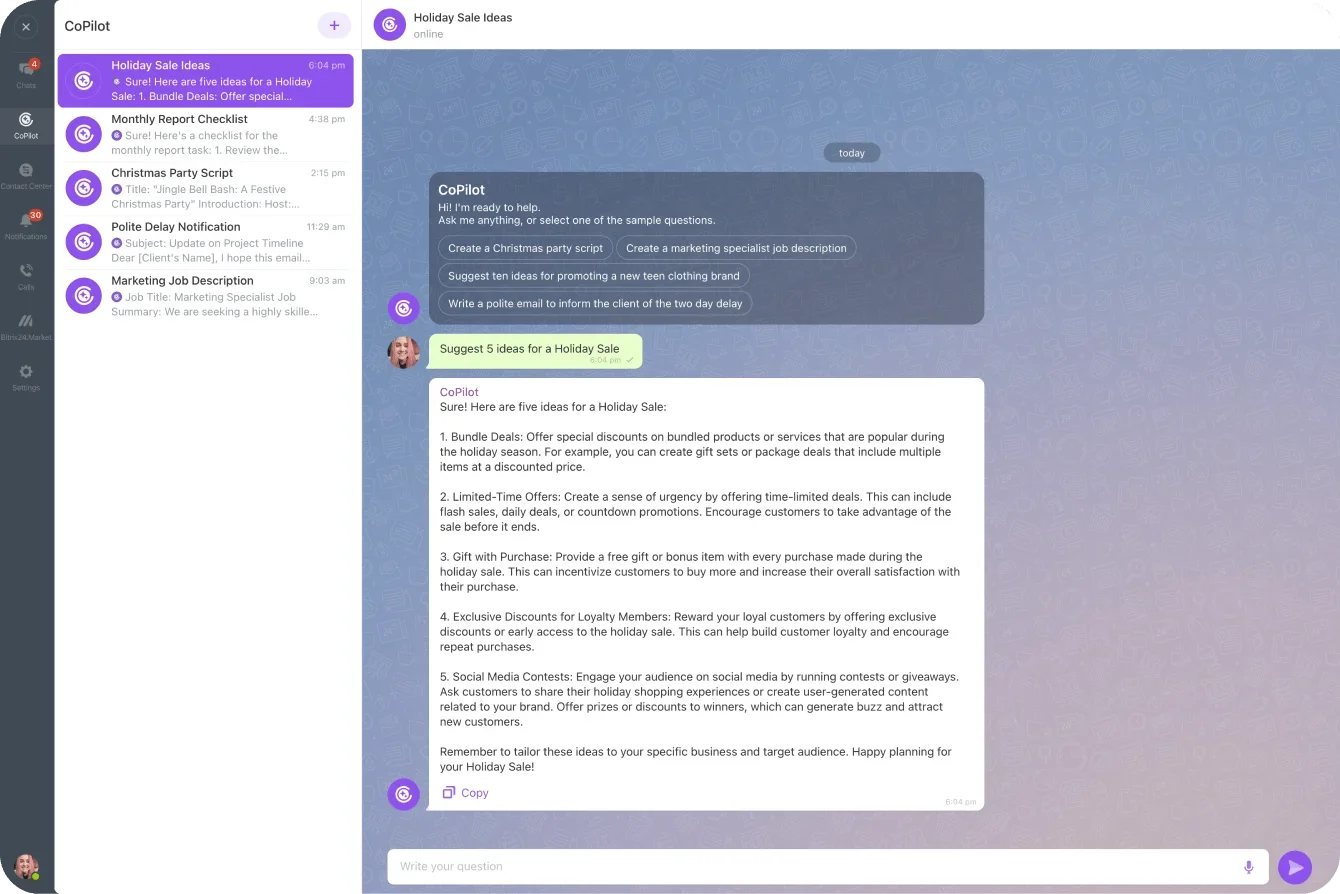
generate step-by-step task sequences for new workflows
-
draft briefs, checklists, updates, and handoff notes
-
distribute responsibilities based on past workloads and roles
-
summarize progress so you skip unnecessary status calls
When all three tools work together, you stop managing repeatable projects manually.
The system runs them for you. Consistently, predictably, and with far fewer delays.
What self-running projects look like in real life
Bitrix24 turns predictable processes into repeatable systems. Setup becomes instant, coordination becomes automatic, and your team steps straight into execution. Here’s what that looks like in real scenarios.
1. Monthly reporting cycles
Monthly reporting no longer requires rebuilding task lists or chasing contributors.
A recurring workflow triggers automatically, tasks are generated with the right owners and deadlines, and CoPilot drafts instructions inside each task. Instead of managing the reporting cycle, you review insights and keep moving.
2. Content production pipelines
Content teams move dozens of pieces through brief → draft → edit → design → publish.
Bitrix24 uses templates to create the full workflow, moves tasks across stages automatically, and lets CoPilot generate briefs and checklists. Even multi-step pipelines feel lighter when the platform handles coordination.
3. Onboarding and campaigns
Whether onboarding a new employee or launching a quarterly campaign, a single trigger creates the entire plan. Tasks for all departments appear instantly, dependencies enforce sequence, and CoPilot prepares briefs and summaries. Teams see the biggest reductions in admin work here.
Across all of these examples, one pattern stands out: You stop spending energy on setup and coordination. You focus on the work itself.
The impact: consistency without micromanagement
When recurring work runs on a system instead of manual coordination, the experience of work changes. Communication quiets down. Progress becomes visible without constant check-ins. Instead of pushing tasks forward, teams move because the workflow already knows what comes next.
The result isn’t less control; it’s more consistency. Work becomes predictable because structure, timing, and visibility are built into the process itself.
These shifts lead to measurable improvements across your team.
1. Operational efficiency
When recurring projects begin to run themselves, the first thing you notice is the absence of noise. Fewer pings. Fewer status updates. Work moves forward without a project manager pushing every step.
Teams using Bitrix24 automation report 30 percent fewer status calls within weeks. You get automatic updates when tasks change stages, real-time visibility into delays, and instant progress views in Gantt, Kanban, and reports.
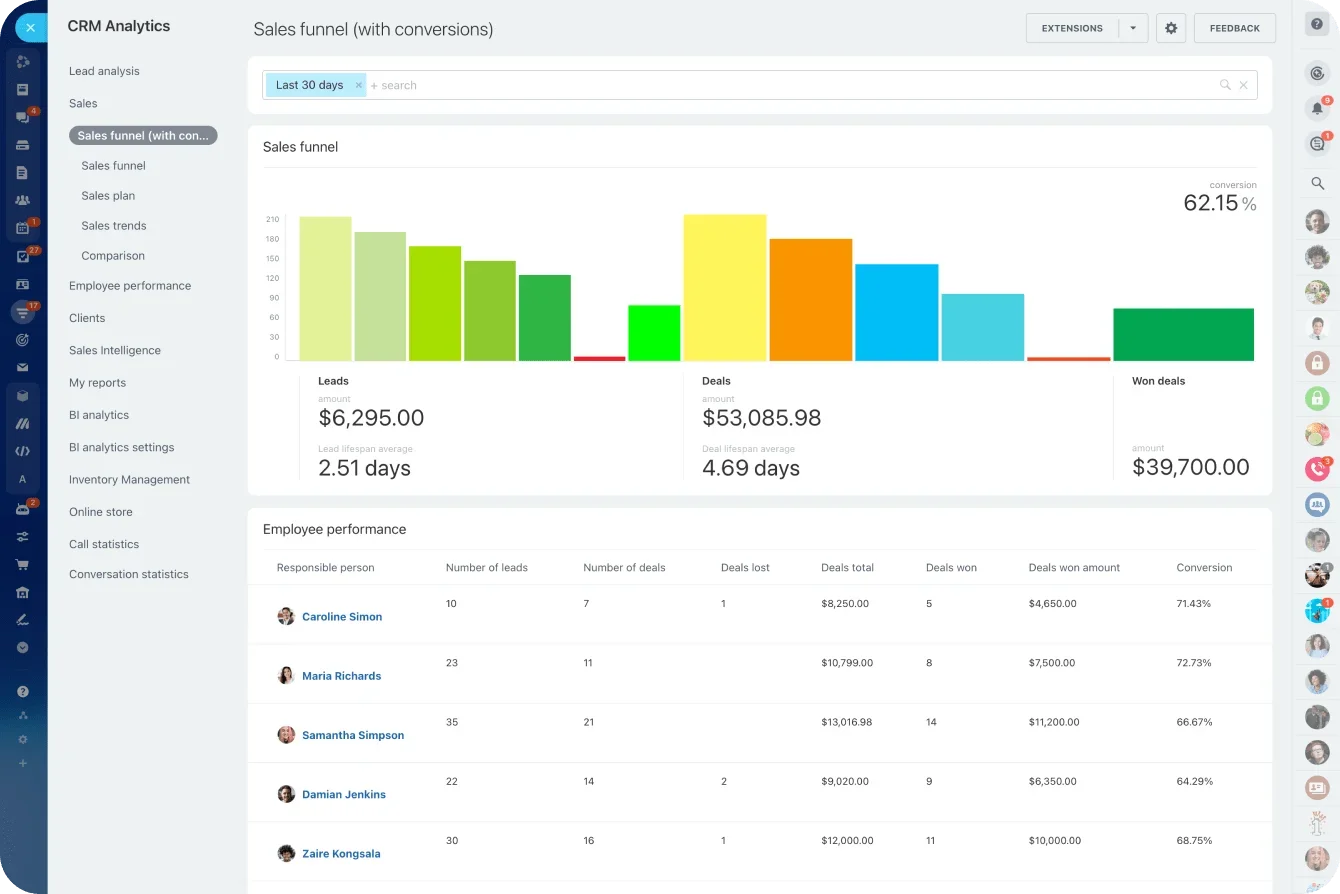
Bitrix24 reduces handoff delays by 22 percent through automatic task assignment at each stage, dependencies that enforce sequence, and reminders as soon as a task becomes active.
2. Strategic capacity
When Bitrix24 automates structure, timing, and communication, teams stop spending time on "work about work." You have more capacity to improve processes instead of recreating them, focus on creative or strategic tasks, and explore new opportunities.
When workflows follow the same path each time, results become consistent. Nothing gets skipped. Nothing depends on memory. You no longer hope a project will run smoothly. You know it will.
These gains compound as more workflows become automated. What starts with one recurring project can quickly expand into dozens.
Start small: Build one playbook this week
Of course, Rome wasn’t built in a day — you don’t need to automate your entire operation at once. The best results come from starting with one recurring workflow. It gives you a manageable test case, helps your team build confidence, and shows how Bitrix24’s automation and CoPilot features fit into your daily work.
Here’s how to create your first self-running project playbook.
1. Choose a process that repeats often
Pick something predictable that already follows a familiar sequence. Good candidates include:
-
monthly performance or financial reports
-
content production cycles
-
sales follow-up sequences
-
employee onboarding
-
recurring client check-ins
The more stable the steps, the easier it is to automate.
2. Map the steps once (then never again)
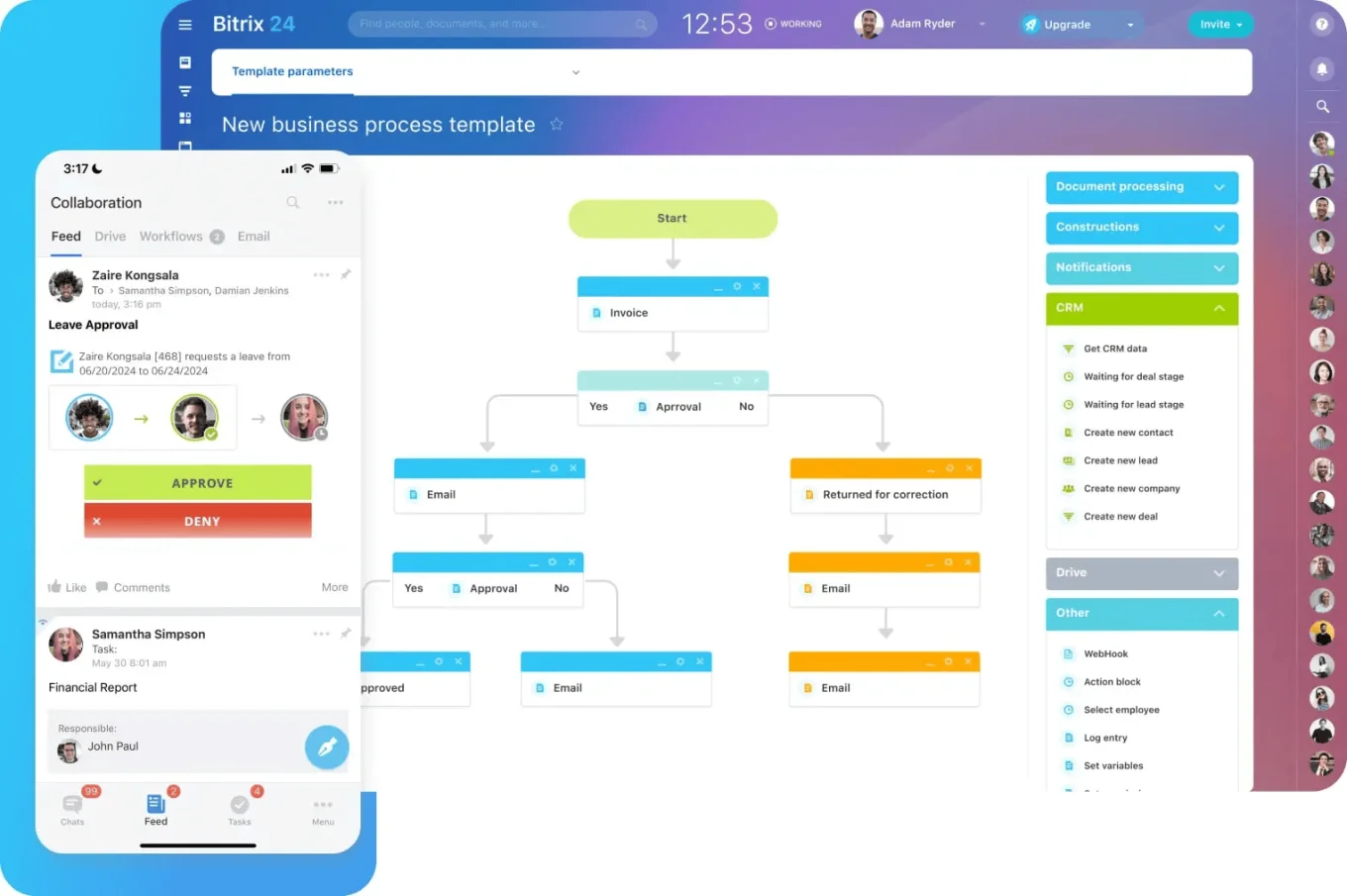
Outline the tasks, identify who owns each step, the order they follow, and what information people need to begin. This outline becomes your project template inside Bitrix24.
3. Use CoPilot to build the first draft
Instead of writing every description or checklist yourself, let CoPilot assist.
CoPilot can:
-
generate full task sequences
-
draft briefs or checklists
-
suggest dependencies
-
estimate timelines
-
create instructions based on past projects
You get a strong first version in seconds, ready to refine.
4. Add automation to handle the heavy lifting
Connect your template to Bitrix24 Automation to trigger workflows on a schedule, auto-assign tasks, set reminders automatically, and escalate missed deadlines. This is where the workflow becomes self-running.
5. Test, adjust, then activate
Run the playbook once, gather feedback on timing and clarity, refine it, and activate it. Then let Bitrix24 run it.
The future of project work: Not managed — orchestrated
As you scale automated workflows, you begin to see a larger shift. Project work stops feeling like something you need to push forward manually. It becomes a continuous flow that moves on its own. This is the future Bitrix24 is designed for: a workplace where teams don’t manage projects step-by-step. They orchestrate outcomes.
The difference is significant.
1. From manual coordination to intelligent momentum
Most teams still rely on people to keep projects alive. Someone has to create the next task, send the reminder, flag a delay, or update the status. This coordination is slow, inconsistent, and expensive.
With Bitrix24:
-
tasks appear when the workflow requires them
-
deadlines adjust automatically
-
reminders and escalations fire on their own
-
updates surface in real time
-
AI clarifies next steps or drafts instructions
Work continues because the system keeps it moving, not because someone is watching the board.
2. AI as an orchestrator, not an assistant
Many tools use AI to summarize or generate notes. Helpful, but limited.
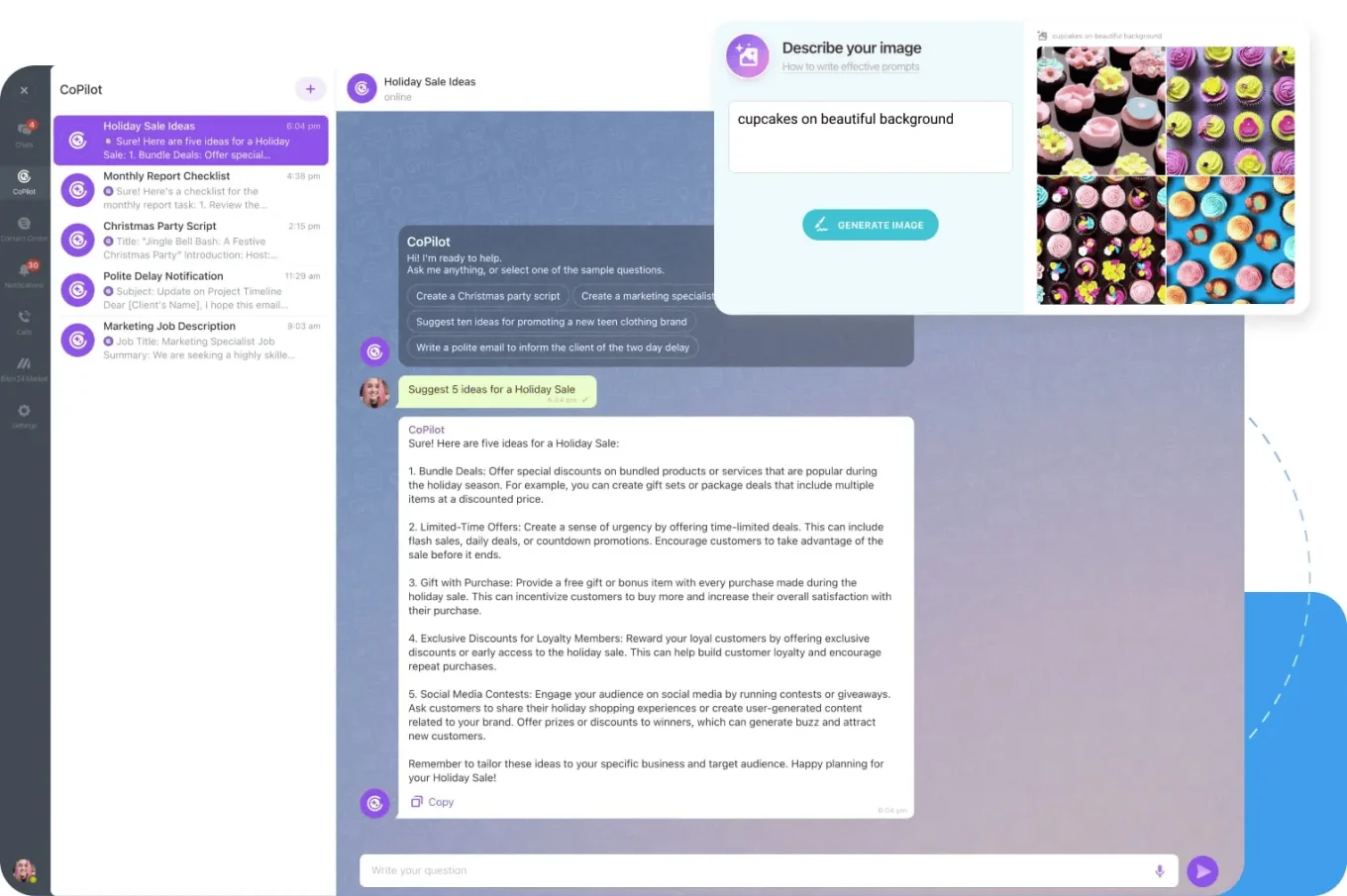
CoPilot goes deeper because it works inside your task and project structure. It participates in the flow of work.
CoPilot can:
-
build task sequences
-
draft task content and handoff notes
-
identify missing steps
-
suggest improvements
-
flag patterns or delays
-
summarize multi-stage progress
This is orchestration. AI ensures the workflow functions smoothly, reducing the number of things you need to think about.
3. One system for the entire lifecycle
The future of work isn’t about having the best standalone task tool or AI add-on. It’s about having a system where automation, structure, and intelligence operate together.
Inside Bitrix24, you have:
-
automation to run the workflow
-
project management to define structure
-
CoPilot to guide execution
-
communication tools to keep teams aligned
-
CRM, HR, and collaboration tools for broader operations
Everything lives in one place. No integrations to maintain. No data gaps. Just consistent, connected execution.
4. Workflows that improve themselves
Once your automated playbooks run for a few cycles, improvement becomes easier and more deliberate. Patterns emerge. Bottlenecks become visible. Instructions that once felt “good enough” can be tightened.
CoPilot helps by surfacing insights from how work actually moves. It highlights delays, flags repeated handoff issues, and suggests where steps, timing, or dependencies could be improved.
Your workflows don’t change by accident; they improve through use. The more they run, the clearer it becomes where small adjustments create outsized gains.
5. A future where teams focus on impact, not admin
When projects run themselves, teams reclaim time for meaningful work. They think more, create more, and solve more problems.
That is the promise of Bitrix24: A workplace where recurring work is predictable and automated so your team can operate at its highest level.
Stop managing projects. Start eliminating them
Most recurring work doesn’t need ongoing management. It needs structure, automation, and intelligence put in place once, then allowed to run.
That’s what Bitrix24 makes possible. Automation launches work automatically. Project templates create structure instantly. CoPilot fills in instructions, assigns responsibilities, and keeps execution moving. The result is not better project management, but less of it. Teams stop rebuilding the same initiatives and start executing them consistently, every time.
The teams seeing 30 percent fewer status calls and 22 percent faster handoffs didn’t transform their entire operation overnight. They started with one recurring workflow and let it prove the point.
So start there.
Choose one process that repeats. Map it once. Turn it into a template. Add automation. Let CoPilot handle the details. Then step back and watch what happens when your team begins work instead of preparing for it.
Once that first playbook runs smoothly, something shifts. You stop asking how to manage the next project. You start asking which one shouldn’t be managed at all.
Build your first self-running workflow for free in Bitrix24.
Automate Your Recurring Projects
Try Bitrix24's powerful tools to eliminate manual setup and enjoy 30% fewer status calls. Start working smart now!
Start AutomatingFAQs
Which project types are best candidates for automation?
The best candidates are projects that follow a repeatable sequence and involve the same roles each cycle. Monthly reporting, onboarding, content production, recurring campaigns, client check-ins, and scheduled reviews are ideal starting points. If the steps rarely change, automation will deliver immediate gains.
How do we handle exceptions without breaking the flow?
Automation doesn’t remove flexibility. In Bitrix24, tasks can be reassigned, paused, or adjusted when exceptions occur, while the rest of the workflow continues as designed. Alerts and visibility ensure issues surface early, so teams intervene only when human judgment is required.
What role-based approvals keep compliance intact?
Bitrix24 supports role-based permissions, approval steps, and gated task transitions. This allows reviews, sign-offs, and compliance checks to be embedded directly into the workflow, ensuring nothing advances without the right authorization.
How does CoPilot learn from historical project data?
CoPilot works within your existing task and project structure, using past descriptions, timelines, and outcomes as context. It helps draft tasks, summaries, and recommendations based on patterns it observes, while decisions and changes remain under your team’s control.
What KPIs validate elimination versus traditional management?
Key indicators include fewer status meetings, faster handoffs between stages, reduced cycle time, and more predictable delivery. Visibility metrics, task completion rates, and delay patterns inside Bitrix24 provide clear evidence of whether automation is replacing manual coordination.