When Every CRM Claims Automation, Compare the Workflows Instead


Every CRM now claims the same things: automation, AI, better productivity, cleaner pipelines. On paper, they all sound close enough.
Then the tool goes live, and the same old problems resurface: leads stall between marketing and sales, reps update records late, and managers still export data into spreadsheets to see what’s actually happening...
The problem is rarely a missing feature; it’s the gap between what the CRM claims to automate and what it actually does when multiple teams touch the same record.
This guide gives you a practical method for comparing CRMs around the workflows that matter most: lead intake, qualification, handoffs, support, and reporting.
Instead of asking "does it have automation?", you’ll ask whether it can run your real processes end to end, without manual fixes and extra tools patching the gaps.
What workflow-based CRM comparison means
A workflow-based CRM comparison means evaluating how a system supports an end-to-end process, not just whether it includes a feature.
Consider a five-person sales team that qualifies leads manually: a rep picks up a web form submission, decides the lead is warm, creates a task to follow up, then emails the manager separately to flag it.
That’s four manual steps that a CRM with properly configured workflow automation should handle without human prompting.
If your shortlisted CRM still requires the rep to do all four steps, what have you gained?
The same logic applies across every team
The same logic applies beyond sales.
- Support teams need tickets routed, ownership tracked, service-level expectations monitored, and customer history visible.
- Managers need reporting that reflects actual activity, not stale records.
- Operations teams need tasks, approvals, and process changes to be manageable without rebuilding the system every quarter.
So when evaluating platforms like Bitrix24, Salesforce, HubSpot, Zoho, or others, the question isn’t which one markets the most features. The useful question is whether the platform fits the workflows your business depends on.
Some platforms, like Bitrix24, are often evaluated because they combine CRM, tasks, communication, and process tools in one environment. That can reduce handoff friction when workflows span multiple teams, but it still needs to be tested against your real requirements rather than assumed to be the right fit by default.
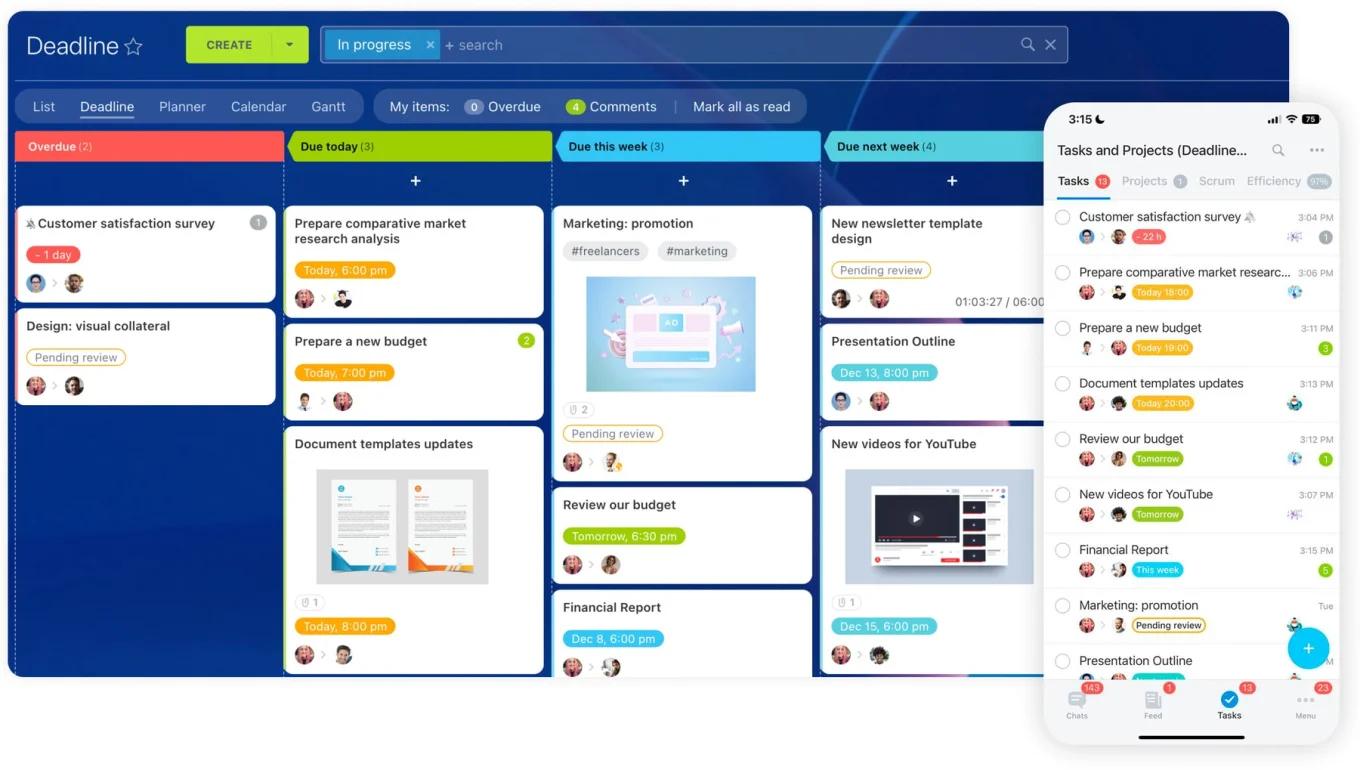
Practical definition: compare CRMs by the work they can reliably run across teams, with the setup effort and maintenance your business can actually support.
Why CRM buying processes break when automation claims sound the same
Most CRM buying processes stall because the evaluation never moves past surface-level capability. Vendor demos are built to impress quickly. They show polished dashboards, AI prompts, one-click automations, and clean pipelines.
What they rarely show is the messy middle: how much setup is required, what happens when multiple teams touch the same record, and how hard it is to keep the system usable six months later.
The failure rate is higher than most teams expect
Research consistently shows that between 20% and 70% of CRM projects fail to meet their objectives, with low user adoption identified as the leading cause, accounting for roughly 38% of failures. None of the top causes are really about software; they’re about people, processes, and the gap between how a CRM was configured and how teams actually work.
Buying for one department creates workarounds for everyone else
Another common problem is choosing for one department. Sales may love a pipeline view. Marketing may care about forms and campaigns. Support needs ticketing and history. Operations needs permissions, auditability, and process control.
When the CRM is selected mainly around one group's priorities, everyone else builds side systems to fill the gap.
The hidden cost of a workaround stack
That’s where costs spread quietly. A team adds a form tool because lead routing is weak. Then a separate support app. Then project management software because post-sale tasks are not reliable. Then, spreadsheet reporting because leadership cannot trust the dashboards.
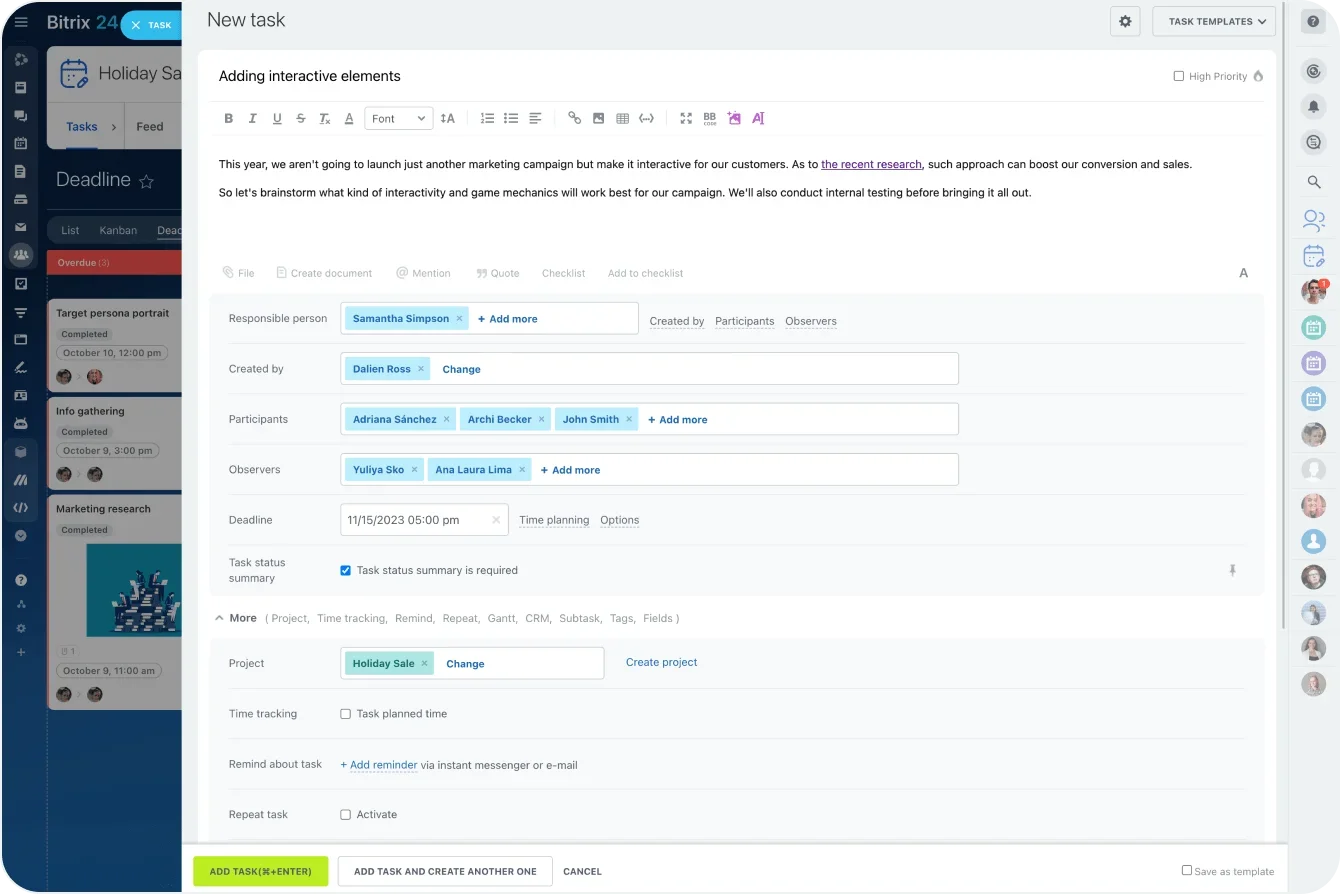
The CRM may still look affordable on a feature sheet, but operationally it’s now the center of a workaround stack — and that stack compounds over time.
Missing workflow detail also hurts adoption. Reps stop updating records if the process is clunky. Managers lose confidence if reporting is inconsistent. Support teams work outside the CRM if service steps are buried.
At that point the system is technically deployed, but it’s not running the business.
CRM Workflow Comparison Scorecard: Rank Automation Fit Fast
Enter your email address to get a comprehensive, step-by-step guide

Step 1: Map the actual customer and internal workflows your team runs
Start with the real work, not the software.
List the workflows your business already runs or needs to run consistently. For most SMB teams, that includes lead capture, lead qualification, pipeline movement, quote or proposal creation, deal handoff, customer onboarding, support request handling, reporting, and internal follow-up tasks.
Don’t just map these at a high level. For each workflow, document what triggers it, who owns each step, what data must be entered or updated, whether approvals are needed, where handoffs happen, and what output marks completion.
If a website form creates a lead, who gets it first? If a deal moves to proposal stage, what documents or tasks should be triggered? If a support issue comes in from an existing customer, where should account history appear?
What a useful workflow map covers
A simple workflow map should answer the following for each process:
- What starts the workflow
- Which roles are involved
- Which fields or records must be updated
- What notifications or tasks must fire
- Where approvals or exceptions occur
- What handoff ends one stage and begins another
- What report or visible outcome confirms success
Separating must-haves from nice-to-haves
This is also the point where you separate must-have workflows from nice-to-have automation. That distinction keeps the evaluation grounded.
A must-have workflow is something the business depends on every day or every week. A nice-to-have is useful, but not worth letting it distort the buying decision.
Automatic follow-up tasks for new leads may be a must-have. AI-written call summaries may be a nice-to-have. Approval routing for discount requests may be a must-have. Social media response integration may be optional for now.
If a workflow is frequent, cross-functional, revenue-linked, or customer-facing, treat it as a core evaluation item.
Step 2: Turn each workflow into a CRM evaluation checklist
Once workflows are mapped, convert them into testable scenarios. This is where your comparison becomes operational rather than subjective. Each workflow should become a checklist that any shortlisted CRM can be tested against consistently.
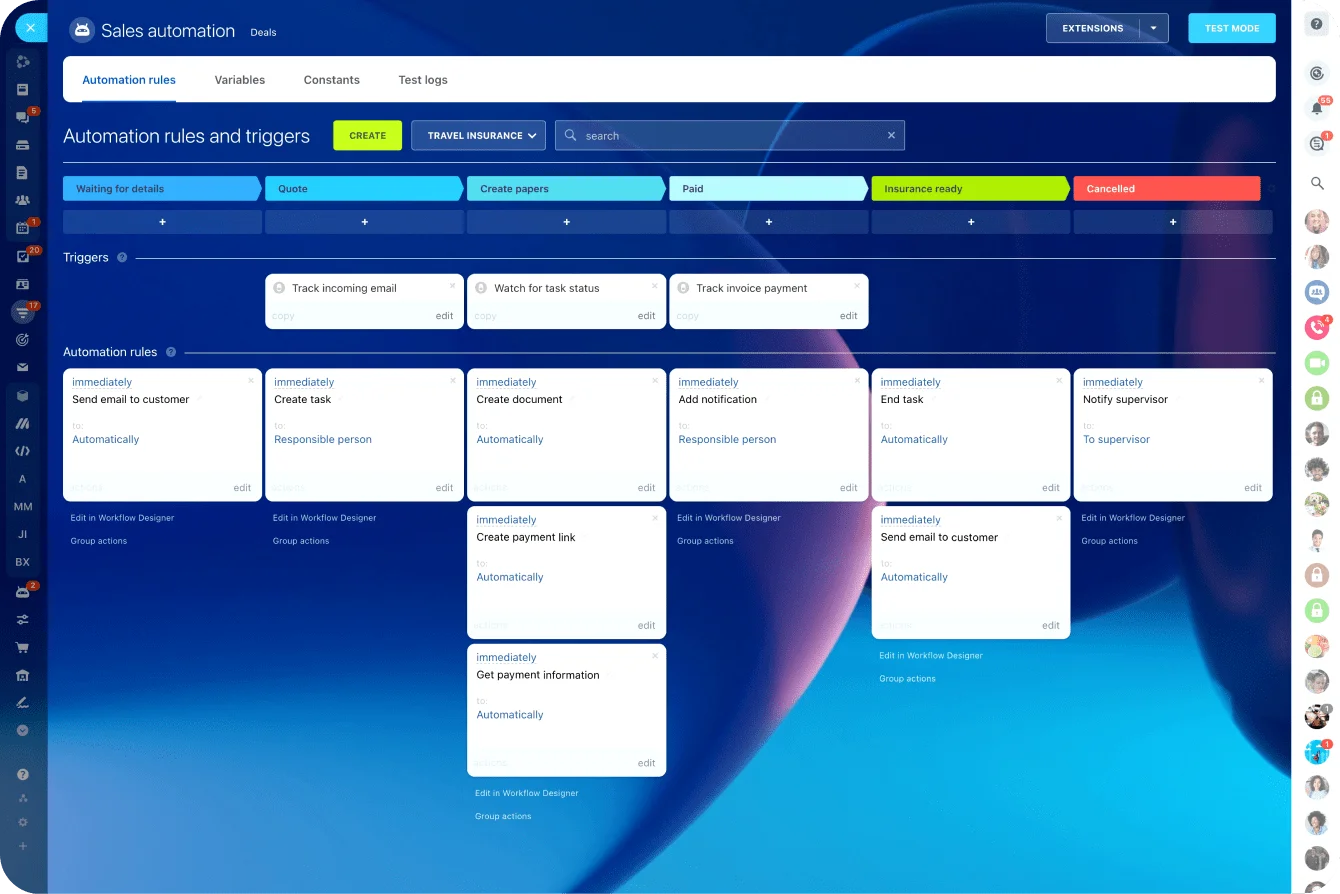
Say your lead management workflow starts with a web form, assigns by territory, creates a task for the rep, alerts the manager if the lead is untouched after 24 hours, and updates reporting when qualified.
That becomes a scenario with exact requirements. The CRM either handles it cleanly, handles it partly, or handles it only with workarounds.
Building the checklist
For each workflow, check against these components:
- Required fields and data validation
- Trigger conditions
- Assignment rules
- Notifications and reminders
- Task creation
- Pipeline or status changes
- Reporting outputs
- Exception handling
Also include role-specific needs.
- Sales reps may need mobile-friendly updates and quick note entry.
- Managers may need visibility into stuck deals and SLA breaches.
- Marketers may need source attribution and campaign reporting.
- Support agents may need case history and routing logic.
- Operations may care about permissions, field governance, and process consistency.
Defining success in business terms
Define success in business terms, not vendor language. Good measures include fewer manual steps, accurate ownership, consistent data capture, reliable task creation, cleaner handoffs, and reports that leadership can trust without manual cleanup.
|
Workflow |
Test Scenario |
Success Standard |
|---|---|---|
|
Inbound lead handling |
Form submit creates lead, assigns owner, schedules follow-up |
No manual routing, task created automatically, source tracked |
|
Pipeline movement |
Deal moves stage, required fields enforced, manager notified on exception |
Clean stage rules, no skipped data, visible escalation |
|
Support request |
Email request opens case tied to account and sets priority |
Agent sees full history, ownership clear, status report accurate |
|
Weekly reporting |
Manager views team activity and conversion by source and stage |
No spreadsheet patching, data current, filters usable |

Step 3: Test how each CRM handles end-to-end work, not single features
Now run the workflows. This is the stage many teams skip, and it’s usually where the real differences surface. A CRM can look strong in a demo and still struggle once you try to complete the full process from intake to close, escalation, or reporting.
Test each shortlisted platform using the same scenarios.
- Start with a sample lead.
- Capture it from the intended source.
- Check whether ownership is assigned correctly.
- Move it through qualification.
- Trigger tasks.
- Change stages.
- Create a support issue tied to the same customer.
- Then review the reporting output.
You’re looking for continuity, not just isolated wins.
What breaks in practice
Pay close attention to what the CRM forces you to do outside the platform. If stage movement requires a spreadsheet, if support history lives in another tool, or if tasks must be managed separately, the workflow is not supported end to end.
A common real-world failure: a B2B services team successfully configures their sales pipeline in a CRM, then discovers that post-sale onboarding tasks still live in a project management tool, because the CRM's task functionality is not connected to deal records. The handoff is manual. The problem doesn’t show in a demo.
Where Bitrix24 fits in the comparison
If you need one environment for CRM records, internal tasks, communication, and service follow-up, Bitrix24 may be worth testing as an all-in-one option.
The evaluation still needs to answer practical questions: Can your sales process be configured without heavy admin work? Do support and task flows connect cleanly to deal records? Can managers get usable reports without a manual layer around them?
Side-by-side scorecard
Use a consistent scorecard during testing:
- Can the workflow be completed fully inside the platform?
- How many manual steps remain?
- Where does the user experience break down?
- Does data stay consistent across teams?
- What extra apps or custom work are needed?
A CRM should be tested like an operating system for work, not like a menu of features.
Step 4: Score the operational reality behind the workflow
Once workflows run in testing, score the operational reality behind them. This determines whether the CRM remains useful after launch. A process that works in a pilot can still become painful if setup is fragile, permissions are messy, or every change requires outside help.
Setup and admin burden
Score setup complexity first.
How much effort does it take to create pipelines, automations, fields, views, and reports?
Then look at admin burden.
Who’ll maintain users, rules, stage changes, reporting updates, and process adjustments over time?
A common failure mode: the person who built the original configuration leaves, and no one else knows how the automations work. That creates risk before the system is even fully adopted.
Permissions, reporting, and mobility
Evaluate permissions and customization limits:
Can managers see what they need without exposing everything?
Can teams work in one system without cluttering each other's views?
Check whether dashboards reflect current data, whether definitions are clear, and whether records stay consistent enough for trend analysis.
Bitrix24's analytics and reporting tools and role-based access controls are worth testing here, particularly for teams where manager visibility and rep autonomy need to be balanced.
Mobile usability is also practical. If basic updates are hard to make on a phone, data quality slips fast. A field sales rep who cannot log a call outcome in under 30 seconds will stop doing it.

Adaptability over time
Score adaptability last, but weigh it heavily. Territories shift, handoff rules evolve, new service categories appear, and leadership asks for different reporting.
The better CRM isn’t just the one that fits today, it’s the one your team can adjust later without breaking the whole setup.
|
Operational Area |
What to Score |
|---|---|
|
Setup complexity |
Time, expertise, and steps required to build workflows |
|
Admin effort |
Ongoing maintenance load for internal owners |
|
Permissions |
Role-based visibility and control across teams |
|
Reporting quality |
Accuracy, freshness, and usability of reporting outputs |
|
Mobile usability |
Ease of updates and task execution away from desktop |
|
Adaptability |
How easily workflows can be changed later |
Step 5: Choose, pilot, and improve before full rollout
Pick the CRM that supports your highest-priority workflows with the least friction, not the one with the longest feature list.
If one platform covers 80 to 90 percent of the work that matters and your team can realistically maintain it, that’s usually a stronger choice than a more capable system that needs constant admin intervention to function.
Running the pilot
Run a pilot before full migration, but keep it focused: one team, one pipeline, or one workflow cluster is enough.
Pilot inbound lead handling and deal progression with a single sales pod, or test support intake and account visibility with one service team. This scope is manageable and still exposes the real friction points.
Use the pilot to measure real outcomes:
- Are users completing steps inside the CRM?
- Did manual updates go down?
- Are handoffs clearer?
- Do managers trust the reports?
- What still requires workarounds?
Pacing the rollout
Don’t automate everything at once. Early overbuilding creates complexity before users trust the basics. Start with the workflows that remove the most friction, then tighten naming rules, ownership, reports, and training based on what the pilot shows.
Bitrix24's task automation and built-in communication tools work well here for teams piloting cross-functional handoffs (especially if they are trying to reduce the number of tools in play at the same time).
The pilot also gives you a cleaner rollout sequence. Refine field usage, simplify stage definitions, improve notifications, and remove unnecessary steps before exposing the system to the whole company. That saves significant pain later.
Common mistakes, scaling the choice, and final guidance
Research on CRM failure consistently points to the same root causes: poor user adoption, inadequate process design, and weak cross-functional alignment — none of which a feature list can reveal.
After that come underestimating admin work, skipping live workflow tests, and assuming customization can fix a weak fit.
In practice, too much customization before launch often masks a poor match and creates maintenance debt immediately.
Quick mistakes to avoid:
- Choosing based on demo polish instead of test scenarios
- Optimizing for one department only
- Ignoring reporting quality until late in the process
- Allowing too many fields and stages at launch
- Skipping pilot feedback from actual users
Making the choice reliable at scale
Set governance early and keep it simple:
- Define naming rules for pipelines, fields, statuses, and automations
- Assign clear ownership for workflow changes
- Schedule regular audits for duplicate fields, broken automations, stale reports, and unused stages
- Put change control in place so teams do not quietly create conflicting processes
That discipline matters whether you choose an all-in-one platform or a more modular stack. Without it, even a strong workflow fit degrades as teams grow and requirements shift.
An all-in-one platform like Bitrix24 can reduce that complexity by keeping CRM, tasks, and communication in one governed environment, but only if that environment is actively maintained.
Final takeaway:
The best CRM isn’t the one with the most features or the loudest AI promise; it’s the one your team actually uses, every day, without workarounds. Test the workflows. The answer will be obvious.
Run CRM workflows without workarounds
Bitrix24 brings CRM, tasks, communication, automation, and reports together so teams can manage handoffs with less manual work.
Try Bitrix24 nowFAQs
How long should a workflow-based CRM evaluation take?
For most SMB teams, two to six weeks is realistic. Enough time to map workflows, shortlist vendors, run test scenarios, and compare operational effort without dragging the process out for months.
Should we test with imported live data?
Yes, at least a sample. Clean but realistic data exposes reporting issues, duplicate handling, field problems, and process friction that demo records will not surface.
What if different teams want different CRMs?
Start with shared workflows and handoffs. If teams depend on the same customer record, reporting layer, or task chain, fragmentation usually creates more trouble than it solves. Map where processes must stay connected before letting team preferences drive the decision.
How do we compare all-in-one versus best-of-breed setups?
Measure the workflow, not the architecture. An all-in-one tool may reduce handoff friction and admin overhead. A best-of-breed stack may offer stronger depth in certain functions. The better choice is the one that handles connected work with acceptable complexity for your team's actual capacity.
How much customization is too much before launch?
If the pilot depends on heavy custom fields, exception logic, and admin-only work just to run core workflows, that is usually too much. Launch with a clean version of the core process first, then expand.