Service Playbooks That Print Money

Last week, one of your support agents closed a ticket in under five minutes. The customer was “constantly hitting storage limits” and asked for a workaround. Your agent helped, the customer thanked them, and the ticket was marked resolved.
The upsell never happened.
This scene plays out across support teams every day. The system rewards closing tickets, not capturing revenue signals. Speed wins, insight disappears, and expansion revenue walks away.
The problem isn’t your team. It’s the tools they’re using.
Most helpdesks operate in isolation. They can’t trigger follow-ups in your CRM, launch marketing sequences, or surface relevant product bundles. Even when agents spot the perfect upsell moment, the insight never reaches anyone who can act on it.
Bitrix24 changes this. When your Helpdesk, CRM, Marketing Tools, and Online Store live in the same ecosystem, every support conversation carries a revenue signal you can capture and act on automatically. Reason-based playbooks turn those signals into structured follow-ups, perfectly timed offers, and measurable growth, all while protecting CSAT.
This article shows you how to build that system.
Why traditional support processes kill upsell opportunities
Support teams see upgrade signals all the time. What they lack is a workflow that can turn those moments into action. Most support environments are built for efficiency, not expansion, so revenue opportunities vanish the moment the ticket closes.
Speed over value, fear of selling
Helpdesks are typically optimized for rapid resolution. The workflow pushes agents to keep queues moving, not explore what the customer might need next. Even when an upgrade would genuinely help the customer, agents hesitate because there’s no clear, lightweight way to bring it up without slowing things down.
Disconnected tools
Even when an agent identifies a clear upsell moment, there’s usually nowhere for that information to go. Traditional helpdesks aren’t connected deeply enough to CRM, marketing automation, or ecommerce. The insight stays locked inside the ticket, making follow-up inconsistent or impossible.
Bitrix24 closes this gap by letting any ticket reason trigger CRM tasks, marketing offers, or store bundles instantly, so valuable moments don’t disappear after resolution.

The Bitrix24 approach: reason-based service playbooks
If you want support to contribute predictable revenue, you need more than good intentions. You need a system that captures upsell moments as they surface and converts them into structured next steps. Reason-based playbooks in Bitrix24 do precisely this, transforming your team's instincts into automated workflows that fire consistently.
What are reason-based playbooks?
In Bitrix24 Helpdesk, every ticket is assigned a reason or category. These reasons tell you why the customer reached out, and over time they reveal patterns. Some reasons point to frustration. Others signal readiness for an upgrade or add-on. With reason-based playbooks, you map each of these signals to a defined follow-up path.
-
"Running out of storage" triggers a recommendation for a higher-tier plan.
-
"Asking about limits" surfaces expansion bundles from your online store.
You map these moments once. Bitrix24 handles the rest automatically.
Only activate when the customer is happy
A thoughtful upsell respects timing. Bitrix24 playbooks can be configured to run only when the resolution score is green. This ensures upsells appear only when the customer is satisfied, protecting the experience and giving agents confidence that they're offering something helpful, not intrusive.
Turn ticket reasons into revenue signals
Once configured, a simple ticket reason becomes a trigger for:
-
CRM tasks for account managers
-
Automated marketing offers
-
Personalized messages drafted by CRM CoPilot
-
One-click bundles in the online store
-
Contextual promos through your website widget
Integrating your CRM with marketing automation ensures these triggers fire seamlessly across all channels.
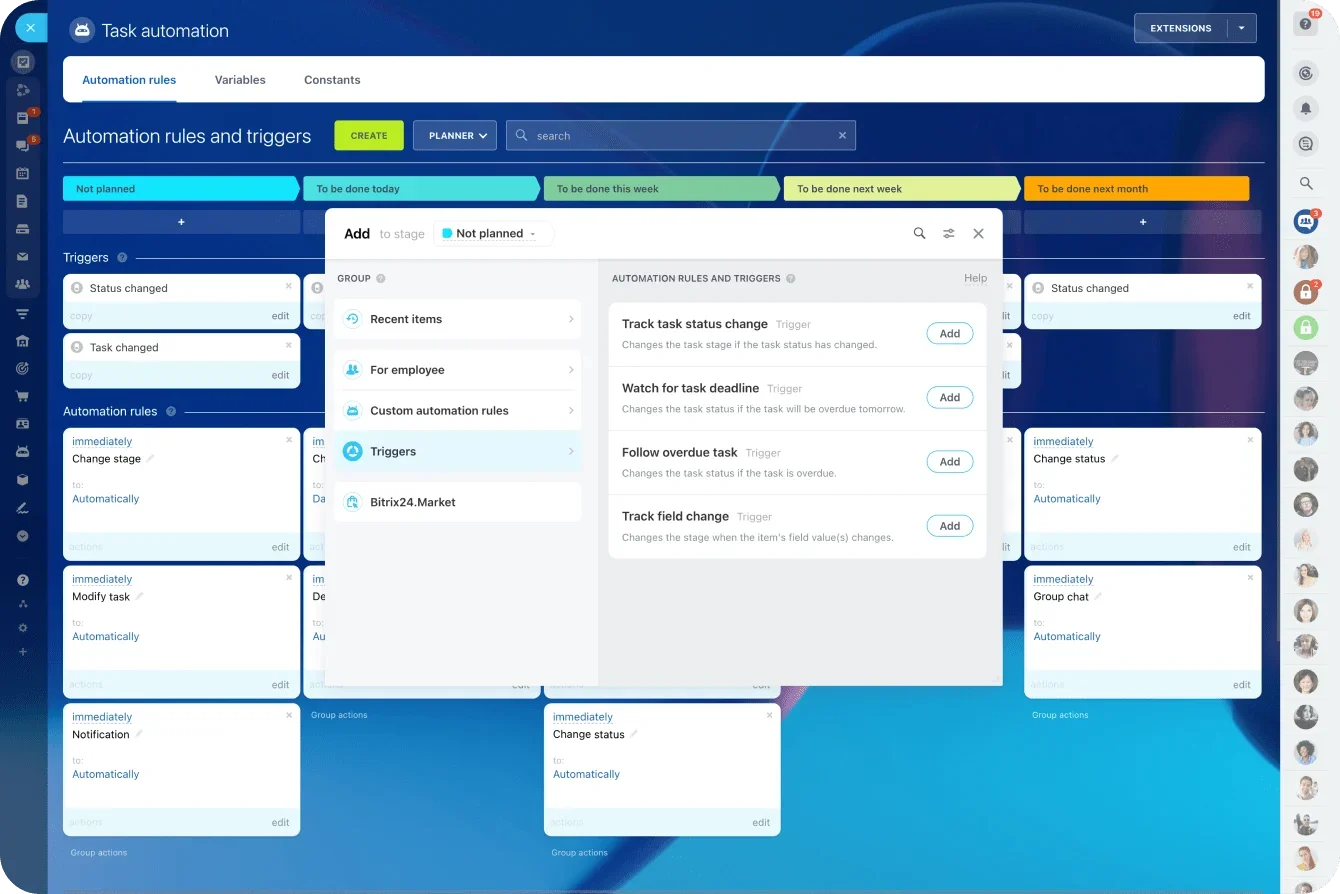
Automating revenue moments after resolution
Once your reason-based playbooks are in place, you're no longer relying on agents to remember or manually flag an opportunity. The system reacts instantly when a ticket receives a positive resolution score, converting every upsell signal into an automated next step.
1. Trigger CRM tasks automatically
Bitrix24 ensures the right person follows up with the right message automatically.
When a positively scored ticket matches your playbook criteria, the system reacts instantly:
-
A CRM task is created with full ticket context: what problem was solved, what the customer asked, and why the upsell makes sense.
-
The task is assigned to the correct account manager or sales rep.
-
Reminders, deadlines, and priorities ensure every opportunity gets tracked.
A passing comment like “We're hitting our limits” becomes a properly tracked opportunity. There's no guesswork and no manual handoff. Most helpdesk tools can't do this because they're not built on top of a CRM. Bitrix24 is. And that changes everything.
2. Trigger Marketing Tools offers automatically
Not every upsell requires human follow-up. Sometimes the customer simply needs the right offer at the right moment. Bitrix24's Marketing Tools take care of that automatically.

Your playbook can:
-
Send a targeted promotional email after a successful resolution
-
Add the customer to a segmented nurturing sequence
-
Display in-app or website widget prompts connected to the problem they just solved
Because these offers only appear when the customer is satisfied, they feel helpful rather than pushy. Customers interpret them as a natural next step: "Now that you've fixed this, here's something that will make things even easier."
Online store: one-click bundles for instant conversions
Once a customer is ready to buy, the last thing you want is friction. If they have to hunt through a catalog, navigate a complex checkout, or contact sales again, you risk losing the moment. Integrating your Online Store directly into your support playbooks eliminates that friction. With Bitrix24, you can offer one-click bundles and tailored upgrades the moment a customer shows interest.
Turn upsell ideas into ready-made products
Bitrix24's Online Store lets you build simple, targeted bundles linked directly to common support issues, such as:
-
Upgrade bundles tied to usage limits
-
Add-on packs aligned with specific ticket reasons
-
"Fix + Upgrade" offers for customers who recently solved a problem
-
Limited-time promotions triggered by a green resolution score
These bundles appear wherever your playbook activates: inside a CRM task, in a marketing email, or through a website widget prompt.
Reduce friction with one-click acceptance
The advantage is simplicity. Customers don't need to search for the right option or hand off to another team. They see a clear offer tied to their recent issue and can accept it instantly. Because the offer arrives when satisfaction is highest, conversions rise without adding pressure.
Give support a fast path to revenue
Support agents don't need to learn pricing structures or memorize SKUs. The playbook knows which bundle matches the ticket reason, and agents can share prebuilt store links with a single click.
Online Store integration is another example of Bitrix24's ecosystem advantage: no plugins, custom scripts, or third-party tools required. Everything you need to convert support conversations instantly lives in one platform.
Analytics that track revenue per ticket, not just speed
If you want support-led revenue to grow, you need to measure it. Most helpdesk systems focus on metrics like resolution time or ticket volume. These numbers matter, but they don't show the value your support team actually creates. Bitrix24 gives you a different lens: revenue per ticket.
A new metric: revenue per ticket (RPT)
Revenue per ticket is straightforward but powerful. It shows how much money each resolved ticket generates. Shifting from speed to impact reveals new patterns:
-
Certain ticket reasons consistently lead to high-value upgrades
-
Specific bundles convert at a higher rate
-
Some agents are exceptional at identifying upsell opportunities
You gain clarity on what truly drives results.
Dashboards that show the full story
Because Bitrix24 connects your Helpdesk, CRM, Marketing Tools, and Online Store, every upsell, follow-up, and purchase is reflected in your analytics and reports. You can see:
-
Revenue attributed to each playbook
-
Conversion rates by support reason
-
Month-over-month growth tied to support interactions
This makes refining your playbooks easier and helps align teams around shared outcomes.

Why companies see 7–12% monthly revenue growth
When you automate the upsell process, personalize every offer, and measure what works, you create a stable, repeatable revenue stream. Most businesses spend heavily to acquire new customers. Revenue from support is different: organic, low-friction, and tied directly to resolved issues, so customers view it as a helpful next step.
With Bitrix24's connected ecosystem, these moments scale naturally. Playbooks surface opportunities the instant they appear, CoPilot personalizes outreach, your Online Store removes friction, and analytics show what drives results.
Over time, these small, well-timed actions compound into meaningful monthly revenue gains.
Implementation blueprint: how to launch your first playbook in 30 days
You don't need a major overhaul to make your support operation generate revenue. With Bitrix24, you can launch your first upsell playbook in a single month.
The process breaks into ten steps.
Step 1: Identify your top support reasons
Review the most common ticket categories. You’ll usually find a few that naturally signal growth opportunities, such as:
-
Storage or usage limits
-
Feature access questions
-
Account expansion requests
-
Integrations that require a higher plan
These become the foundation of your first playbook.
Step 2: Map each reason to an upsell opportunity
For each category, define the ideal next step. This could be an upgrade, an add-on, a service bundle, or a personalized offer. Keep the mapping simple so you can test and refine quickly.
Step 3: Set the resolution score trigger
Only activate the upsell when the customer is satisfied. In Bitrix24, configure your workflow to activate only after the ticket earns a green score.
Step 4: Build the automation rule in Helpdesk
Configure a rule that activates when:
-
The ticket reason matches
-
The resolution score is positive
-
Your playbook conditions are met
This rule becomes the engine that starts your upsell flow automatically.
Step 5: Trigger CRM follow-up tasks
Use CRM automation to send tasks to account managers with full context. This gives them the insight they need to follow up quickly and effectively.
Step 6: Add marketing tools follow-ups
If the upsell doesn’t require a human touch, configure automated actions such as:
-
A targeted email
-
A nurturing sequence
-
A personalized promo
-
A discount tied to the resolved issue
Bitrix24 makes these workflows easy to build and iterate.
Step 7: Build one-click bundles in the Online Store
Create simple upgrade or add-on bundles customers can buy instantly. Link these bundles to your CRM tasks or marketing messages to reduce friction.
Step 8: Add contextual Website Widget prompts
Configure the widget to show relevant offers during or after support chats. This works especially well when customers mention limits, new needs, or upcoming projects.

Step 9: Track revenue per ticket
Use dashboards to measure:
-
Conversions
-
Revenue generated
-
Playbook performance
-
Agent contribution
This data helps you refine and scale your system.
Step 10: Iterate and expand
Once your first playbook performs well, add more. Over time, you’ll build a complete library of support-triggered revenue paths that run automatically in the background.
This 30-day model gives you a repeatable, scalable process. Because everything lives inside Bitrix24, you're building a revenue engine that gets stronger with every ticket.
Service-led growth is your next competitive advantage
Support conversations surface upgrade signals constantly. Most companies miss them because their systems can’t send those signals anywhere useful. When your tools finally work together, those moments become effortless revenue.
Bitrix24 gives you that connection. Helpdesk reasons trigger the right follow-up across CRM, Marketing Tools, and your Online Store, and they only activate when customers are satisfied. Revenue per ticket shows exactly how much value support creates.
This strengthens service rather than distracting from it. Agents get credit for the insights they already share, customers discover solutions that fit their needs, and the business gains a repeatable stream of expansion revenue.
Ask yourself: how many upsell signals did your team miss this week? How many green-scored tickets closed with no next step? How much revenue walked away because the system didn’t know what to do with the moment?
Start capturing those signals. Build your first 30-day playbook in Bitrix24 and turn support into a revenue engine.
Maximize your Upsell Opportunities
Unlock unlimited revenue signals with Bitrix24. Convert customer tickets instantly into structured upsells while preserving customer satisfaction.
Try Bitrix24 nowFAQ’s
How do we avoid selling before we solve?
Bitrix24 lets you trigger playbooks only after a ticket receives a positive resolution score. Upsells never appear during the problem-solving phase, ensuring agents stay focused on support and customers experience the offer as a helpful next step.
What offers work best by ticket reason?
Simple, need-aligned upgrades perform best. For example, storage-limit tickets map naturally to higher-tier plans, while access or usage questions align with add-ons or feature bundles. Bitrix24 lets you test and refine these mappings by tracking conversions per ticket reason.
How do we exempt angry customers gracefully?
Any ticket with a neutral or negative resolution score simply doesn’t trigger the playbook. No offer fires, no task is created, and the experience ends cleanly. You can also add custom conditions to exclude specific categories or customer segments.
Can we attribute revenue to specific agents?
Yes. Because Bitrix24 connects Helpdesk activity with CRM and Online Store data, every closed-won upsell that originated from support is traceable. Dashboards can show revenue per ticket reason, per playbook, and per agent.
What guardrails keep offers on-brand?
Playbooks use preapproved bundles, templates, messages, and marketing sequences. Agents never improvise pricing or copy. You control the assets centrally, update them once, and every offer the system generates stays consistent with brand standards.