Simplifying Complex Workflows: Tools and Techniques for Small Teams

Key takeaways
-
Most workflow complexity comes from invisible friction: unclear handoffs, scattered tools, and manual follow-ups.
-
Use the 5-S method (See → Streamline → Standardize → Systemize → Scale) to fix one workflow at a time.
-
Start by making work visible, then remove friction, create templates, centralize decisions, and automate repetitive follow-ups.
Workflow simplification is the process of reducing friction, improving visibility, and removing unnecessary steps so work moves predictably from start to finish. In small teams, this matters more; when one task stalls, everything slows down.
This guide gives you a practical method to simplify workflows without adding management overhead. You'll learn how to diagnose where complexity comes from, map a workflow in minutes, and apply the 5-S method: See, Streamline, Standardize, Systemize, and Scale.
The approach works for client onboarding, content production, approvals, internal requests, or any repeating process that feels slower than it should.
Key terms defined
Workflow: A repeating sequence of tasks that moves work from a trigger (start) to an outcome (done), involving one or more people.
Handoff: The point where work transfers from one person or stage to another, where context is often lost and delays occur.
Home base: A single location (board, project, or workspace) where all tasks, updates, and files for a workflow live together.
Bottleneck: A stage where work consistently waits, stalls, or accumulates — usually the constraint limiting overall speed.
Simplify workflows without extra overhead
Use Bitrix24 to centralize tasks, files, and approvals, standardize repeatable work, and automate follow-ups so work moves faster.
Learn MoreWhat makes workflows complex in small teams
Most small teams don't struggle because the work is complicated. They struggle because the way work moves is hard to see.
Workflow complexity shows up as invisible friction: the task should be simple, but progress feels slow, uncertain, or stressful. Work stalls without warning. People aren't sure who owns what. Follow-ups become routine.
The five sources of workflow complexity:
|
Source |
What Happens |
|---|---|
|
Too many handoffs |
Context is lost each time work moves between people |
|
Unclear inputs/outputs |
No agreement on what "done" looks like, so tasks bounce back |
|
Decisions outside the workflow |
Approvals live in chat, while tasks live somewhere else |
|
Manual follow-ups |
Progress depends on someone remembering to chase updates |
|
Work scattered across tools |
Tasks, files, and updates live in different places |
The good news: once you can see where friction comes from, simplifying becomes straightforward.
The 10-minute workflow diagnosis
Before changing a workflow, see what's actually happening today. This diagnosis takes about 10 minutes.
Step 1: Map the workflow in five fields
Pick one workflow that regularly feels slow or messy. Then document:
|
Field |
Question to Answer |
Example |
|---|---|---|
|
Trigger |
What starts the workflow? |
"New client signs" or "request submitted" |
|
Steps |
What are the key actions, start to finish? |
Brief → Draft → Review → Publish |
|
Owner |
Who owns each step? |
Writer, Editor, Approver |
|
Output |
What should be produced at each step? |
"Approved draft" or "assets collected" |
|
Handoff |
Where does it go next? Who needs what? |
Editor needs draft + brief link |
Step 2: Spot bottlenecks
Once mapped, ask three questions:
-
Where does work wait longest? Waiting is the hidden cost in most workflows.
-
Where do tasks bounce back and forth? This usually means unclear "done" criteria.
-
Where do the most questions show up? Questions signal missing inputs or unclear ownership.
Step 3: Use the "Last 10 Tasks" shortcut
Review the last 10 items that went through this workflow. Look for patterns: late items, unclear owners, missing requirements, repeated rework, or stalled approvals.
This diagnosis gives you a clear target: not "our process is messy," but "work stalls at the handoff to review."
The 5-S workflow simplification method
Once you know where a workflow breaks, fix it in the right order. The sequence matters: each step makes the next step easier.
|
Step |
Action |
Outcome |
|---|---|---|
|
See |
Make work visible so you spot bottlenecks early |
One board showing status, owners, and due dates |
|
Streamline |
Remove unnecessary steps and reduce handoffs |
Fewer decision points, clearer ownership |
|
Standardize |
Turn repeating work into templates and checklists |
Consistent quality without rebuilding from scratch |
|
Systemize |
Create one home base for tasks, files, and decisions |
Single source of truth, less context-switching |
|
Scale |
Automate repetitive follow-ups |
Progress without manual chasing |
Applying the 5-S method: A practical playbook
Start with one workflow that causes repeated friction, then apply each step.
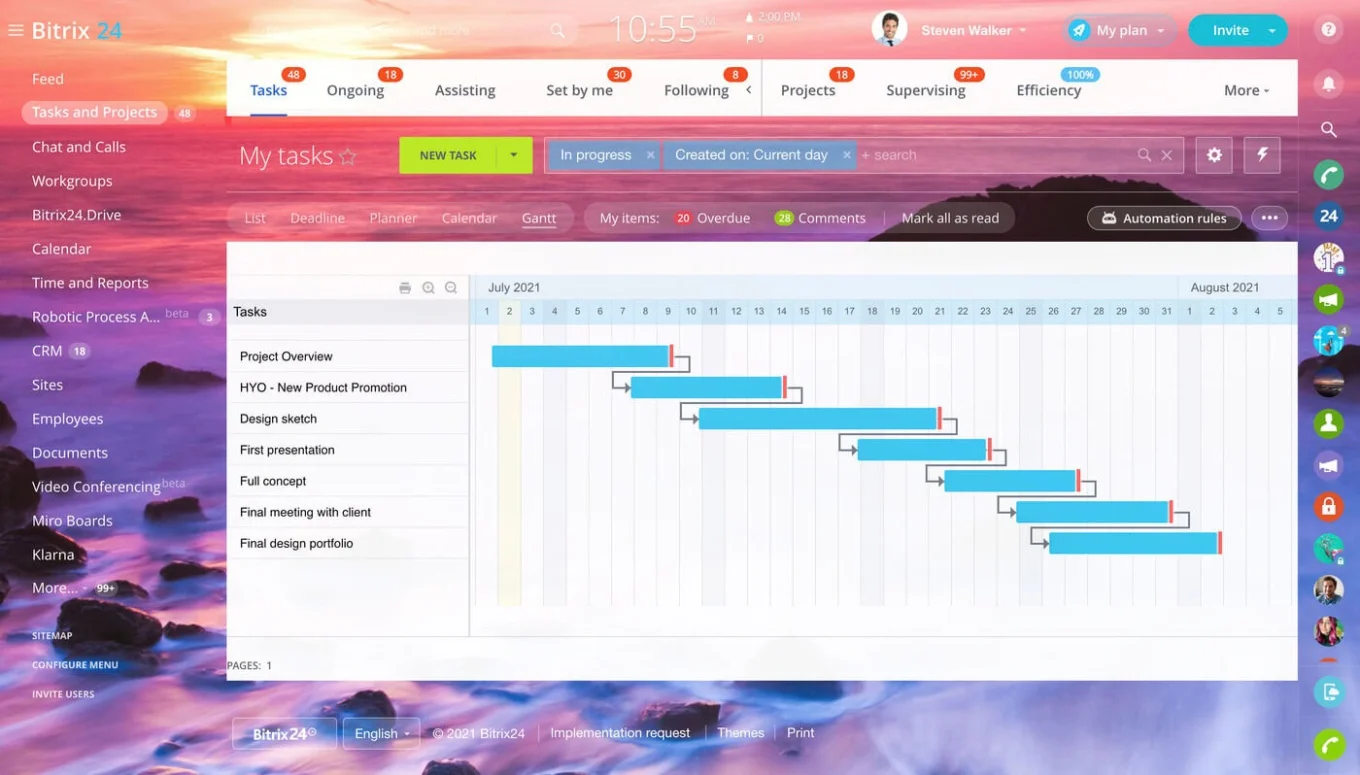
1) See: Make work visible
Make the workflow easy to see day-to-day, not just in someone's head.
Do this:
-
Choose one workflow home base where tasks and updates live
-
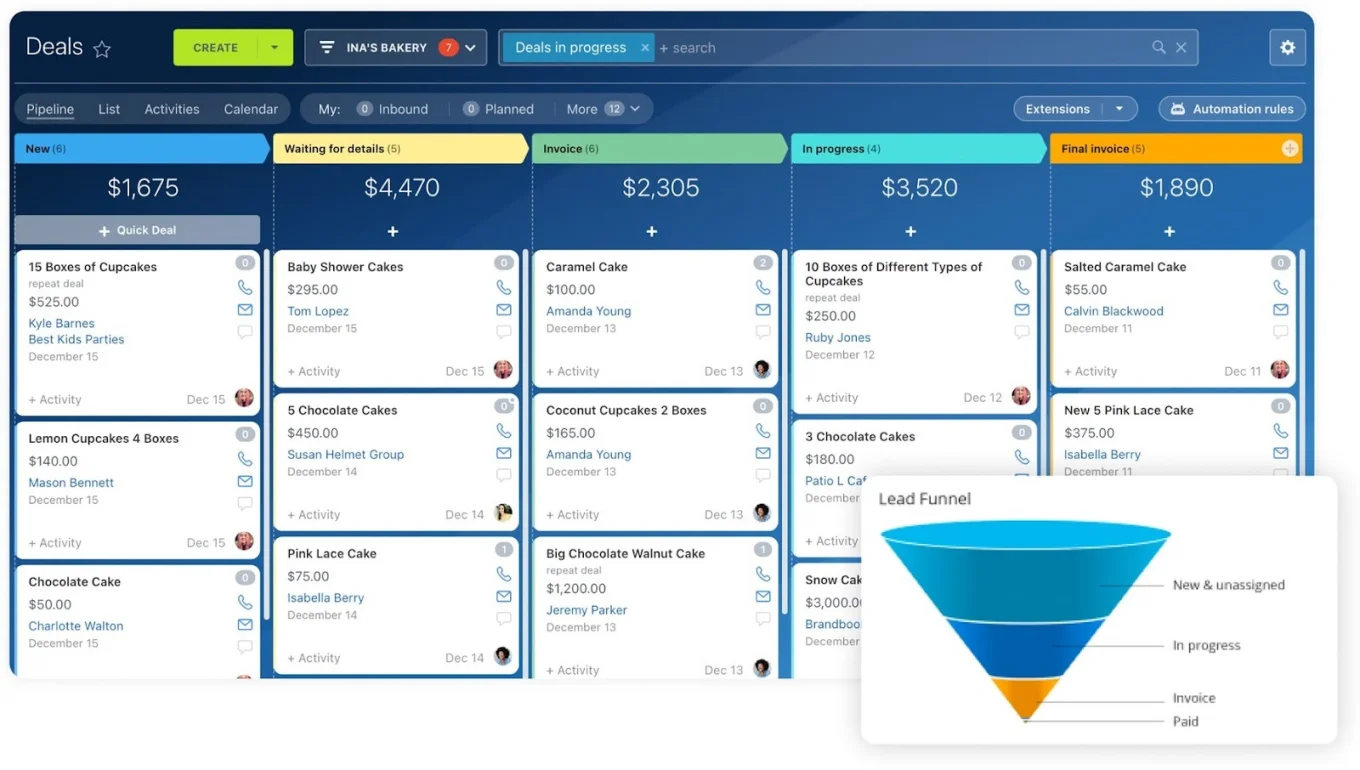
Define 3–6 stages matching how work actually moves (e.g., New → In Progress → Review → Done)
-
Assign one clear owner per task
-
Pick one view your team will use — Kanban boards are usually fastest to adopt
Your deliverable: One visible board answering: What's in progress? What's stuck? Who owns each item? What's due next?
2) Streamline: Remove friction
Once you can see the workflow, remove the bottlenecks.
Three levers:
-
Remove steps that don't protect quality or reduce real risk
-
Reduce handoffs by assigning one owner per outcome
-
Set simple decision rules (e.g., only approvals above a certain budget threshold)
Practical fixes:
-
If a review step doesn't change outcomes, replace it with a short checklist
-
If tasks bounce between people, define "done" and assign one Responsible owner
-
Stop letting chat run the workflow; capture decisions in the task using task management tools
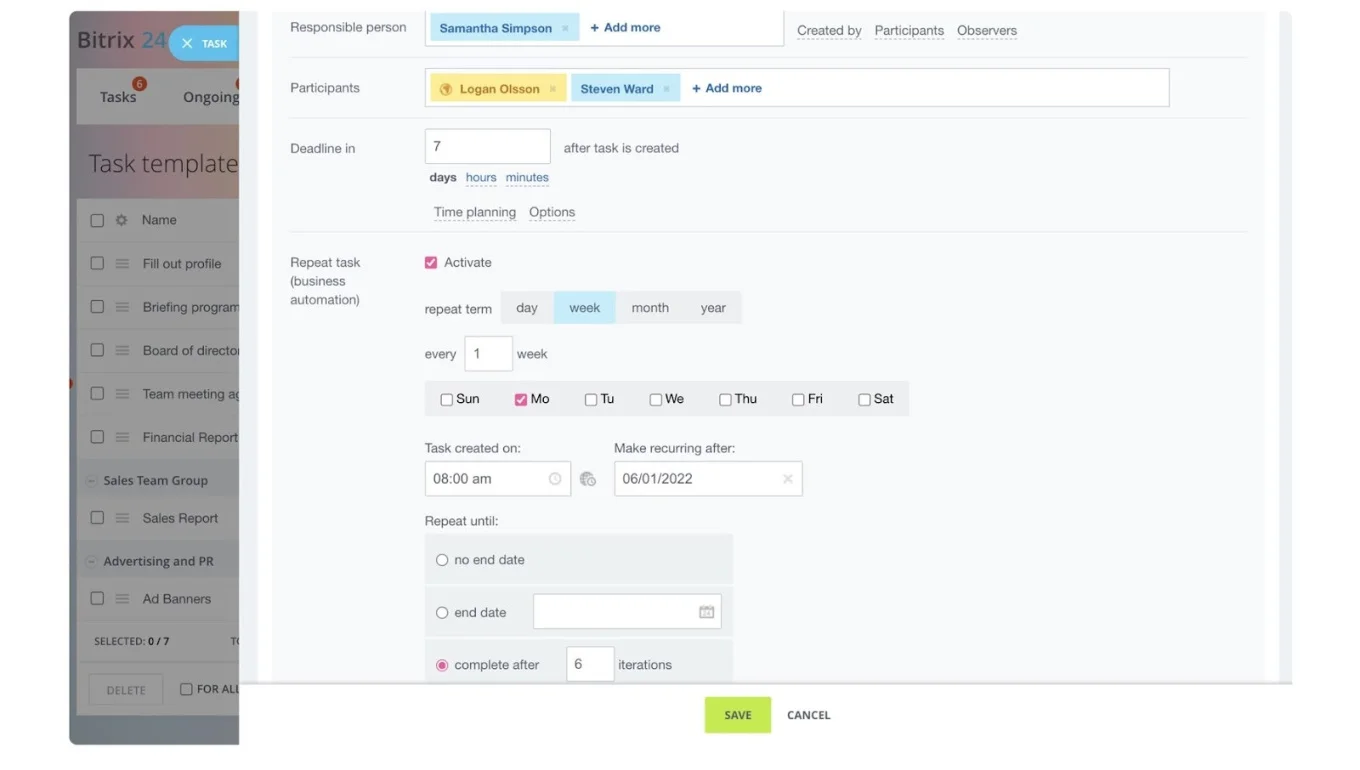
3) Standardize: Templates, checklists, and stages
If a workflow repeats, don't rebuild it from scratch each time.
Create:
-
A basic template for the workflow (project or task structure)
-
A short checklist for steps that are easy to miss
-
Clear stage definitions so "progress" means the same thing for everyone
A strong template includes:
-
The goal of the workflow
-
Key tasks and owners
-
Typical deadlines
-
Required inputs (what's needed upfront)
-
Definition of "done" for key steps
Store templates in document management so they're accessible and version-controlled.
4) Systemize: One source of truth
Standardization won't stick if work is scattered.
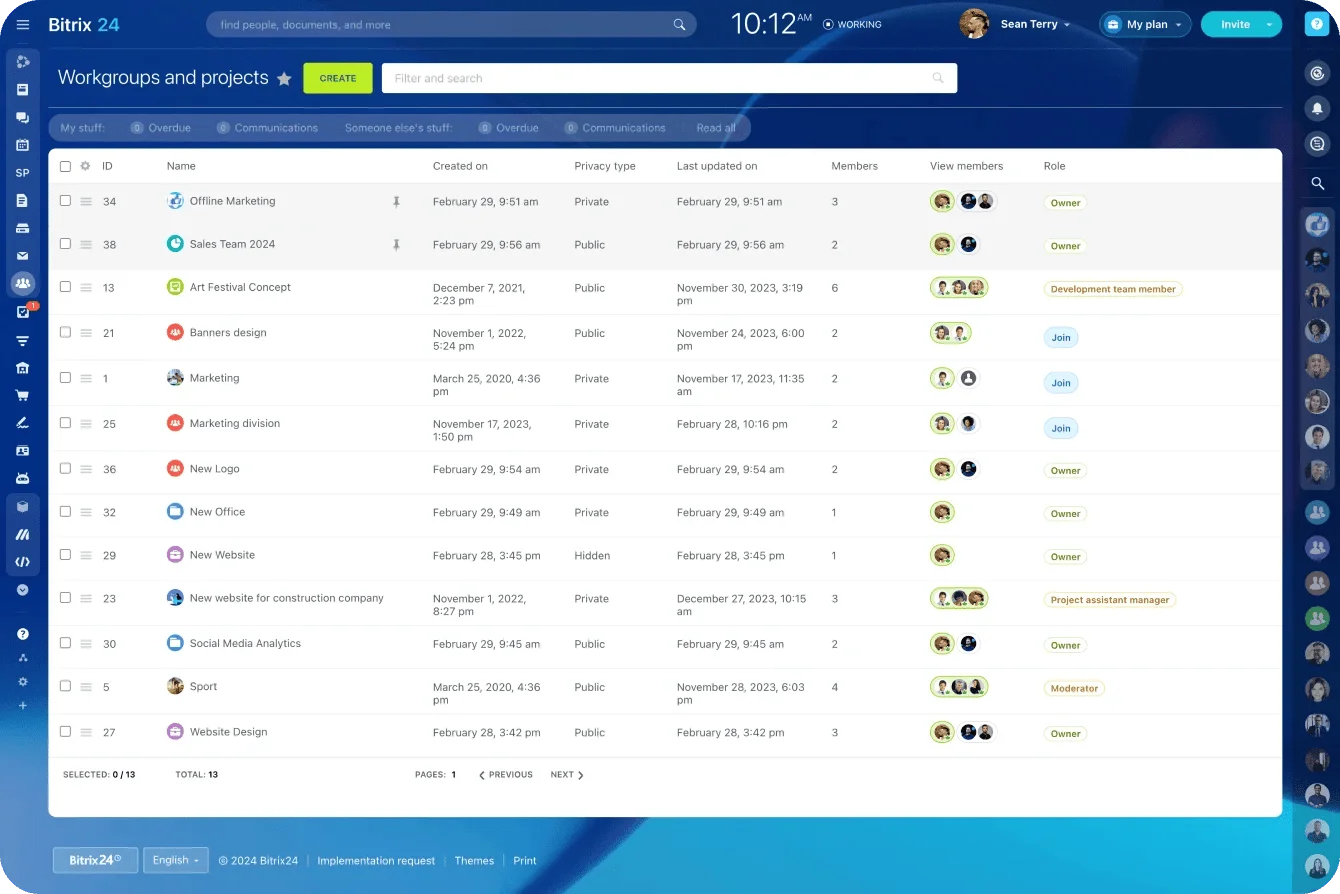
Enforce one rule: If the work matters, it lives in the workflow system: tasks, files, decisions, approvals, and progress updates.
A simple habit: talk in chat, execute in tasks. If a decision happens in chat, log it in the task. Use workgroups to keep related workflows, files, and discussions connected.
5) Scale: Automate the follow-ups
Automation is the payoff, not the starting point. Once the workflow is visible and consistent, automate repetitive actions:
-
Auto-create tasks from templates when a workflow starts
-
Auto-assign owners based on rules
-
Send reminders for overdue work or stalled reviews
-
Route approvals so sign-offs don't get buried
Use task automation to handle one follow-up problem first. If automation creates noise, simplify and try again.
Real-World Examples
Example 1: Content Production Workflow
Before: Ideas scattered across docs, feedback lost in chat, unclear stages, rushed last-minute edits.
After:
|
Stage |
Owner |
Output |
|---|---|---|
|
Brief |
Content Lead |
Approved topic + outline |
|
Draft |
Writer |
First draft + assets |
|
Review |
Editor |
Feedback logged in task |
|
Approved |
Content Lead |
Final sign-off |
|
Scheduled |
Writer |
Published date set |
What makes it work: One task per content piece, checklist for "ready for review," review deadlines enforced, feedback logged in the task.
Automation to add: Reminder if draft sits in Review for 48+ hours. Auto-assign editor when task moves to Review.
Example 2: Internal Requests (HR, Finance, Ops)
Before: Requests arrive through chat, email, and side conversations. Approvals are informal. Requesters chase updates constantly.
|
Stage |
Owner |
Output |
|---|---|---|
|
New |
Auto-assigned |
Request logged with required fields |
|
Assigned |
Department Lead |
Owner confirmed |
|
In Progress |
Assigned Owner |
Work underway |
|
Waiting for Approval |
Approver |
Decision pending |
|
Completed |
Requester notified |
Request closed |
What makes it work: One intake format with required fields, automatic assignment rules, approvals tracked inside the workflow.
Automation to add: Overdue reminder when request sits too long. Escalation if approval stalls past the deadline.
Keeping it simple over time
Simplifying a workflow is the easy part. Keeping it simple is where teams slip.
Assign a workflow owner
One person keeps the workflow clean: updates templates, removes outdated steps, collects feedback, and fixes recurring bottlenecks.
Run a monthly 20-minute health check
Review one workflow monthly using three questions:
-
Where are tasks getting stuck?
-
Where is rework happening?
-
Where are manual follow-ups still required weekly?
Pick one improvement. Apply it immediately.
Prevent exception creep
If an exception happens once, handle it manually. Only add a new step if it happens often and protects something important. Use project management tools to track whether exceptions are becoming patterns.
Weekly 10-minute reset
End each week by cleaning up: close completed tasks, update overdue items, clarify blocked work, confirm next week's priorities.
When this approach doesn't work
The 5-S method assumes the workflow repeats and has predictable steps. It's less useful when:
The work is highly creative or exploratory. If every project is genuinely unique, heavy standardization creates friction instead of reducing it.
You're a team of one. Solo operators often don't need formal workflows; simple task lists and calendar blocks may be enough.
The real problem is capacity, not process. If your team is understaffed, no workflow fix will solve the backlog. Address headcount or scope first.
Stakeholders won't adopt the system. Workflows only work when everyone uses them. If key people refuse to log work in the home base, the system breaks.
Workflow simplification FAQ
How long does it take to simplify a workflow? The diagnosis takes 10 minutes. Implementing the 5-S method on one workflow typically takes 2–4 hours spread across a week, including team input.
Should I simplify all workflows at once? No. Start with one high-friction workflow. Get it working, then move to the next. Trying to fix everything simultaneously usually fails.
What's the minimum team size for this to matter? Two people. As soon as work moves between people, handoffs create potential friction.
How do I get buy-in from my team? Show them the "last 10 tasks" analysis. When people see concrete evidence of where time is lost, they're more willing to change.
What if my workflow has too many exceptions? If exceptions exceed 30% of cases, you may have two separate workflows disguised as one. Consider splitting them.
How often should I revisit a simplified workflow? Monthly health checks (20 minutes) prevent drift. Major reviews quarterly or when the workflow's context changes significantly.
Conclusion
Complex workflows don't have to slow your team down. Most small-team friction comes from invisible problems: work that's hard to see, unclear ownership, and manual follow-ups.
The fix is simplifying in the right order:
See → Streamline → Standardize → Systemize → Scale
Use the checklist below any time a workflow starts feeling messy.
|
Step |
Actions |
|---|---|
|
See |
Choose one home base, define 3–6 stages, assign one owner per task |
|
Streamline |
Remove low-value steps, reduce handoffs, set decision thresholds |
|
Standardize |
Create templates, add checklists, define stage meanings |
|
Systemize |
Centralize tasks, files, decisions, and approvals in one place |
|
Scale |
Automate task creation, assignments, reminders, and approvals |
Follow this method, and you'll spend less time coordinating and more time delivering.
Bitrix24 brings tasks, communication, files, and automation into one workspace, so workflows stay visible and progress doesn't depend on chasing updates. Start for free today.


