Which Business Software Are You Actually Missing? Start From the Symptom, Not the Category


TL;DR (Quick Summary)
Most teams shop for software by picking a category, CRM, help desk, project management, then booking demos. That's backwards. Start from the symptom you can already see, trace it to the capability that's missing, and decide whether software is even the fix before you name a vendor.
Takeaway: A sharper diagnosis produces a shorter, more relevant shortlist. Once you know what keeps failing and why, vendor evaluation becomes much easier.
Buy the wrong category and you don't find out for months. The tool gets rolled out, people adopt it, it gets wired into a few workflows, and the problem you bought it to solve is still sitting there, now with a subscription attached to it.
What you're missing is almost always one capability. An owner for every lead, a routed approval, a record two teams can both trust, and sometimes it points to a process or a decision no tool can make.
This article gives you a way to work backward from the symptom you can already see to the capability that's failing, so you walk into vendor calls with a short, defensible shortlist instead of a category and a hunch, and know when the honest answer is to buy nothing.
Decide the category last
Most software shortlists are built backwards. A team feels a pain, names a category, and starts booking demos. The category is a guess dressed up as a decision.
Start with the failure instead. What capability is missing from the workflow? Assignment control, shared records, approval routing, task visibility, data sync, reporting: one of those is what's actually broken. A sales team buried in email and spreadsheets says it needs a CRM. The real requirement is narrower, that every lead has an owner and every open deal has a next action. You can test those against a CRM. "We need a CRM" tests against nothing.
Software won't fix a rule nobody's written. If sales and customer success have never agreed who owns renewals, a platform enforces whatever rule you give it and invents none.
Get the diagnosis right and the shortlist comes out short, specific, and easy to defend in a budget meeting. Get it wrong and you buy a whole category to fix a problem it was never shaped to touch.
Business Bottleneck Diagnostic: Map Symptoms to Software Fixes
Enter your email address to get a comprehensive, step-by-step guide

Run a symptom-to-capability diagnostic
Start with the visible problem, work out what's breaking behind it, and define the capability that would change the result. Sometimes the honest answer is to buy nothing.
Read the problem in four stages
Take each issue through four stages, in order: the symptom (what people see during normal work), the likely root cause (the operational failure producing it), the capability required (what a system would need to do), and the buy-now call (whether software is the primary fix or only part of one).
One symptom, several causes. Deadlines slipping quietly might mean no milestone tracking, weak ownership, fantasy planning, or all three at once.
Turn symptoms into demo requirements
A good diagnosis changes the vendor conversation. Instead of a tour of the project management module, ask the vendor to show you how the system:
- Exposes blocked work before a deadline is missed
- Assigns responsibility across departments
- Flags overdue dependencies
- Alerts managers when a commitment is at risk
That drags the demo back onto your problem and away from the feature reel.
Pro Tip: Bring one failed workflow into the room
Pick a recent lead, approval, request, or project that went sideways and walk it back, step by step.
- Where did it wait?
- Who assumed someone else had it?
- What information was missing?
- Which manual workaround finally moved it?
Bring that story to every demo. A real workflow finds the product's limits faster than any feature checklist.
Map common symptoms to the capability that fixes them
Here's the core diagnostic table. It sticks to failures teams recognize without a formal audit.
|
Visible symptom |
Likely root cause |
Capability required |
Buy now? |
|---|---|---|---|
|
Leads go cold after initial contact |
No follow-up tracking, ownership handoff, or next-action queue |
Activity tracking, reminder logic, lead assignment, and stage visibility |
Usually yes |
|
Deadlines slip without warning |
Missing milestone visibility, weak dependency tracking, or no escalation signals |
Shared workflow tracking, status visibility, and exception alerts |
Usually yes, if the work is already defined |
|
Approvals stall for days |
No routed approval flow, unclear approvers, or too many manual touchpoints |
Approval workflow, routing rules, timestamps, and queue visibility |
Sometimes; check policy first |
|
No one knows who owns a client |
No system of record, overlapping mandates, or informal assignment rules |
Authoritative ownership record and assignment controls |
Maybe; governance often comes first |
|
Renewals and expansions get missed until an account is already churning |
No owner for the renewal, responsibility split between sales and customer success, no early warning on upcoming dates |
Renewal dates on a shared account record, reminders, and one named owner |
Not yet; decide who owns renewals first. A system can flag the date but can't assign the accountability |
|
Duplicate data or spreadsheet reporting persists |
Fragmented systems, inconsistent fields, no master record, and repeated rekeying |
Shared record model, integration, reporting access, and consistent field structure |
Usually yes |
|
Customer requests bounce between teams |
Poor intake routing, weak case ownership, and no service workflow |
Ticketing, routing, status tracking, and handoff visibility |
Usually yes |
|
New customers wait weeks to get started; onboarding stalls after the sale |
No defined onboarding sequence, unclear owner at the sales-to-delivery handoff, steps tracked ad hoc |
Templated workflow with checklists, handoff ownership, and task and status tracking |
Usually yes, once the onboarding steps are actually defined |
A few rows deserve a closer look.
Leads go cold
Teams call this a CRM problem. Sometimes it is. More commonly it's follow-up control.
Look for:
- Leads with no assigned owner
- Opportunities with no next action
- Follow-ups living in someone's personal reminders
- Managers finding stale leads during pipeline review
- Reassignments happening in chat instead of the system
Now the requirement is clear: assignment, activity tracking, reminders, stage visibility.
One caveat: a CRM fixes follow-up only if reps actually log activity. Where they won't, it turns into an expensive read-only database that managers check and reps ignore. That's an adoption problem, and no feature list solves it.
Be honest before you buy about whether the gap is missing capability or missing discipline.
Deadlines slip silently
A shared task list earns its keep only if managers see dependencies and exceptions before the deadline lands, not after.
For work that crosses departments, task management supplies the assignment, due-date, status, and dependency layer. The team still has to bring realistic estimates and named owners.
If every task is flagged urgent and dates get rewritten after they've passed, no software repairs that planning habit.
Approvals get stuck
Picture a discount request crawling through an email chain. Rep to sales manager, sales manager to finance, finance assuming the regional director already signed off. Nobody can tell whether the request is approved, rejected, or just buried in an inbox.
Routing and task automation make the queue, the owner, and the status visible. But if every exception needs five approvals because nobody ever set authority limits, automating that chain just preserves the bottleneck in a nicer interface.
Customer requests bounce between teams
The request lands in a shared inbox or a chat channel, and each team reads ownership differently.
A customer service workflow gives the request an owner, a status, a history, and an escalation path. The rule still has to say when support owns the case, when an account manager takes it, and what earns an escalation.
Renewals slip through
This is the row where buying first backfires. The capability is easy to name: renewal dates on the shared record, an alert before each one, an owner. A system does all of it on day one. What it can't do is decide whether the account manager or customer success owns the renewal conversation, or what counts as an expansion worth chasing. Until that's settled, the alerts fire into a vacuum and the renewal still slips.
Settle the ownership, then buy the reminder.
The habit matters more than the labels: describe the failure in plain operating terms, then find the capability the current setup lacks.

Tell a software problem from a process or governance problem
Same symptom, different disease. The fix depends on what's actually broken.
Software problems
These show up as missing visibility, tracking, automation, or shared records. The work is defined well enough; people are just papering over gaps in the system. Signs:
- Manual data entry, over and over
- Status you can only get by asking someone
- Follow-ups riding on personal reminders
- Work stalled because no alert went out
- Reports stitched together from several sources by hand
Process problems
These are inconsistent steps, weak handoffs, too much variation in how the same job gets done. One team logs requests on a form, another by email, a third through chat. Software standardizes the entry points once someone decides what the standard should be.
If people use the same tool in wildly different ways, that's a process or adoption gap, not missing functionality.
Governance problems
These are about decision rights, ownership, and policy.
Who approves a discount past a threshold? Who owns a strategic account after signature? Which issues force an escalation? Who's allowed to change a client's owner?
Leave those undefined and a system records the disagreement without settling it.
Watch for software bought to dodge a decision. "We need an approvals tool" sometimes means "we haven't decided who's allowed to approve what, and we'd rather buy something than have that argument." The system encodes whatever rule you hand it, including no rule at all. That's the priciest shelfware there is: bought to end a fight it can't referee.
Use the automation test
Stuck approvals show how easily the three blur. Visibility might be poor because the software can't show pending requests. Requests might be incomplete because the process never specified what's required. Or five people sit in the chain because nobody defined who actually holds authority.
Here's the test: freeze the workflow exactly as it runs today, then imagine automating every step of it.
If the result genuinely improves, you've got a software gap. If the same confusion, dead steps, and ownership fights survive automation, fix the design before you add technology.
The classic mistake is automating a broken approval chain and calling it a win. The queue's visible now, the delay's logged now, and the request still sits for a week because five approvals were never needed. Automation exposes the bottleneck. It doesn't clear it.
Test whether the gap is real before you call a vendor
You can learn most of this from a single walkthrough; no transformation program required. Grab one recent transaction, lead, case, approval, or project, and trace it from entry to done with the people who actually touch it.
1. Where work enters
Look at intake. Does work arrive through a structured form or a shared queue, or through personal inboxes, calls, and side channels? Messy intake breeds ownership problems before the work has properly started.
2. Where work waits
Delays expose missing routing, unclear approvals, overloaded teams, broken handoffs. Ask people what they chase by hand. "I ping finance after two days" tells you more than any process diagram claiming the handoff is automatic.
3. Where ownership goes fuzzy
Find the moment people start saying "I thought they had it." That's where assignment rules or system-of-record discipline have gone missing.
4. Where information gets rekeyed
Repeated data entry points to fragmented records, weak integration, or a job split across too many tools. Before you buy another app, check whether integrations between the systems you already run could kill the duplication.
5. Where managers lose the thread
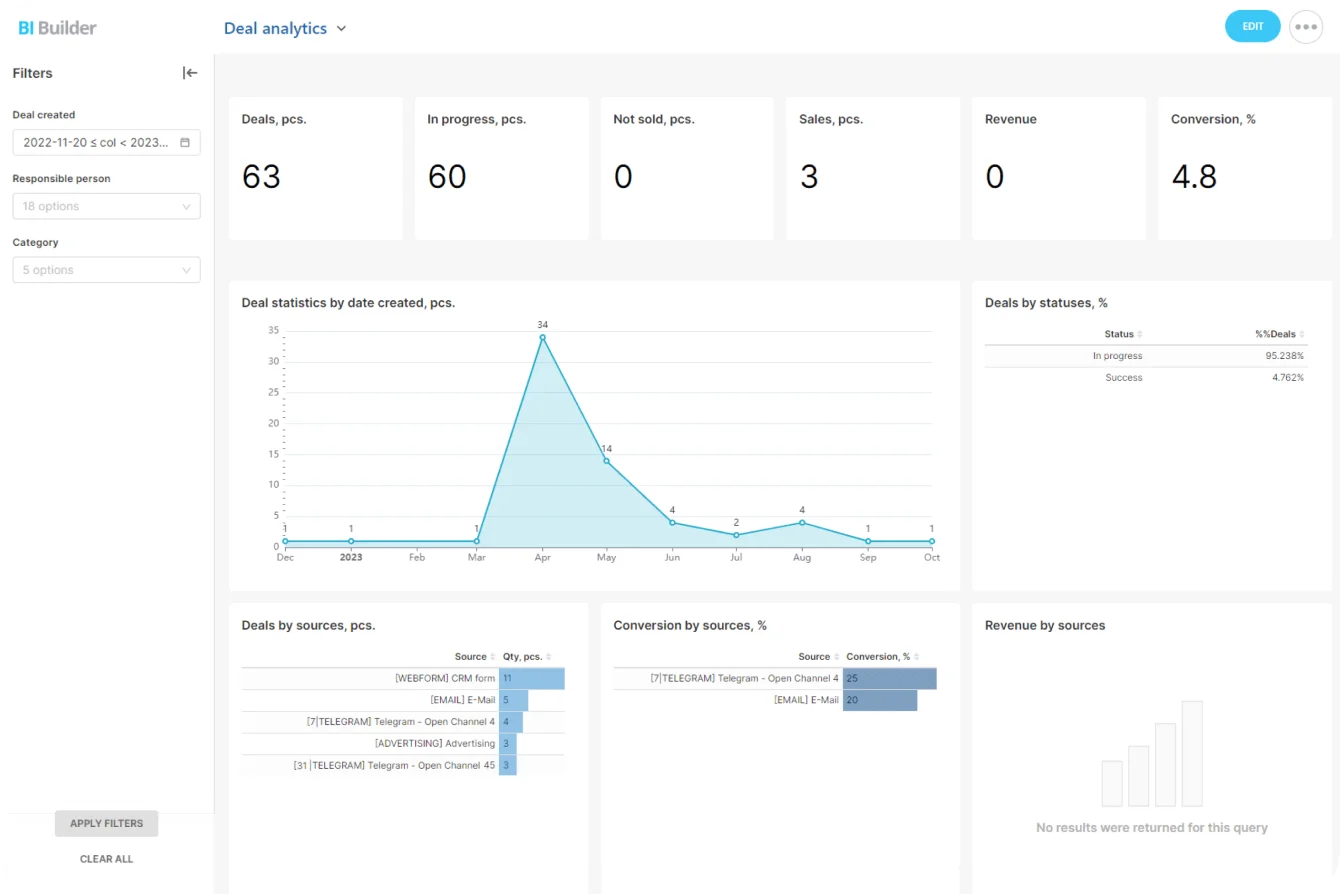
If managers only learn status through check-ins, spreadsheet updates, or rescue meetings, the missing piece might be reporting, not another execution tool. For teams already on Bitrix24, analytics and reporting tools surface pipeline and workflow status without spinning up a separate reporting habit.
An illustrative walkthrough
This is a composite, not one real customer, but the pattern shows up everywhere. An operations lead suspects approvals are the firm's bottleneck. Instead of shortlisting approval tools, she pulls one contract exception from last month and traces it with the people who handled it.
Three failures fall out. The request sat for days after the requester emailed it, because the approving manager was on leave and nobody else could see it waiting. Finance re-typed the same figures into a private spreadsheet to keep track. And two people each assumed the other had sent it to legal.
Her brief stops reading "approvals are slow." It reads: requests vanish once they leave the requester's inbox, ownership is ambiguous at the finance handoff, and the same numbers get keyed twice. That version tells a vendor exactly what to demo, and it exposes one problem no tool will fix, which is who's supposed to own the thing.
Pro Tip: Measure the workaround behind the complaint
When someone says "this is all manual," ask what that means in practice. Do people:
- Copy data between systems by hand?
- Keep private trackers?
- Fire off reminder messages every morning?
- Hold a weekly meeting just to reconstruct status?
- Keep their own notes because they don't trust the shared record?
Those compensating habits name the missing capability. The private tracker is the loudest signal of the five: when someone keeps a shadow spreadsheet, they've already decided the shared record can't be trusted, and that verdict beats any complaint.
Turn the evidence into demo scenarios
A handful of concrete signals is enough to start:
- Recurring handoff delays
- Wide swings in response time
- Frequent exceptions
- Spreadsheet workarounds
- Several systems touched in one transaction
Now the brief carries operating context. You know where it breaks, who's hit, what workaround exists, and what better looks like.
Ask vendors to show reassignment at a handoff, aging work, approval queues, duplicate-record controls, exception handling, reporting across teams. A generic tour won't answer any of it.
Expect overlap: one platform can cover several symptoms
Categories blur in practice. A CRM carries workflow automation and case routing. A project tool handles approvals and intake forms. A service platform ends up as the record of truth for some customer interactions. So the real question is less about category and more about how work moves through your business.
Point solution or existing platform
A point solution earns its place when:
- One team owns the whole workflow
- The bottleneck is narrow and well defined
- Little data needs to travel elsewhere
- Specialist depth beats shared visibility
Extending a platform you already run makes more sense when the work crosses departments, or when fragmentation is already part of the problem. Bolting on another isolated system buys you:
- Another login
- Another copy of customer or project data
- Another reporting source
- Another integration to maintain
- Another place people have to remember to update
The second subscription is the cheap part. What bites is the second source of truth. Once two systems both claim to hold the customer record, someone burns part of every week reconciling them, and the reporting quietly stops being trustworthy.
Fragmentation like this also carries a measured productivity cost. In a 2022 Harvard Business Review study of 137 workers across three large companies, employees switched between apps and websites roughly 1,200 times a day and lost close to four hours a week, about 9% of their time, simply reorienting after each switch. Treat that as a research benchmark rather than a figure for your own team. The point stands: every extra system adds friction that never appears on the invoice.

Follow how far the work travels
When a workflow runs across sales, operations, finance, and service, shared data and shared status get valuable fast. Decide which system holds the authoritative record. When several teams act on the same account or request, that call matters. A new app that spawns another copy, instead of strengthening the source of truth, trades a little relief now for more confusion later.
Count the implementation overhead
A product can nail the visible symptom and still be a bad fit if it drags in integration work, duplicate admin, extra training, parallel reporting, or more manual syncing. Best feature set on paper loses to best operational fit.
Pro Tip: Shop your own stack first
Once you've named the missing capability, hold it up against what you already pay for. Plenty of platforms cover adjacent functions nobody's switched on yet. Extending an existing workflow wins when shared records and cross-team visibility matter more than specialist depth. Ask one question: which option kills the failure with the least new overhead?
Write a tighter brief tied to real failures
The whole exercise should end in a short operating brief tied to real failures and the outcomes you want. For every priority symptom, write down four things: your root-cause hypothesis (why you think it happens), the teams affected (who hits it or inherits it), the current workaround (what people do by hand to cope), and the success measure (what visible change says it's better).
"Approvals are slow" is useless. "Contract exceptions sit unreviewed because requests route by hand and nobody can see how old the queue is" you can act on. Now you can test routing, ownership, status visibility, timestamps, and escalation directly.
Rewrite category requests as operating requirements. Instead of "we need better project management," write "cross-team deadlines slip because dependencies aren't visible and blocked tasks don't get escalated." Instead of "customer service needs improvement," write "requests come in through several channels with no consistent owner, so customers repeat themselves every time a case changes hands." Those tell a vendor what has to change.
A symptom-based brief also gives your own people something to poke at. Is that really the root cause? Which teams does it hit? How often? Are we already paying for something that fixes it? Would software solve this, or are we ducking a policy call? What should improve after go-live? Procurement gets cleaner scope, operations gets a sharper fit test, leadership gets a business case pinned to an observable failure.
FAQ
How do I tell a software problem from a process or governance problem?
Run the automation test. Freeze the workflow as it runs today and imagine automating every step. If the result clearly improves, you've got a software gap. If the same confusion, redundant steps, and ownership fights survive, the problem is process or governance, and buying a tool just files the mess more neatly.
We already own plenty of software. How do I know if I need something new?
Name the missing capability first, then check it against what you're already paying for. Plenty of adjacent functions sit switched off in tools you already run. When the failure crosses departments, extend a shared platform before adding another isolated app; a second app means a second copy of your data to reconcile.
Should I buy a specialist tool or extend a platform we already use?
Go specialist when one team owns the whole workflow, the bottleneck is narrow, little data needs to move, and depth matters more than shared visibility. Extend the platform when work crosses teams and a single source of truth is the point. The deciding question: which option removes the failure with the least new overhead?
What's the fastest way to check the gap is real before I talk to vendors?
Trace one recent case end to end with the people who handled it. Note where it entered, where it waited, where ownership blurred, where data got rekeyed, and where managers lost visibility. Those five points hand you a diagnosis and a demo script in one sitting.
Find and fix workflow gaps in Bitrix24
Bitrix24 unites CRM, tasks, approvals, and reporting in one workspace, helping teams spot bottlenecks and keep ownership clear.
Get Started NowThe shortlist is only as good as the diagnosis
Name the failure in operating terms, find the capability that's missing, and ask whether the problem is even software's to solve. Skip that and you buy a category, which is how companies end up paying every month for a tool that files the same confusion it was supposed to end.
One reason teams scatter across separate tools is cost. When adding a person to a system costs money, work leaks into free side channels and the shared record rots. Bitrix24's free plan takes that pressure off: it's free for unlimited users, so you can put your whole team on one system without turning it into a budget fight. Consolidate there or somewhere else.
The test doesn't change: does the record stay single, and can the people who need status actually see it?