Support SLAs Without Extra Headcount
Support teams hit SLA breaches long before they run out of effort. They breach because volume grows faster than their systems can handle it. Queues pile up during shift changes. Tickets get misrouted. Agents switch between five tools to find one answer. Small friction compounds into missed deadlines.
The instinct is to hire, of course. But adding people to a broken workflow is like widening a road without fixing the bottleneck. Traffic still jams at the same point — it’s just got more cars!
This article shows you how to meet SLAs by improving the systems that support your team.
You'll learn how to centralize channels so nothing gets lost, use AI to deflect 40% of tickets automatically, route cases to the right expert instantly, structure escalations that don't create chaos, and track performance in real time.
When these capabilities work together in a single platform, teams handle more volume, maintain predictable response times, and protect SLAs through operational leverage rather than linear headcount growth.
The foundation: Omnichannel + auto-classification
When support channels live in disconnected tools, you lose time before conversations even begin. Customers repeat information. Agents switch tabs to reconstruct context. Simple questions take longer than they should, and SLAs slip even when volume is manageable.
The foundation of scalable support is an omnichannel helpdesk that centralizes every touchpoint and automatically classifies what arrives.
Unify every channel in one workspace
With Bitrix24's Contact Center, email, chat, social messages, phone calls, and website forms flow into a single workspace. Your team sees complete conversation history without digging. When agents have full context from the start, they respond faster and with more confidence.
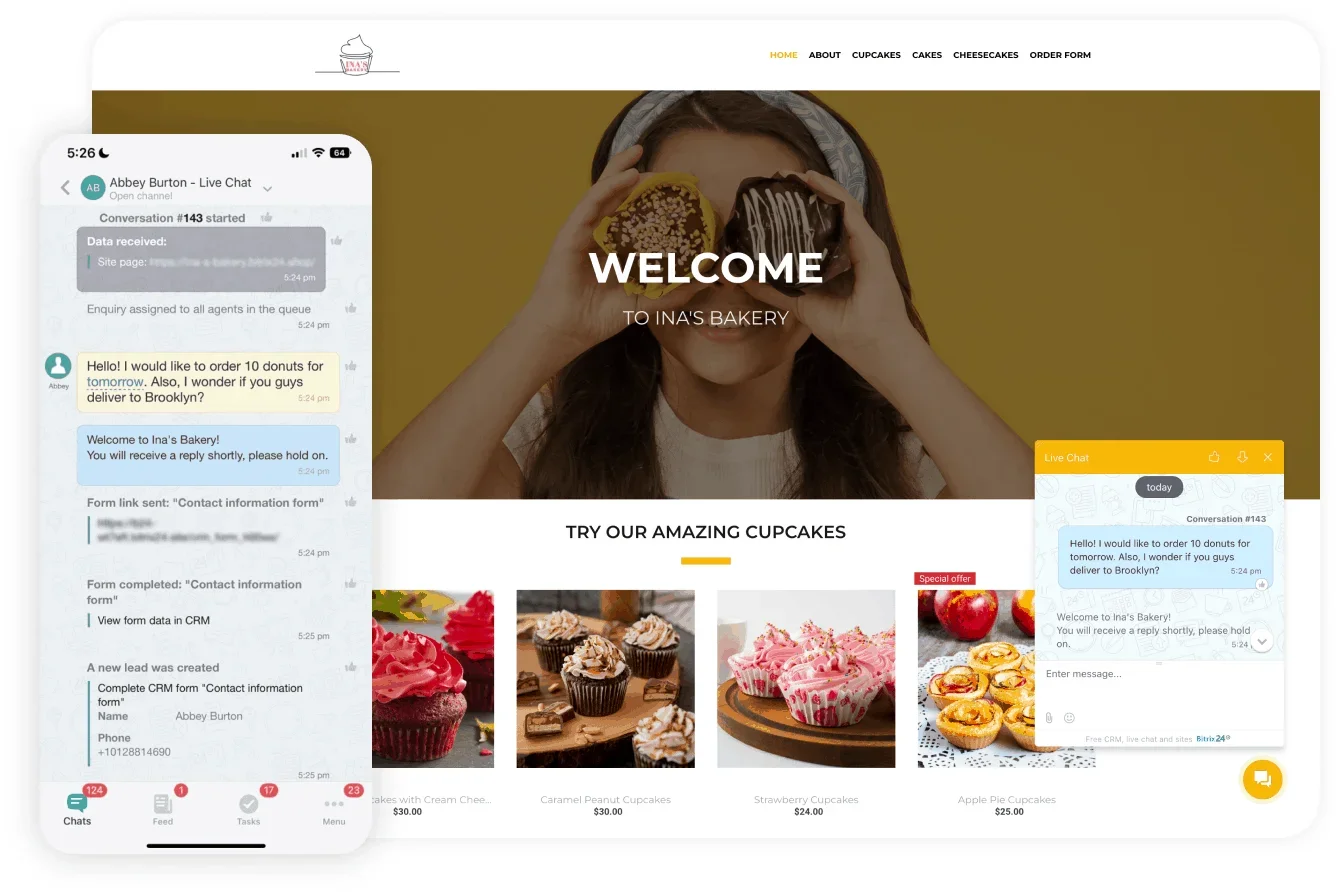
Once everything feeds into one inbox, you can enforce consistent routing rules, apply SLA timers automatically, and balance queues so no one gets overwhelmed. This eliminates the random backlog that forms when messages get trapped in isolated systems.
Let the system classify tickets automatically
When volume rises, the first thing teams lose is clarity. Agents spend time sorting messages instead of solving them. Without reliable categorization, SLAs slip because no one knows what deserves attention first.
Bitrix24 auto-tags every incoming message based on keywords, intent, or source. Billing, login issues, shipping delays, technical problems, refund requests — all classified instantly. Your team no longer manually sorts each conversation.
Once tickets are tagged, you can apply intelligent routing: urgent categories move to the front, technical issues route to specialists, simple questions go to bots or junior agents, high-value accounts get fast-track handling.
Why this matters for SLAs
Auto-tagging also unlocks meaningful analytics. Track SLA performance by issue type, measure resolution times by category, spot volume spikes tied to product changes, and see how agents handle different work types. These insights help you fix bottlenecks before they impact customers.
A unified helpdesk with automatic classification isn't just convenient. It's the infrastructure that transforms individual agent capacity into team-wide efficiency gains.
AI-powered deflection: Bots + CoPilot
One of the fastest ways to protect SLAs is reducing the number of conversations that ever reach an agent. Support teams spend surprising amounts of time on basic questions and routine requests. These interactions are simple, but they pile up and crowd out cases that genuinely require human judgment.
CoPilot: faster human answers without guesswork
Not every conversation can or should be automated. Many requests still require human judgment — the challenge is answering them quickly and consistently, especially under pressure.
CoPilot removes the search step from support work. When a customer asks a question, CoPilot pulls from your knowledge base, past cases, and internal notes to draft a response automatically. Agents can send it as-is or refine it before replying.
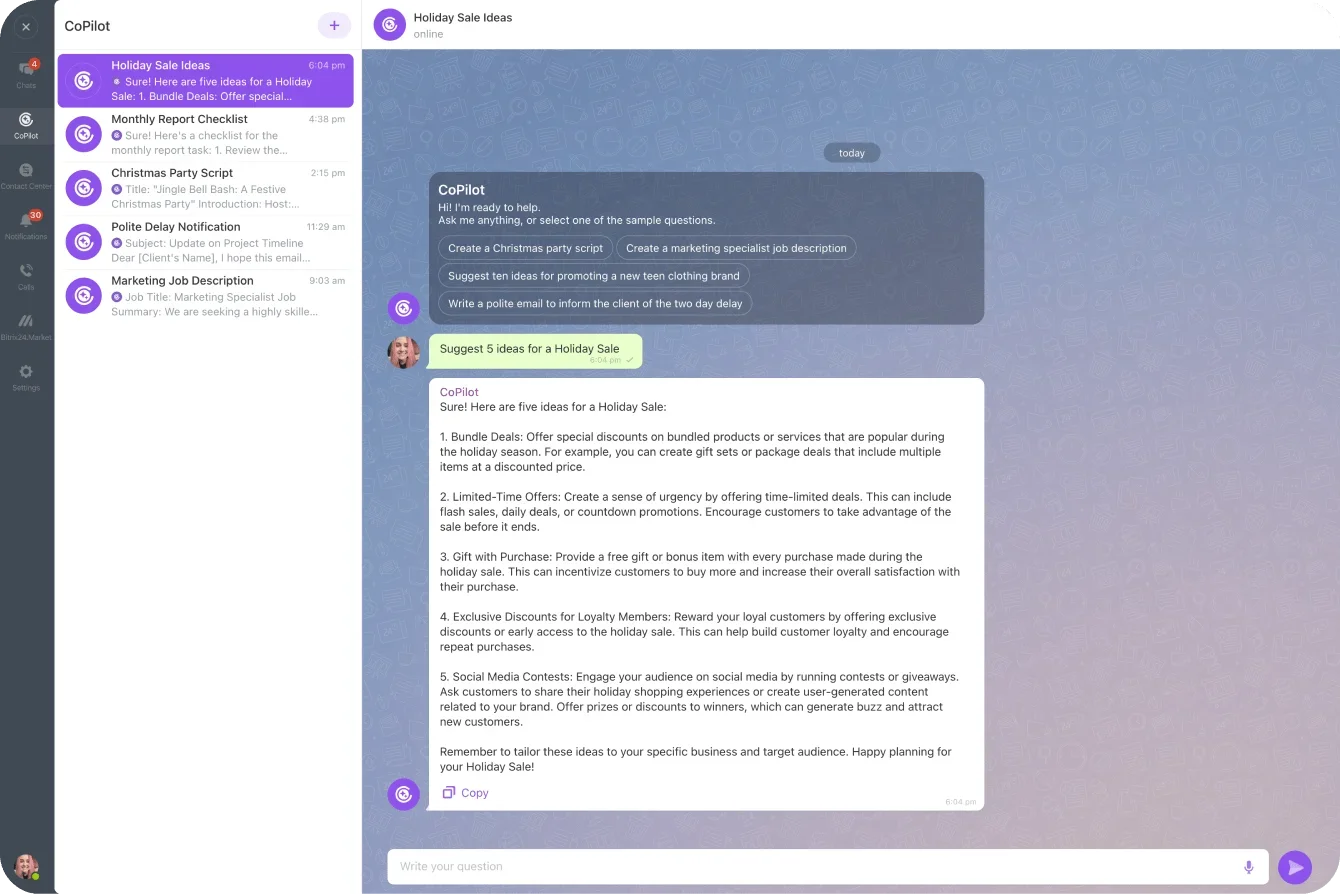
This keeps agents in flow. New hires ramp faster. Experienced agents move quickly without cutting corners. Messaging stays accurate and consistent, even during busy periods.
By removing hesitation and context-switching, teams maintain predictable response times (even during volume spikes or onboarding) without adding pressure or headcount.
Structured escalations that protect SLAs
Escalations are one of the biggest SLA risks. A ticket becomes too complex, gets handed off informally, and suddenly no one is sure who owns it or when it will be resolved. Important issues bounce between inboxes, and delays accumulate — not because the work is hard, but because the process is unclear.
Bitrix24 eliminates this uncertainty by turning every escalation into a structured task with built-in accountability.
Create tasks automatically when issues need expertise
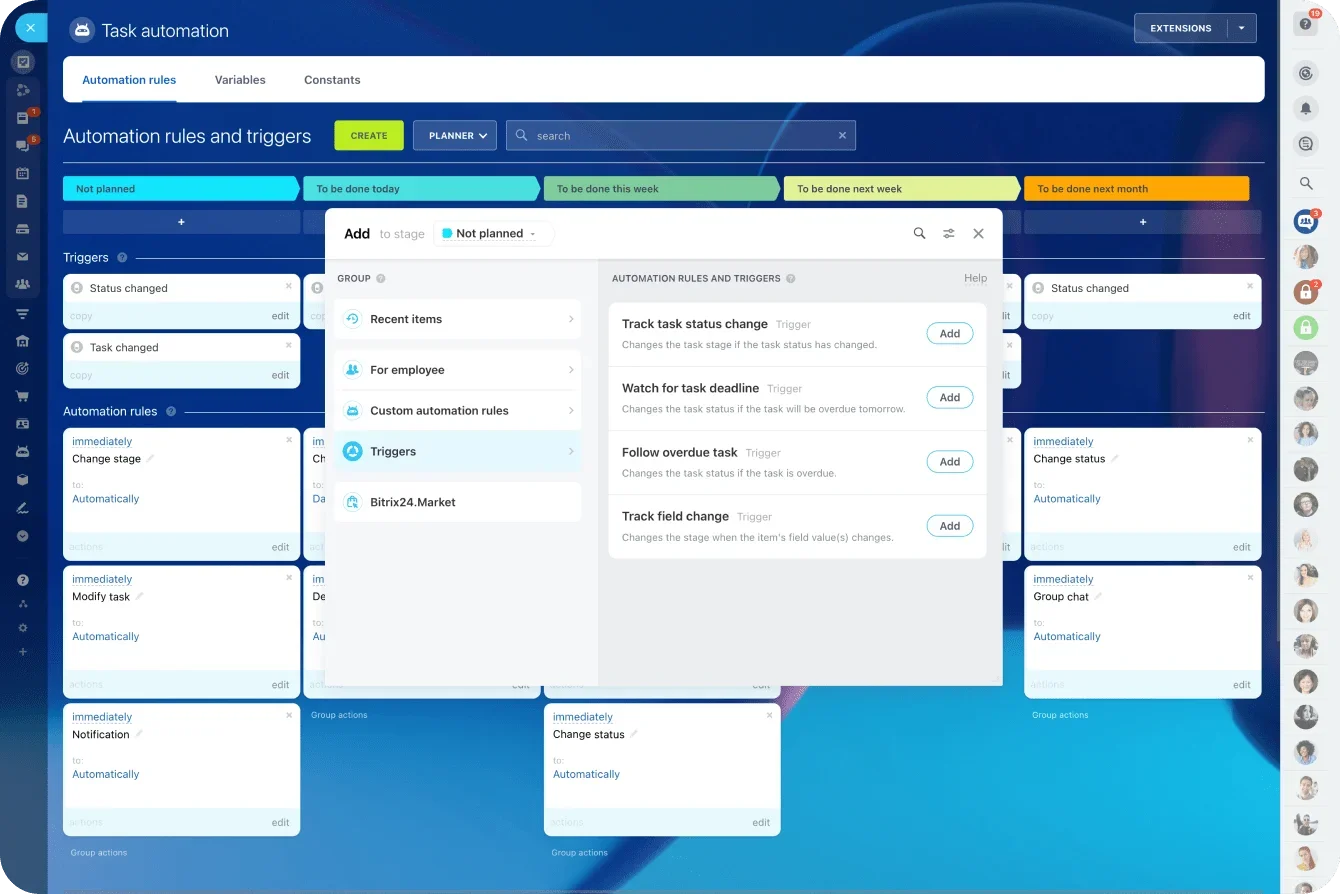
When a case requires specialist help, Bitrix24 converts the escalation into a task with a defined owner, deadline, and all relevant context pulled directly from the conversation. Agents don't rewrite summaries or chase updates manually. The system keeps everything together and visible.
Automatic reminders and status tracking ensure no complex case sits untouched or gets lost in a queue.
Break down cross-team silos
Tough support issues often involve multiple departments — engineering, billing, fulfillment, customer success. Bitrix24 tasks make collaboration straightforward without forcing these teams into the helpdesk interface. Each task can include watchers, comments, files, and linked messages, so everyone sees the same information.
This removes the back-and-forth that typically slows resolutions across teams.
Keep escalated issues moving
Tasks bring transparency to the entire escalation lifecycle. Owners see deadlines. Managers track workload and intervene early. Agents get notified when progress is made. Nothing stalls because the system continually surfaces what requires attention.
This eliminates common blockers: missed replies, duplicate follow-ups, unclear ownership, outdated information.
The impact on SLAs
Escalations are where SLAs fail most often because delays compound quickly, and ownership gaps matter more. Turning escalations into structured, deadline-driven tasks keeps complex cases moving and prevents a small number of tickets from derailing overall SLA performance.
Operational excellence: Coverage + analytics
Most SLA breaches don’t come from poor effort; they come from blind spots. When coverage, handoffs, and performance data aren’t visible in real time, delays accumulate quietly until SLAs fail.
Guarantee coverage with shared calendars
Coverage gaps often appear during shift changes, weekends, or regional handoffs. Agents sign off without knowing who’s picking up next. Customers wait, queues build quietly, and response times slip before anyone notices.
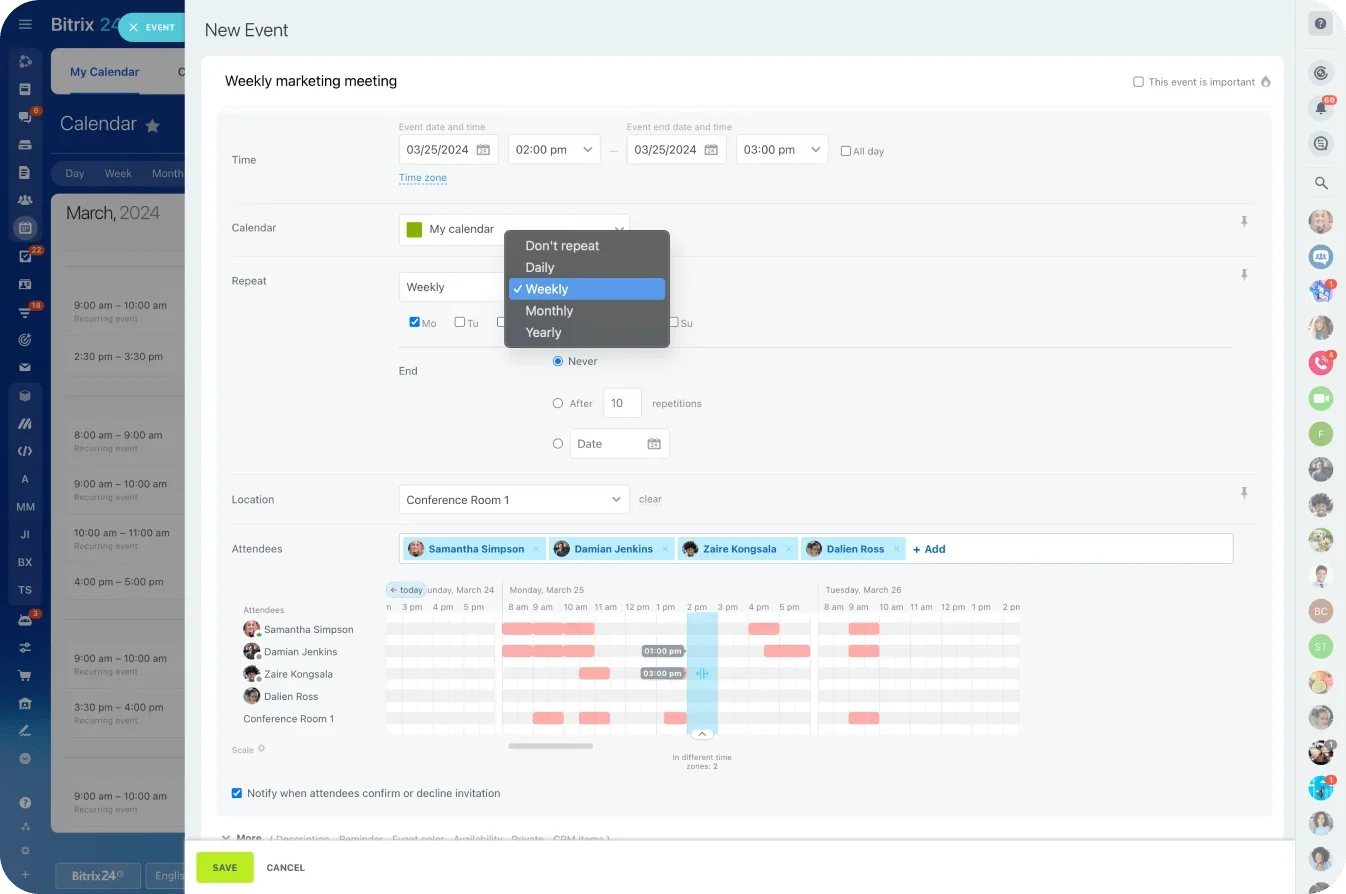
Shared Calendars make coverage visible across offices, shifts, and regions in one view. Agents manage working hours, PTO, and breaks directly in the calendar, while managers see who’s online now, who’s coming on next, and where gaps may form. New conversations are routed only to agents who are actively on shift, preventing tickets from landing with unavailable owners and stopping overnight backlog before it forms.
Coordinate handoffs without losing momentum
Daily handoffs are where SLAs quietly erode. When ownership isn’t clear, issues sit between shifts and progress stalls.
Shared visibility allows agents to prepare clean transitions with notes or linked tasks, so work continues instead of resetting. The same visibility supports better capacity planning — helping teams anticipate peaks, holidays, and regional demand instead of reacting to backlog after SLAs are already at risk.
Track SLAs in real time with unified analytics
You can’t protect SLAs if you only see problems after they’ve happened. Real-time analytics surface first-response time, resolution time, open workload, and SLA breaches as they occur — not days later in reports.
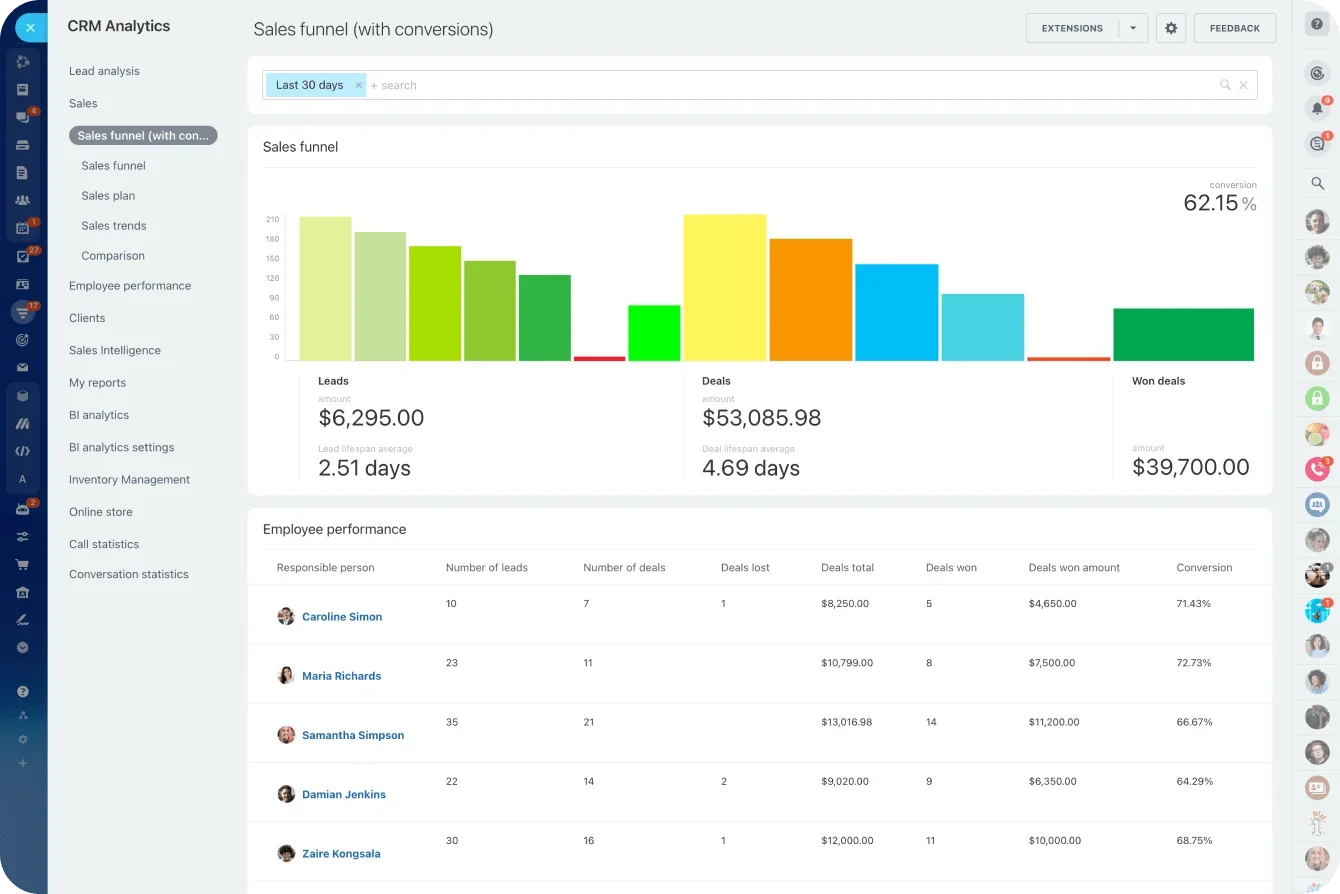
Breaking results down by queue, issue type, and agent reveals exactly where delays form. That clarity makes it possible to intervene early, adjust routing or coverage, and fix bottlenecks before small slowdowns turn into missed SLAs.
Customer satisfaction scores are captured directly from resolved conversations and tied to queues and agents, helping teams connect operational performance to real customer outcomes.
Real outcomes: What teams actually achieve
When these capabilities work together, the compounding effect becomes visible in daily operations. Here's what that actually looks like in practice:
Absorb volume spikes that previously required hiring sprints
Once bots and AI assistants take routine questions off your agents' plates, workload drops immediately. Pair that with faster routing, fewer tool switches, clearer triage, and AI-drafted replies, and individual agents handle more cases without feeling stretched.
Most teams see tangible improvements: fewer repetitive tickets, faster initial sorting, higher throughput across the board. The environment feels calmer even as volume increases.
Maintain sub-2-hour first response times
The first stage of a conversation is where most SLA breaches occur. If customers wait too long for acknowledgment, the rest of the interaction starts behind schedule. Automation changes this by responding instantly, gathering context, and allowing agents to send accurate replies faster.
These capabilities make it possible to hold a sub-2-hour first-response SLA even during busy seasons (something many teams only achieve by adding headcount).
Improve CSAT by 12 points or more
Satisfaction rises when support becomes faster, clearer, and more consistent. Centralized communication eliminates unnecessary repetition. AI-assisted messaging improves accuracy. Structured escalations prevent complex cases from stalling.
As resolution times drop and experiences become more predictable, customer sentiment improves. Many teams see double-digit gains in satisfaction scores.
Scale responsibly and hire only when needed
Perhaps the biggest shift is financial flexibility. You decouple support capacity from payroll growth, giving you time to hire strategically rather than frantically. When you do add headcount, new agents inherit efficient systems — they're productive faster and contribute to a higher baseline. Growth becomes sustainable because the foundation scales ahead of demand.
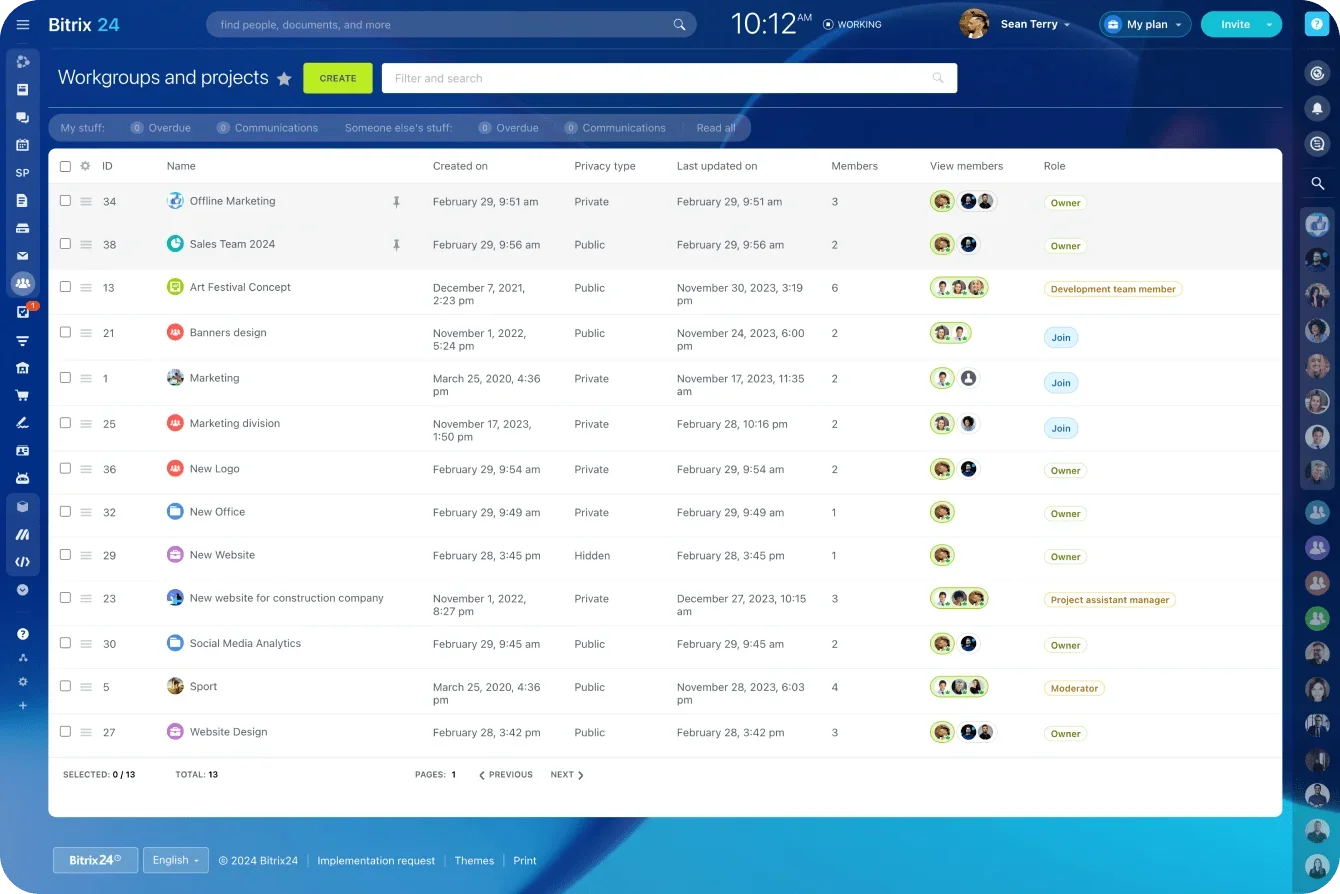
Bitrix24 makes this sustainable by bringing channels, automation, AI, tasks, calendars, and analytics into one platform. The result is a support operation that grows on solid footing — even before you expand your team.
Better systems protect SLAs — not bigger teams
Support teams don’t miss SLAs because they lack effort. They miss them because volume rises faster than their systems can respond, often long before it shows up in the queue.
When the mechanics work, everything changes. Requests land in the right place. Routine questions are handled automatically. Ownership is clear. Information is available when it’s needed. The team spends less time reacting and more time resolving.
That’s where the real gains come from.
With the right setup, teams routinely deflect up to 40% of incoming tickets and move faster on the rest — without hiring or burning people out.
Bitrix24 gives you the pieces to build that kind of operation: one workspace for every channel, automation and CoPilot to reduce load and speed replies, clear escalation paths, coverage that holds across time zones, and live metrics that show what’s actually slowing you down.
When SLAs are the signal you watch, not the queue, performance becomes predictable. You can handle more volume, respond faster, and keep the experience steady — with the team you already have.
Build the system first. Everything else gets easier.
See why 15 million users worldwide build theirs with Bitrix24. Start for free today.
Boost Your Support Efficiency
Revolutionize your customer service workflow with Bitrix24's efficient and AI-powered omnichannel tools, without adding more staff.
Learn MoreFAQs
Where should we deploy bots first for the biggest impact?
Start where volume is high and judgment is low. Password resets, order status checks, account updates, basic troubleshooting, and “how do I” questions usually account for a large share of inbound tickets. Automating these removes pressure immediately and frees agents to focus on issues that actually need human input.
A good rule of thumb: if the answer is already documented and rarely changes, it’s a strong candidate for bot handling.
How do we keep knowledge base answers consistent as things change?
Consistency breaks down when updates live in documents instead of workflows. The fix is treating the knowledge base as a shared system, not a static library.
Keep one source of truth, upd ate it as part of the resolution process when issues change, and surface it directly inside support conversations. When agents are always working fr om the same material (and drafts are generated from it), messaging stays aligned even as policies evolve.
What SLA tiers make sense for small support teams?
Small teams benefit from fewer, clearer commitments. One fast first-response SLA and one resolution SLA per priority level is usually enough.
The goal isn’t actual perfection; it’s predictability. Se t targets you can hit consistently during normal weeks and still defend during spikes. Overly aggressive tiers create constant exceptions, which quickly erode trust internally and externally.
Can we route VIP or high-value customers differently across channels?
Yes. Indeed, you should. Not all tickets carry the same business risk.
Routing rules can prioritize conversations based on customer type, account value, or channel. High-impact customers can be fast-tracked to senior agents, shorter SLAs, or dedicated queues, while routine requests follow standard paths. The key is making this automatic so agents don’t have to decide under pressure.
Which metrics signal burnout before SLAs start slipping?
Burnout shows up before SLA breaches if you know wh ere to look. Watch for rising first-response times late in shifts, increasing reopen rates, longer handling times on simple issues, and uneven workload distribution across agents.
When a small group consistently carries the heaviest load, performance will eventually drop. Addressing routing, coverage, or automation at that stage is far easier than fixing morale after SLAs fail.


