Bitrix24 vs. Zoho CRM


Choosing a CRM isn’t just about tracking deals. It’s about how your team works every day: how fast you follow up, how clean your handoffs are, and whether execution stays connected to the customer record. That’s why comparing Bitrix24 vs Zoom CRM matters. These tools solve different problems, even when they both touch sales.
If your sales process runs through Zoom meetings, “Zoom CRM” can help you improve what happens inside and immediately after calls: coaching, conversation insights, and call-driven follow-up.
If you need your CRM to also run the work around the deal (lead capture, task ownership, handoffs to delivery/support, and ongoing customer communication), Bitrix24 is usually the better fit.
By the end, you’ll know which tool matches your workflow, what trade-offs you’re making, and how to decide quickly based on the way your team actually operates day to day.
Feature comparison: Bitrix24 vs Zoom CRM (at a glance)
Category | Bitrix24 | Zoom CRM |
|---|---|---|
Core CRM (leads, deals, pipeline) | Full CRM with customizable pipelines and records | Typically relies on an underlying CRM while adding meeting-driven sales workflows |
Automation and workflows | Cross-team automation (sales, ops, approvals, handoffs) | Automation centered on meetings, follow-ups, and coaching workflows |
Task and project management | Built-in tasks and projects connected to CRM | Usually handled in a separate project/task tool |
Team collaboration | Chat, workgroups, and collaboration inside the workspace | Collaboration is strongest through meetings and call alignment |
Customer communication beyond meetings | Omnichannel options (email, calls, chat, forms, messaging depending on setup) | Primarily meeting-first; broader omnichannel history depends on other tools |
Conversation intelligence and coaching | Not the main focus | Core strength (call insights, coaching, rep visibility) |
Reporting and dashboards | Pipeline plus operational reporting (tasks, workload, execution) | Sales activity and conversation-driven performance visibility |
Service and post-sale workflows | Can support service workflows and handoffs | Not typically the primary focus |
Integrations and ecosystem | Broad integrations, plus fewer tools needed because more is built in | Strong fit when Zoom is your sales hub and you already have the rest of the stack |
Bitrix24 vs Zoom CRM: What each platform is built to optimize
Want the fastest way to decide? Look at what each tool is trying to make easier, every day.
Zoom CRM optimizes sales conversations
Zoom CRM is designed to make sales meetings better and more consistent.
Its core optimization focus is:
what happens during sales calls
how reps execute conversations
how managers coach and review performance
how call activity drives follow-up and pipeline movement
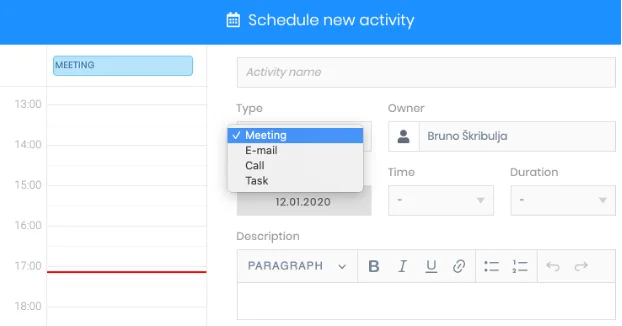
In other words, Zoom CRM treats the meeting as the center of the sales motion. Progress, visibility, and accountability are primarily tied to calls and the actions that flow directly from them.
Bitrix24 optimizes execution around the deal
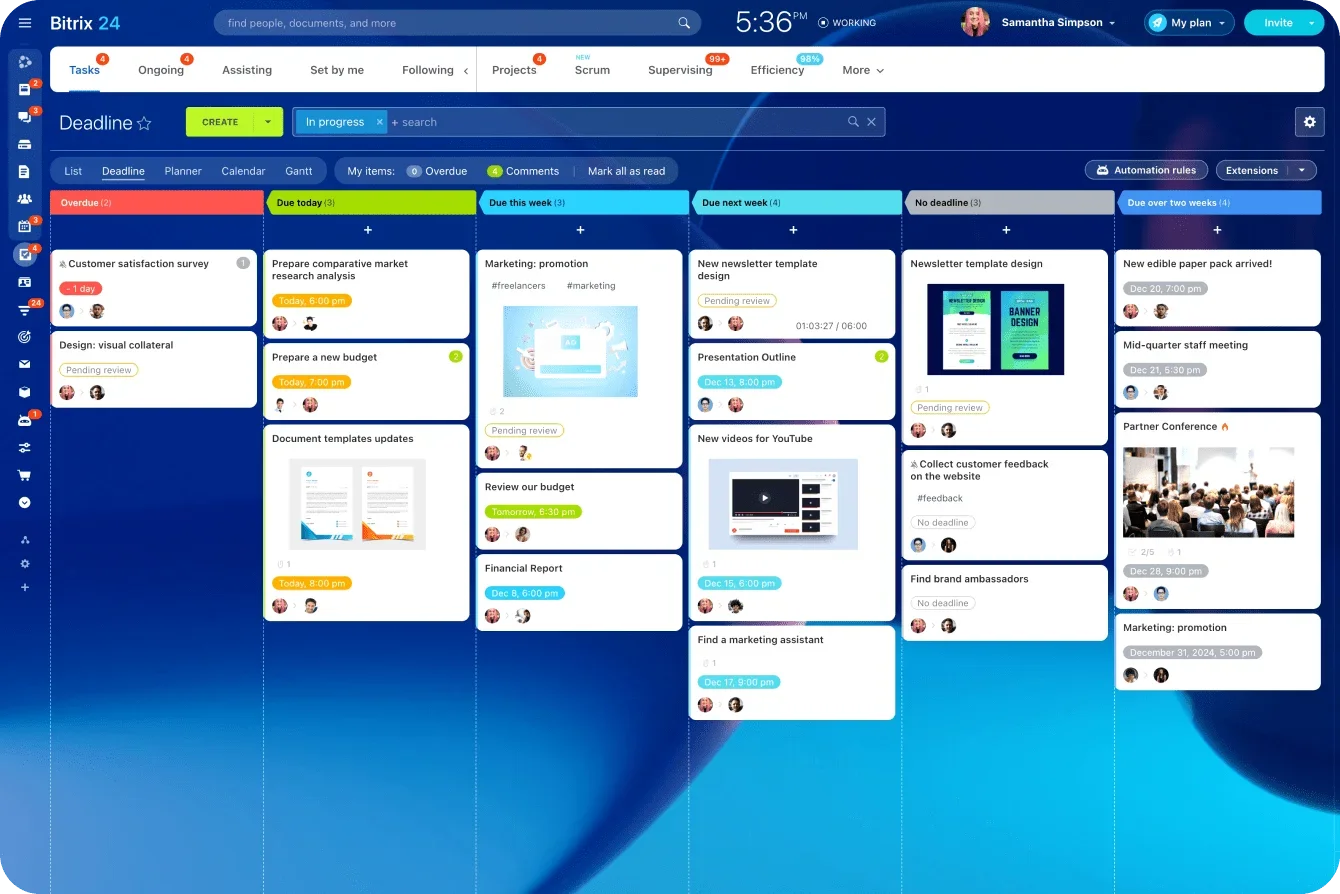
Bitrix24’s CRM is designed to make sure work gets done after decisions are made.
Its core optimization focus is:
turning agreements into owned tasks
keeping follow-ups from slipping
making handoffs visible and structured
keeping customer context connected to day-to-day work
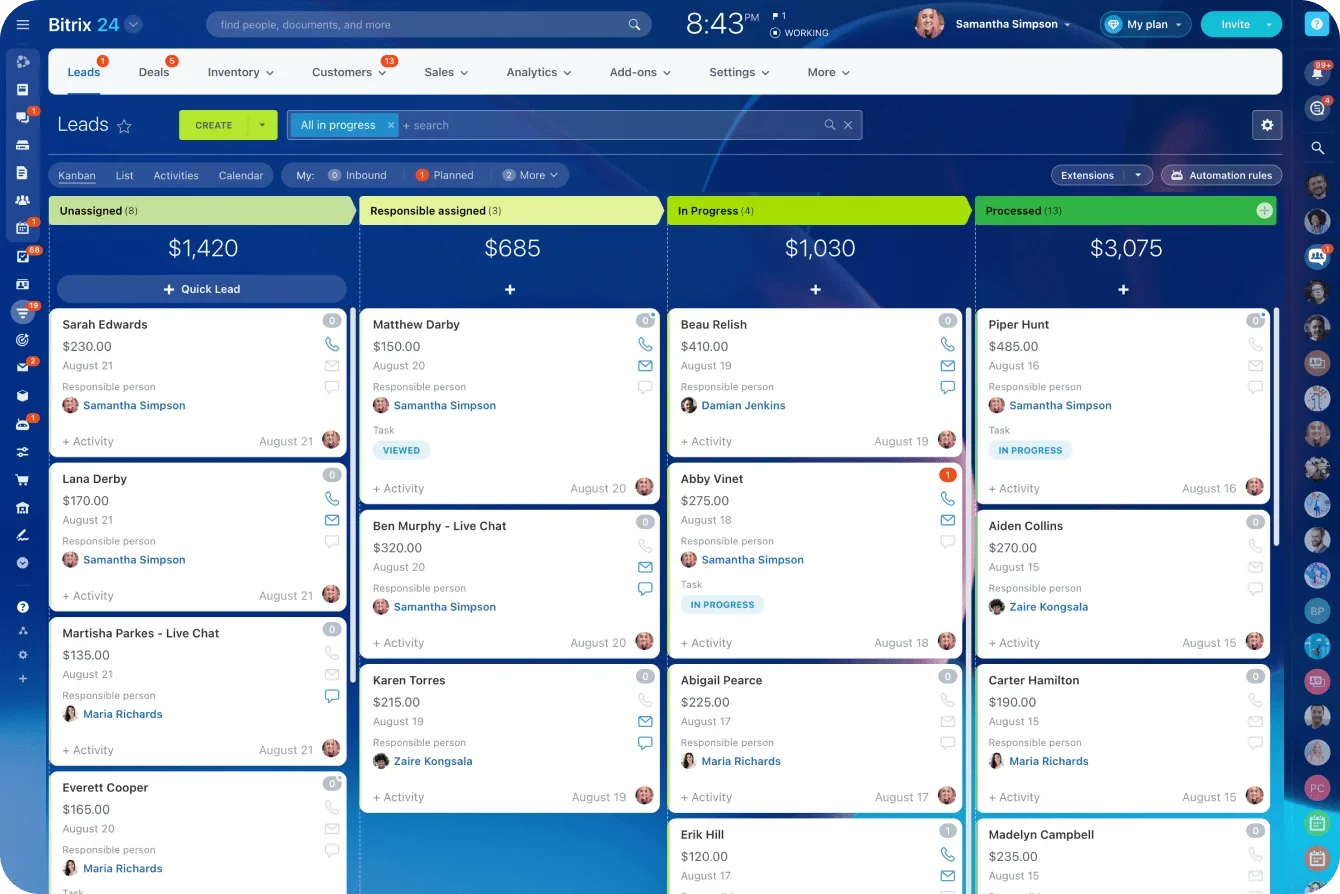
Rather than centering the system on the meeting itself, Bitrix24 centers it on execution: who owns what, what happens next, and whether the work actually moves forward.
Why this distinction matters
Most SMB sales processes don’t break because calls go badly. They break because execution is unclear after the call.
If your biggest improvement lever is better conversations and coaching, Zoom CRM aligns with that goal.
If your biggest improvement lever is reliable follow-through and clean handoffs, Bitrix24 aligns with that goal.
The workflow test that follows shows how these design choices play out step by step, from lead to delivery.
The workflow test: how each platform supports the full path from lead to delivery
If you want to choose quickly and confidently, don’t start with features. Start with your workflow.
Here’s a common sales-to-delivery path for SMBs and growing teams:
A lead comes in
A rep qualifies it and runs a meeting
The deal moves forward and needs next steps
The deal closes and work has to be delivered
The customer relationship continues after the sale
The right platform is the one that keeps this flow moving with the least friction.
Step 1: lead capture and routing (speed matters)
Goal: route new leads fast, assign clear ownership, and set a follow-up deadline.
Zoom CRM: best when…
leads already land in an underlying CRM and your next critical action is booking or running a Zoom meeting
your team measures early-stage progress through meeting activity and call follow-up
you want meeting-driven visibility once a lead becomes “in conversation”
Bitrix24: best when…
you want lead capture, assignment rules, and first follow-up tasks managed in the same workspace
you need ownership, next steps, and reminders tied to the lead record immediately
multiple people touch leads early and you want fewer handoffs between tools
Watch-out! Zoom CRM typically depends on how your underlying CRM handles capture and routing; Bitrix24’s speed depends on setting up forms/channels and assignment rules correctly.
Get Bitrix24 Free Trial Now
Bitrix24 is a powerful all-in-one CRM. Experience seamless execution from lead capture to post-sale management, all under one platform!
Start AutomatingStep 2: qualification and the first meeting (execution and consistency)
Goal: run a clean first call, capture next steps, and move the deal forward with a clear outcome.
Zoom CRM: best when…
your team lives in Zoom and the meeting is the primary decision point in early-stage sales
managers need coaching workflows and visibility into how reps run discovery/demos
you want call activity to drive consistent follow-up behaviors
Bitrix24: best when…
the meeting outcome needs to become assigned work (tasks, next steps, internal actions) tied to the deal
you want a single record that connects meeting notes, deal stage, and follow-up ownership
your process requires structured follow-up, not just better calls
Step 3: deal progression (what happens between meetings)
Goal: prevent stalled deals by making next actions, approvals, and internal alignment visible and owned.
Zoom CRM: best when…
deal momentum is primarily driven by scheduling the next call and executing follow-up from meetings
managers want to track activity and consistency through meeting signals
your internal coordination is light or already handled cleanly in other tools
Bitrix24: best when…
each stage change needs to trigger specific actions (tasks, owners, deadlines) inside the CRM workflow
deals require internal coordination (approvals, documents, prep work) that can’t live in someone’s inbox
you want accountability to be attached to the deal record, not scattered across tools
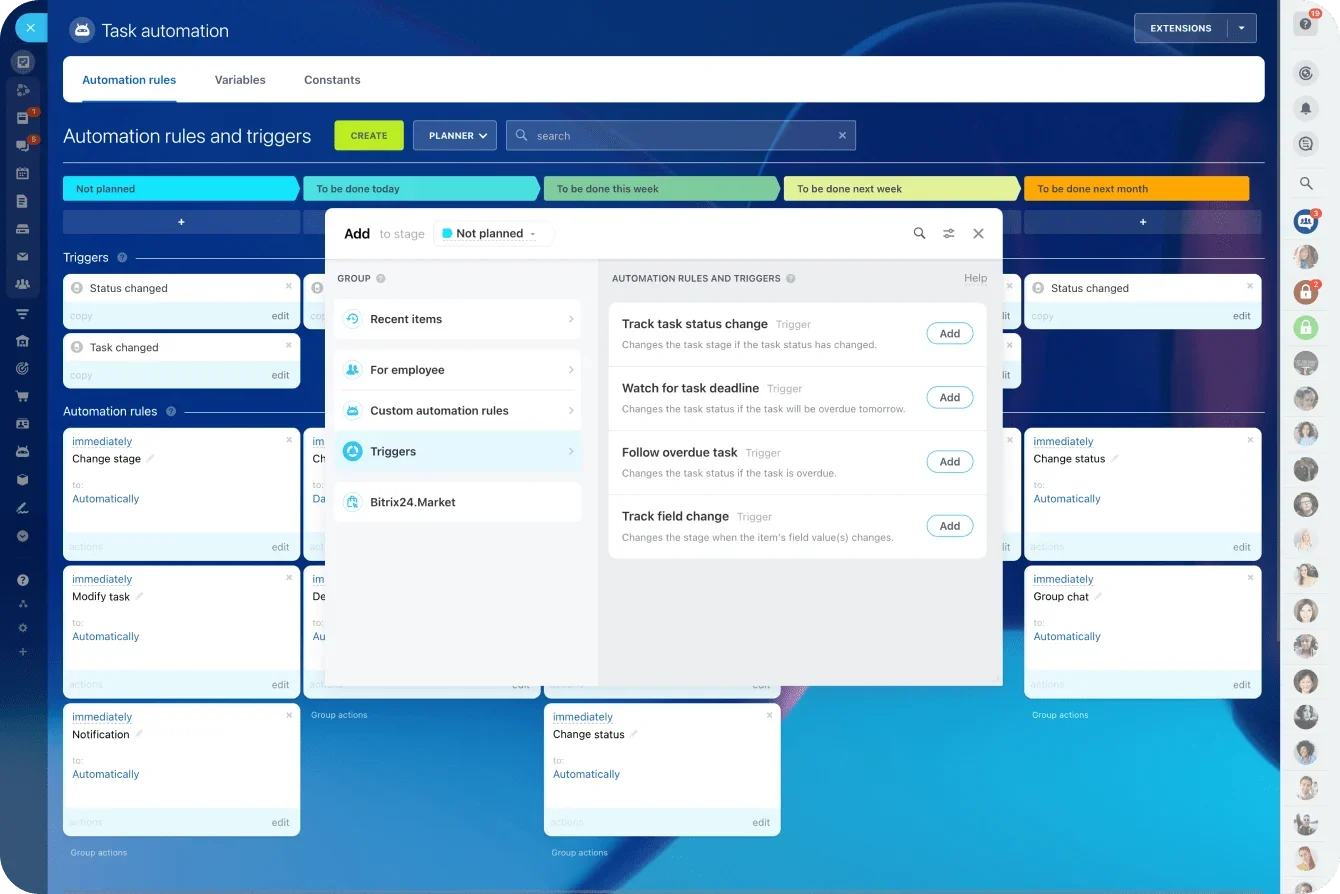
Watch-out! If your deals require frequent internal coordination, Zoom CRM usually requires strong supporting tools and disciplined handoffs to avoid “work happening elsewhere.”
Step 4: close and handoff (the moment most teams drop the ball)
Goal: turn a closed deal into a clean start for delivery, onboarding, or support with clear owners and timelines.
Zoom CRM: best when…
your delivery process already runs in a dedicated project/service tool and integrations are well established
handoff is standardized and your team is disciplined about transferring context
sales remains involved through recurring meetings (kickoffs, check-ins)
Bitrix24: best when…
you want handoff to happen in the same environment as the deal record
a closed deal should automatically create delivery tasks, checklists, or a project with owners and dates
you want to reduce the sales-to-delivery gap where context is lost
Watch-out! Zoom CRM handoffs can be excellent if your stack is mature; Bitrix24 handoffs are smoother when you build the handoff workflow (templates/automation) upfront.
Step 5: ongoing customer communication (after the sale is where retention is won)
Goal: keep customer history easy to find so any team member can respond with context.
Zoom CRM: best when…
post-sale management is still meeting-heavy (reviews, renewals calls, success check-ins)
the primary relationship record you rely on is conversation history and meeting cadence
your broader customer history lives in another system you already trust
Bitrix24: best when…
customers communicate across multiple channels, and multiple teams touch the account
you want communication history, tasks, and account work visible in one place
ownership changes are common and you want continuity without searching across tools
The simplest way to interpret the workflow test
If your revenue is won primarily through better meetings and stronger coaching, Zoom CRM can be the right layer to add.
If your revenue is won through reliable execution (fast follow-up, clear ownership, clean handoffs, and consistent delivery), Bitrix24 is usually the stronger foundation because it keeps the work connected from lead to delivery to long-term relationship management.
Bitrix24 vs Zoom CRM: Decision checklist
Tick the statements that are true for your team.
If you tick more on the Zoom CRM side, choose Zoom CRM

Most deals progress because of the next meeting (calls are the main driver of stage movement).
Rep consistency and call quality are a bigger problem than post-meeting coordination.
Managers need better coaching visibility into how reps run discovery and demos.
You already have a CRM system of record (and a delivery stack) you will keep.
Your post-meeting execution is fairly lightweight or already well controlled in other tools.
If you tick more on the Bitrix24 side, choose Bitrix24
Deals stall because next steps are not owned (follow-ups slip or happen late)
Approvals, internal coordination, or multi-step handoffs are common in your sales cycle.
The sales-to-delivery transition is where friction shows up (context gets lost, timelines slip).
Multiple people or teams need shared visibility into the customer record.
You want CRM and execution (tasks, collaboration, automation) in one workspace, not spread across tools.
Quick tie-breaker
Run one real scenario end-to-end: “deal closed → onboarding starts.” Choose the platform that makes owners, deadlines, and context clear without manual chasing.
Pricing and total cost of ownership
The price comparison only makes sense if you compare the full stack you need to run your workflow, not just the CRM line item. Bitrix24 bundles CRM plus collaboration and execution tools into one per-organization plan. The Zoom CRM price below refers to the standalone product at zoom-crm.com, which is priced per user and may still require additional tools depending on your delivery workflow
Pricing at a glance
Platform | Pricing model | Published price | Users included | Effective cost per included user (if you use all seats) | What this price covers at minimum |
|---|---|---|---|---|---|
Bitrix24 Basic | per organization / month (annual) | US $49 | 5 | US $9.80 | CRM + tasks/projects + collaboration |
Bitrix24 Standard | per organization / month | US $99 | 50 | US $1.98 | CRM + tasks/projects + collaboration + expanded features |
Bitrix24 Professional | per organization / month | US $199 | 100 | US $1.99 | CRM + tasks/projects + collaboration + automation |
Bitrix24 Enterprise | per organization / month | US$ 399 | 250 | US $1.60 | CRM + tasks/projects + collaboration + enterprise controls |
Zoom CRM (zoom-crm.com) | per user / month | 55 € | n/a | 55 € | CRM features only; execution tools typically sit elsewhere |
Cost takeaway: Bitrix24 pricing scales by organization and bundles execution tools, while Zoom CRM pricing scales per user and often assumes additional tools for delivery and collaboration.
Choose the system your team will actually run
Choose Zoom CRM if your sales performance hinges on what happens in the conversation. When calls are the heartbeat of your pipeline and coaching is the lever you pull to improve results, a meetings-first sales layer makes sense (especially if your CRM and delivery tools are already established).
Choose Bitrix24 if your growth hinges on follow-through. When deals are won or lost in the days after the meeting (ownership, deadlines, approvals, and handoffs) an all-in-one CRM workspace reduces the gaps where work disappears and customers feel the friction.
If you want fewer dropped balls and less tool sprawl, start a Bitrix24 free trial and map one real pipeline from first touch to delivery. You’ll see quickly whether your team moves faster when the deal and the work live in the same place.
FAQs
Do I need a separate CRM if I use Zoom CRM? Usually, yes. Zoom CRM is commonly used as a meetings-first sales layer while your core customer and pipeline records remain in an underlying CRM system.
When does Zoom CRM make the biggest difference? When your pipeline is driven by calls and you need better rep consistency, coaching, and call-based follow-up. It’s strongest when “the next meeting” is the main driver of progression.
When does Bitrix24 make the biggest difference? When you need deals to turn into assigned work: tasks, approvals, onboarding steps, and delivery projects tied to the customer record so handoffs don’t break.
Which is better for sales-to-delivery handoffs? Bitrix24, in most cases, because handoff tasks and delivery workflows can be created and tracked in the same environment as the deal record.
Which is better if my team already uses separate project management tools? Zoom CRM can fit well if you are keeping your existing delivery tools and primarily want to improve meeting execution and coaching.
Which is better for post-sale customer management? If post-sale is meeting-heavy (reviews, renewals calls), Zoom CRM can work well. If post-sale spans multiple teams and channels, Bitrix24 is typically easier for maintaining a unified customer history.
What’s the simplest way to decide quickly? Run one real scenario end-to-end (for example, “deal closed → onboarding starts”) and measure whether owners, deadlines, and context stay clear without manual chasing.
Can both tools be used together? Potentially. Some teams use Zoom for meeting-driven execution while keeping an underlying CRM and a separate delivery stack. The key is ensuring handoffs, ownership, and reporting remain consistent across systems.