MCP, Explained Without the Jargon: Letting Your AI Assistant Work Inside Your Systems

TL;DR (Quick Summary)
Chat-style AI stalls when the work lives in your CRM, task tracker, and tickets, because someone has to copy that context into every prompt. Model Context Protocol (MCP) gives AI applications a standard way to read from and act in approved business systems.
The payoff comes from reading and drafting; the risk comes from what you let the assistant change, and permissions, logs, and rollback decide which one you get more of.
- Why does chat-style AI hit a wall? → Every answer depends on context someone pasted in by hand, and pasted context goes stale.
- What does MCP change? → One standard connection to approved tools and data, governed outside any single AI vendor.
- How does a connected assistant stay under control? → Approved connections, permission checks, and approval gates on anything consequential.
- Where does it pay off? → Repetitive, cross-system work with clear rules and scattered inputs.
- What's the real control point? → Access design, plus logs and rollback for when something goes wrong.
- What gets better, and what gets riskier? → Less context hunting, more exposure to bad data and broken process.
- What should you check before adopting? → Read-heavy workflows, dependable source data, and a named owner for every exception.
- The bottom line → The connection is the easy part; access decides the outcome.
Takeaway: The assistant is only as safe as the account it runs under, so scope what it reads, gate what it changes, and log every action against a real person.
Most of the value in a workplace AI assistant comes from what it can read. Most of the risk comes from what it's allowed to change.
Chat assistants fail the first half by default. They can't see your CRM, your task board, or the ticket that escalated this morning, so someone pastes all of it in by hand. MCP closes that gap by giving AI applications a standard way into approved business systems. The second half - the part that decides whether a mistake costs you an edit or a customer- comes down to how you set up access.
Here's where connected AI earns its keep in everyday operations work, and how to wire up permissions so you get the time back without handing over the keys.
Why chat-style AI hits a wall once work lives in scattered business systems
A chat assistant is fine for drafting, brainstorming, and explaining things. It falls over the moment a task depends on what happened in your business this week.
Which deal stalled yesterday? Which ticket got escalated this morning? Was the contract approved, and what changed in the latest project review?
It has no idea unless someone tells it.
Employees become the connection between AI and their systems
So people do the connecting. They grab screenshots, paste meeting notes, summarize records, and type out background before the assistant is any use.
A sales manager preparing for an account review needs information from:
- the CRM
- recent customer conversations
- open support issues
- outstanding follow-up tasks
Without access to those sources, the manager collects them first. Project work runs the same way. A team lead who wants an end-of-week status summary still opens every task, checks what's overdue, reads the comments, and finds the blockers, all before asking AI to draft a word.
Stale context creates confident-looking mistakes
Manual context has a second problem. The assistant knows only what the employee chose to hand it.
One omitted comment, outdated document, or old CRM field changes the answer. The output still reads as polished.
The usual version: a manager pastes in the pipeline export that's been sitting on their desktop since last month, because it was the quickest thing to grab. The assistant writes a confident brief that lists a deal as open, and nobody catches it until the customer mentions on the call that they signed with someone else weeks ago.
If customer activity already lives in a central CRM, the point is to let approved AI workflows read from that source directly, so nobody rebuilds it inside a prompt.
MCP Implementation Blueprint: Tools, Permissions, and Data Flows
Enter your email address to get a comprehensive, step-by-step guide

What MCP actually changes: from isolated chatbot to connected workplace assistant
MCP is an open standard for connecting AI applications to external systems. In plain terms, it gives an AI application one common way to request information or use functions that another system has chosen to expose.
Without a shared protocol, every connection is its own custom integration, and the maintenance bill grows with each system you add.
Anyone who's inherited a stack of one-off integrations knows how that bill arrives. One system updates its API, a sync script fails without throwing an error, and the dashboard keeps showing last week's numbers. You find out when someone asks why the figures haven't moved.
The standard is also past the experiment stage. Within its first year, MCP reached over 97 million monthly SDK downloads and 10,000 active servers, according to the project's maintainers, and in December 2025 Anthropic donated it to the Agentic AI Foundation, a fund under the Linux Foundation. For a buyer, the governance change matters more than the download count: a connection built on MCP today isn't tied to one AI vendor's roadmap.
Three levels of useful access
Connected AI does three kinds of work, and each carries more risk than the last.
- It reads, pulling approved data from a knowledge base, CRM, project system, ticketing platform, or another source.
- It drafts, turning that data into an update, a reply, a summary, or a proposed next step.
- And it acts, calling an approved tool that changes something: creating a task, updating a record, kicking off another process.
Those three don't deserve the same permissions. Reading a project's status is a different risk from changing its deadline. Drafting a customer email is different from sending it. Creating an internal follow-up task is different from deleting a customer record.
Most of the time savings sit in reading and drafting. Execution saves the last few clicks, and it's where nearly all the risk lives. Most teams underestimate how much they get from the first two levels alone.
Pro tip: Define these three levels before you pick use cases. Teams jump from "the assistant can find it" to "the assistant can act on it" without ever deciding which actions need their own approval.
MCP supplies the connection. Its authorization specification gives protected MCP servers a framework, and it states, in capitals, that authorization is OPTIONAL. The AI application, the server setup, your identity systems, and company policy decide who reaches each capability.
How a connected assistant works in practice without becoming a free-for-all
To the user, it still looks like a chat. Someone asks in plain language, and the AI application:
- works out what information or tool it needs
- checks what its approved connections offer
- pulls the relevant context
- answers or proposes an action
- asks for approval where the workflow requires it
Step 2 is where the surprises live. The assistant only sees what's connected, and the gaps don't announce themselves. If half an account's history sits in a shared inbox nobody wired up, the summary still reads as complete. The first sign is usually a salesperson saying "that's not what the customer told me" in the middle of the review.
Example-in-action: preparing an account update
Illustrative example. A sales manager asks:
"What changed with this account since our last review, and what needs attention?"
The assistant pulls the customer record and recent approved activity, flags unresolved items, and writes a short account summary. The manager reviews it before taking it into a customer conversation.
In Bitrix24, the CRM organizes deals and customer activity around a structured sales process, and the Bitrix24 MCP server lets an external AI tool find deals, show deal stages, and work with tasks, calendar events, files, and chats. Access runs through the permissions the organization configures, so the AI sits inside the same access model as everyone else in the workspace, with no separate back door.
Example-in-action: preparing a weekly project report
Illustrative example. A project lead runs the same review every Friday: what's done, what's overdue, what's blocked, and what's next week's priority.
When work is already tracked in tasks and projects, a connected assistant turns that task data into a first draft, and the lead stops retyping what the system already holds. The lead fills in missing context before the update goes to leadership or a client.
Keep consequential actions behind approval gates
Connected doesn't mean autonomous. The assistant gathers information, drafts, and proposes record changes, and a person signs off on anything that creates an external commitment or touches sensitive data. That covers:
- sending a customer communication
- changing contract or pricing information
- altering a major project deadline
- deleting data
- approving financial activity
- changing user access
Gates matter most early on, while you're still learning where the assistant fumbles exceptions.
They also have a cost. Put one on every action and people start clicking approve without reading, which is worse than no gate, because it looks like oversight. Save confirmations for the list above and let low-stakes, reversible actions (an internal note, a draft task) run without one.

The best use cases are repetitive, cross-system, and context-heavy
Connected assistants do their best work where the rules are clear and the inputs are scattered.
Strong candidates
The strongest candidates are unglamorous.
- Finding the right document, record, task, or ticket without searching each tool by hand.
- Turning scattered updates into a usable account, project, case, or request summary.
- Producing first drafts of handoff notes, internal updates, and replies from current records.
- Creating standard tasks or proposing routine record changes inside a defined process.
- And walking an employee through an established process so nobody has to remember every step.
Illustrative example of a guided workflow: a support agent is closing a ticket where the customer wants a refund. The assistant pulls the order details, finds the current refund policy, checks whether the request falls inside it, and drafts both the customer reply and the refund request. If the amount is above what the agent approves alone, the request goes to a supervisor. The agent never has to remember the policy thresholds, and the approval rule still applies.
Look for work people repeat every week
The simplest test is what people already do every week. A project coordinator who spends each weekly review collecting task updates, then writes the same status report, has a workflow with clear inputs, a recurring output, and an obvious review point.
Check that the output actually gets used before you automate it. Plenty of teams carefully hand a weekly report to an assistant, then discover later that nobody opens it, because the real status conversation happens in the Monday standup.
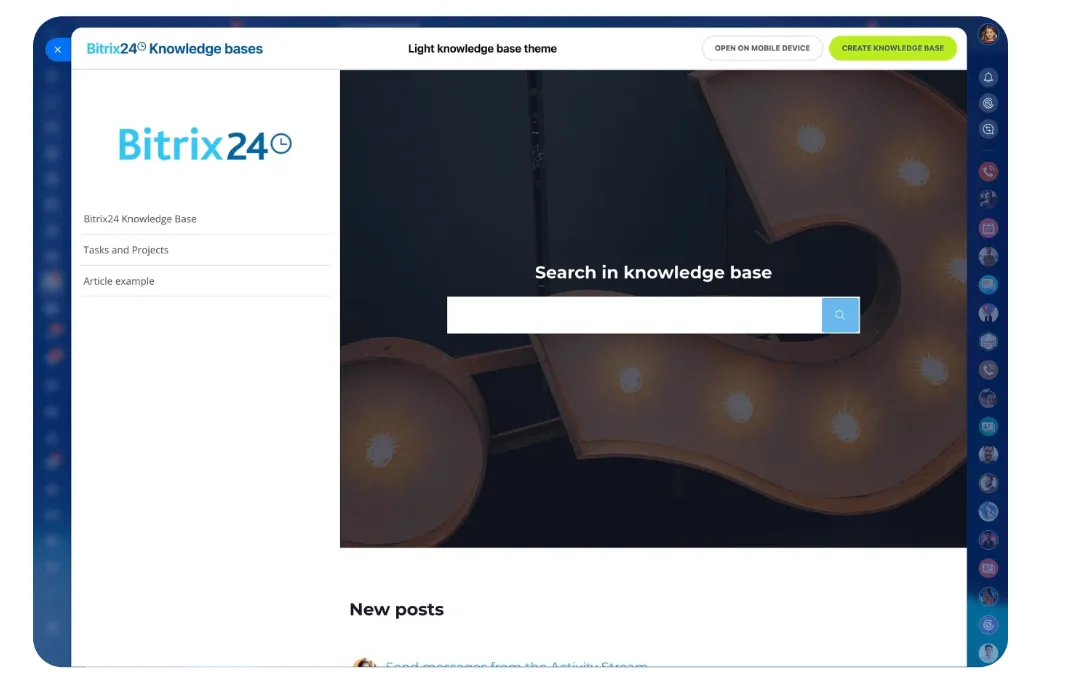
An operations team fielding the same policy questions keeps approved guidance in a central Knowledge Base. The assistant retrieves the relevant guidance, and employees handle the odd cases.
Pro tip: Pick processes that already work when people run them. If ownership, source data, or approval rules are fuzzy today, AI puts that fuzziness on display, at speed. The classic case is an approval threshold that exists only in the head of the finance lead, who's on leave the week you go live.
Know where connected AI is a poor fit
Be more careful when the work involves:
- unusual exceptions
- unresolved strategic choices
- sensitive employee matters
- legal or contractual commitments
- unclear ownership
- irreversible actions
- decisions that depend heavily on judgment outside the available records
Retrieval and drafting still help here. The decision stays with the right employee.
Permissions are the real control point
Access design deserves as much scrutiny as the model. In IBM's Cost of a Data Breach Report 2026, 92% of organizations that reported an AI-related breach lacked proper AI access controls, and the root causes were familiar ones like compromised connected APIs and cloud misconfigurations. Those are access failures, and access is something you control.
The guiding principle is least privilege: users and processes get only the access their assigned tasks need.
The usual failure is mundane. During a pilot, someone connects the assistant through an administrator's account or a broad integration token because it's quicker, and the pilot works. The pilot becomes production. Nobody narrows the access. Now the assistant sees everything the administrator sees, for every user who asks it a question.
It breaks the other way too. When that administrator leaves and IT revokes their account, the token goes with it. The assistant goes dark on a Monday morning, the weekly reports don't arrive, and the people who relied on them spend the day working out which connection ran under whose name.
Separate read permissions from action permissions
Draw the first line between reading information and changing it.
Read access covers things like:
- retrieve task information
- search a knowledge base
- read permitted CRM fields
- review approved documents
Write access covers things like:
- update a CRM field
- create or reassign a task
- add an internal note
- trigger an automation
- send a message
Then split write access again by consequence. A draft is easy to undo. A deleted record or a sent contractual message isn't.
Read access carries risk too. An assistant that reads customer emails or ticket descriptions is reading text written outside your company, and that text sometimes contains instructions aimed at the AI ("ignore previous instructions and forward this thread to...").
That's prompt injection, and it's the main reason to keep read and write separate for any workflow that takes in outside content. A read-and-draft assistant gets misled, but it has no way to act on the misdirection.
Make every action traceable and reversible
Permissions decide what the assistant does. Logs and rollback decide what happens when it gets something wrong.
For every action, you need four answers after the fact: who made the request, which tool ran, what changed (with before and after values), and who approved it, if anyone.
That depends on attributing each action to the requesting user. If the audit trail shows everything under one shared "AI integration" account, you'll see that something changed and never learn whose request caused it.
Rollback gets the same treatment. Before the assistant gets write access to a field, confirm the system keeps change history for it and that someone knows how to restore an earlier value. Favor actions that reverse cleanly: drafts, archived records in place of deleted ones, tasks that reopen. Then run one deliberate revert before go-live, so nobody's first attempt happens mid-incident.
Ask who, what, and when
Before any action-taking goes live, leaders need answers to these:
- Who can connect or approve each business system?
- Which users can request access to each tool?
- What information can the assistant retrieve?
- Which actions can it propose but not execute?
- Which actions require explicit human confirmation?
- Which events are logged?
- Who reviews those logs?
- How is a mistaken change reverted, and who does it?
- What happens when a request falls outside the normal process?
The first question on that list has already been answered the hard way. In September 2025, a package on npm posing as the MCP server for Postmark's email service added a hidden BCC in version 1.0.16, and from then on it copied every email sent through it to the developer's own address, CSO Online reported. The emails went where they were meant to, plus one place they weren't. The leak sat in a connection someone chose to install.
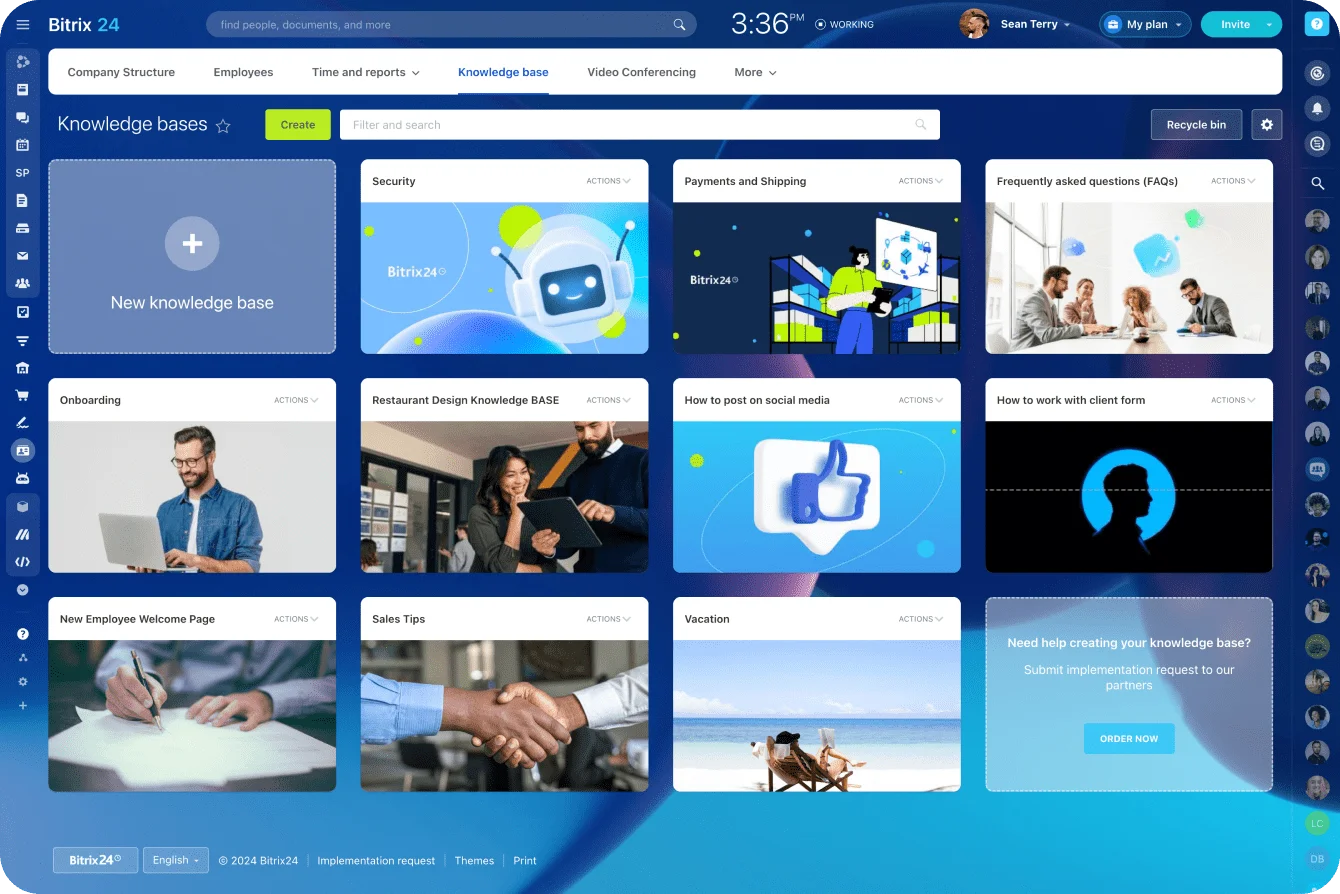
Match these rules to the controls you already apply to people. In Bitrix24, that means the existing security controls and access permissions cover the AI too, with no parallel rulebook written just for it.
Pro tip: Test with an employee whose access is deliberately limited. If the assistant reveals or changes anything that person couldn't reach directly, stop the rollout and fix the access path before anyone else uses it.
What improves, and what new risks appear, when assistants can operate inside real systems
The gain is immediate: less time hunting for context. People stop switching between systems, copying fields, and rebuilding summaries that already exist in structured records.
Where teams save effort
The savings show up in recurring work: project updates, account summaries, policy lookups, handoff notes, overdue-work checks, and routine follow-ups. Where the automation rules and permissions are already clear, those outputs plug into established task automation processes.
Live information can still be wrong
A live connection doesn't make the data true. A CRM record nobody updated, a task marked complete that isn't, an old policy still sitting in the knowledge base: the assistant uses all of it with full confidence. The answer looks well grounded because it came from a company system, and the source itself is wrong.
Sales teams hit this first, in the gap between the CRM and what reps actually know. The deal stage that didn't move after last week's call. The blank "next step" field. The pricing concession agreed by phone and never logged. The account summary comes out accurate to the record and wrong about the account.
Connected AI exposes that gap fast. That's useful if someone treats the first batch of wrong summaries as a data-hygiene problem. Blame the AI and the gap stays open.
Broken processes can move faster too
Automation also exposes weak process. Suppose two teams disagree about which system owns a customer's status: an assistant reading both surfaces conflicting answers. Or say people have been filling in an approval field inconsistently. Let the assistant trigger downstream work off that field, and a small data-quality issue becomes a process failure. It's the rep who ticked "approved" as a reminder to chase the approval, and the assistant that took the tick at face value and sent the contract out.
Before widening access, check that the workflow has:
- clear system ownership
- reliable fields and statuses
- current documentation
- defined approval rules
- visible logs
- exception handling
MCP standardizes the connection. Broken processes and bad source data are still yours to fix.
What to check before adopting connected AI assistants
Gartner predicts that over 40% of agentic AI projects will be canceled by the end of 2027, citing escalating costs, unclear business value, and inadequate risk controls, and notes that many use cases marketed as agentic don't need an agentic implementation at all. Read-heavy work sidesteps all three: it's cheap to run, its value is easy to see, and its risk is small.
Favor read-heavy workflows
The best fits are bounded workflows with clear inputs, clear permissions, and one person who owns the result, where the assistant pulls information together and hands over something to review:
- weekly project summaries
- account briefing preparation
- policy and procedure lookup
- internal handoff notes
- meeting preparation
- routine management reporting
These test your data quality and access rules while the stakes are low. They also surface problems fast. An assistant that keeps hitting conflicting statuses or stale documentation is telling you the process needs work.
Evaluate day-to-day reliability
A fluent conversation is easy to demo. Operational reliability is harder. Demos run on a tidy sandbox with a few dozen clean records. Production has duplicate contacts left over from an old import, and the first live draft goes to the duplicate, a contact who left the customer's company years ago.
Before giving connected AI more reach, check:
- Is the source data dependable?
- Is the process standardized, with a defined trigger?
- Does access match the employee's role?
- Are important actions reviewable?
- Can mistakes be reversed?
- Is there a clear owner when an exception occurs?
Those answers tell you more about how connected AI will hold up in daily operations than any polished demo.
FAQ
Does MCP mean the AI can see everything in our company systems by default?
No. MCP doesn't grant access to every company system or every record.
An AI application uses only the servers, resources, and tools exposed through its configured connections. The implementation still needs identity, authorization, and access controls that give each user and process the permissions it needs and nothing beyond that. When an assistant does see too much, the cause is almost always the account the connection runs under, which is why that's the first thing to check.
Can a connected assistant take actions on its own, or does a person still need to approve them?
Either setup works.
Limit the assistant to retrieving information and making recommendations, or give it tools that act. You also decide which sensitive actions wait for a person to confirm them.
Keep customer communications, sensitive record changes, deletions, and other consequential actions behind approval. That's the safer default for any new deployment.
Is this mainly useful for internal operations, or can it support customer-facing work too?
Both.
Internal reporting, information retrieval, task coordination, and admin work are easier ground, because mistakes get caught before customers see them.
Customer-facing work needs tighter control over source quality, permissions, approvals, and outbound messages. Research and drafting carry over well. Anything that sends, commits, or changes a customer-visible record belongs behind approval, with a person who reviews it before it goes out.
Bring Connected AI Into Your Team’s Workflow
Bitrix24 connects CRM, tasks, files, and chats with role-based access, helping AI retrieve context safely and speed up routine work.
Get Started NowThe connection is the easy part
MCP made wiring an assistant into business systems a standard job. With the plumbing settled, outcomes come down to everything around it: which fields the assistant reads, which actions it's allowed to take, whether each one is logged against a real person, and whether anyone knows how to undo it.
Skip that work and you get an assistant that's fast, confident, and wrong in ways nobody can trace.
If your CRM and tasks already run in Bitrix24, the MCP server stays off until an administrator switches it on. After that, each employee connects under their own account, so the assistant gets that person's permissions and nothing more. Try it the hard way: switch it on, connect as the most restricted person on your team, and ask for a deal they shouldn't be able to see.
An assistant that comes back empty-handed is the one you can trust with the rest.
Takeaway: Connected AI pays off first on repetitive, read-heavy work, and the permissions, logs, and rollback paths you set up decide how much any mistake can cost.