Giving an AI Agent Access: Scope, Guardrails, and the Things It Must Never Touch


An agent's permissions are a product of its job description. Write a vague job and you'll grant vague access. And vague access is how agents end up in systems nobody meant them to touch.
It's a common failure. In a May 2025 survey of 353 IT professionals published by identity-security vendor SailPoint, 80% said their AI agents had already taken unintended actions, and 39% said agents had accessed systems they weren't meant to reach. It's one vendor's survey, so read it as a directional signal. The failure it describes is exactly the one a tight permission model prevents.
Get the model right and you'll know exactly what to grant an agent in your CRM, ticketing, and billing systems, which actions to gate, and how to stop its access from quietly growing back.
TL;DR (Quick Summary)
Most agent-permission failures start before launch, with a vague job description and access granted to match it. Define the exact job, grant only what it needs, gate the risky actions, and keep payroll, MFA and role tables, banking details, and self-granting permissions off-limits for good.
- What job will the agent do? → One sentence (trigger, inputs, decision, output) written before anyone grants access.
- What access does each step need? → Every system mapped to read, propose, or write, down to fields and methods.
- Which changes need a human? → Anything touching money, contracts, customers, or security, with the trigger enforced in code.
- What's off-limits entirely? → A field-level denylist, rate caps, and a hard wall between sandbox and production.
- How do you catch bad writes? → Deterministic checks right before every write, with the fallback decided in advance.
- Who's accountable when it breaks? → A named business owner and technical owner, plus a shutdown path you've actually tested.
- How do you stop drift? → A quarterly review that strips unused permissions and re-certifies owners.
Takeaway: If a permission cannot be tied to a defined task, control, and accountable owner, leave it off.
Start with the exact job the agent will perform before you grant any system access
"Manage renewals," "assist finance," and "work the queue" describe goals. They don't say what the agent does.
The vagueness doesn't last, because someone still has to configure the integration. With no defined job, the easy route is an admin account "for the pilot," to be tightened later. Later doesn't come. The pilot works, nobody wants to break it, and the admin connection becomes production.
Pin the job down with four questions:
- What event starts the workflow?
- What inputs can the agent read?
- What decision or recommendation does it make?
- What output can it produce?
Turn the job into a bounded workflow
Take a support triage agent. When a new ticket lands, it reads the ticket text, customer tier, product line, and recent case history, then proposes a category and destination team.
That justifies reading tickets and selected customer metadata. Nothing in it justifies touching billing details, account ownership, or contracts.
Sales works the same way. An agent that summarizes stalled deals and recommends next steps has no business changing deal value, ownership, or contract terms.
Separate AI judgment from deterministic actions
Next, split the workflow into the parts that need a model and the parts that don't.
Models earn their keep on:
- Interpreting messy customer messages
- Summarizing long account histories
- Identifying likely intent
- Drafting recommendations
The rest stays rule-based:
- Assignment rules
- Field validation
- Scheduled reminders
- Required status changes
- Threshold checks
A sales agent in Bitrix24 CRM that recommends the next action on a deal doesn't need permission to make every related CRM change. Its recommendation passes into task automation, and defined rules make the update.
It's the same logic behind NIST's Zero Trust Architecture guidance, which ties access decisions to individual users, assets, and resources, with authentication and authorization at each step, instead of trusting anything because of where it sits on the network.
Pro Tip: Write the agent's job as one sentence: When [trigger] happens, read [inputs], decide [decision], and produce [output]. Any permission that doesn't fit that sentence gets challenged.
AI Agent Access Request Packet: Roles, Risks, Approvals
Enter your email address to get a comprehensive, step-by-step guide

Translate the workflow into a permission matrix of read, propose, and write actions
Turn the workflow into a matrix: every system the agent touches, the record type, the action, and the access level that action needs.
Use three practical permission levels
Three levels cover nearly every case. Read lets the agent pull the context it needs. Propose lets it prepare a draft, recommendation, or payload that another control approves or executes. Write lets it commit a change directly once predefined conditions are met.
That's tighter than handing the agent a standard application role, because human roles carry permissions no agent workflow needs. A sales operations agent preparing renewal summaries needs account notes and renewal dates, and no access to pricing. A billing support agent drafting replies needs invoice status, and no way to change payment instructions.
|
System |
Record type |
Action |
Access level |
Audit record |
|---|---|---|---|---|
|
CRM |
Account |
Read notes and status |
Read |
Access log |
|
CRM |
Opportunity |
Prepare next-step summary |
Propose |
Draft with source context |
|
Ticketing |
Support ticket |
Update category after validation |
Write |
Change log with agent ID |
|
Billing |
Invoice |
Edit payment terms |
None or approval-only |
Approval trail if requested |
What one row looks like at field level
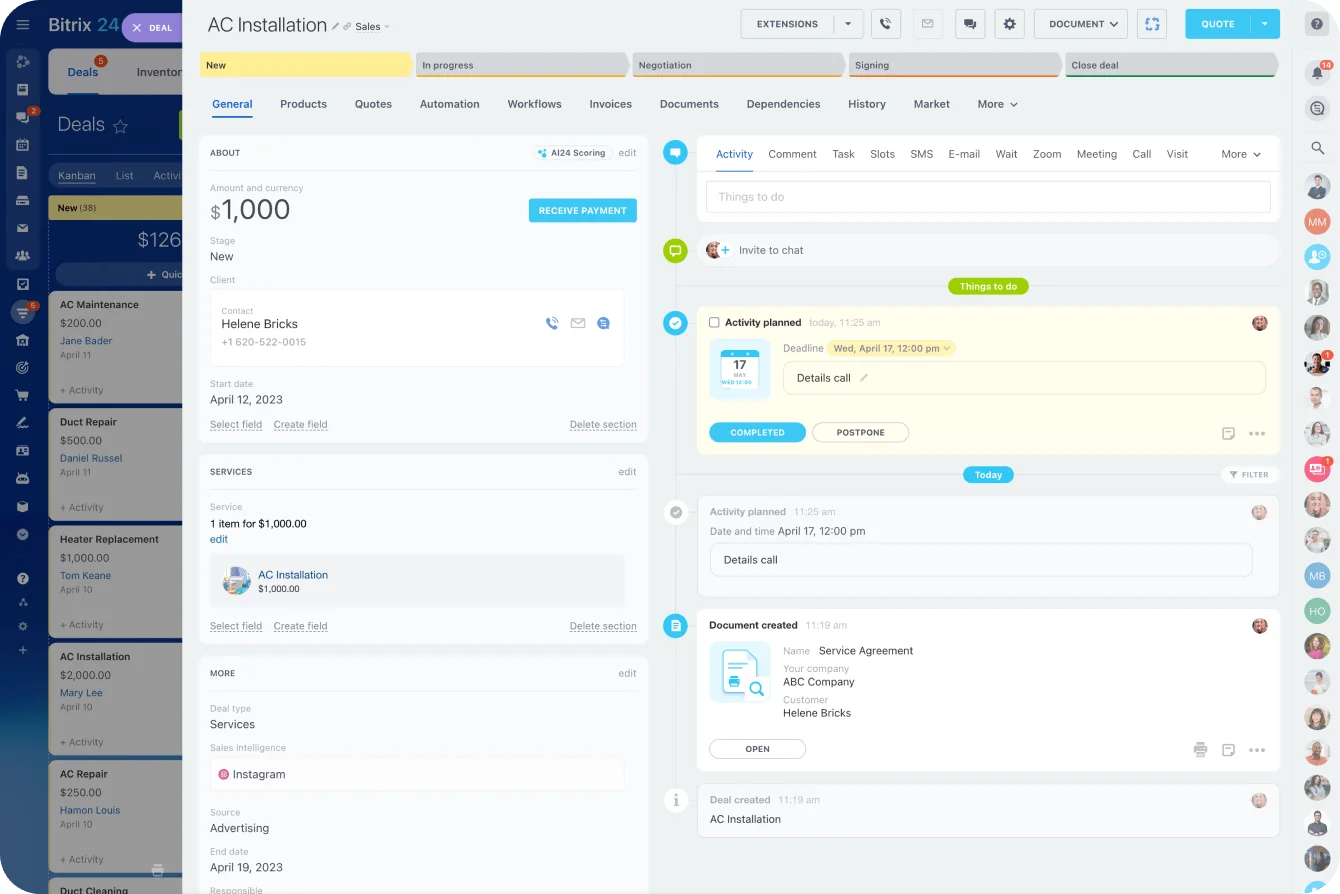
"CRM / Opportunity / Propose" still leaves room to argue until it names fields and methods. Here's an illustrative setup for a deal-summary agent on the Bitrix24 REST API:
- It reads through crm.deal.get, limited in practice to TITLE, STAGE_ID, OPPORTUNITY, ASSIGNED_BY_ID, and DATE_MODIFY.
- It proposes by creating a task for the deal owner through tasks.task.add, so it writes to Tasks and never to the deal record.
- It can't call crm.deal.update at all. Changes to OPPORTUNITY (deal amount), ASSIGNED_BY_ID (responsible user), or STAGE_ID go through automation rules or a person.
If you later allow a narrow write, lock down one detail. crm.deal.update accepts a REGISTER_HISTORY_EVENT parameter, and the middleware never lets the agent set it to N, because the change then won't appear in the deal's history. (Bitrix24's documentation now points new integrations toward the universal crm.item.* methods. The same rules apply there.)
Document the path from input to action
For every row in the matrix, write down:
- What information enters the agent
- Which fields or objects it can see
- What change it is allowed to attempt
- Which system receives the output
- Which validation runs before a write
- Where the before-and-after state is logged
- Who reviews proposed actions
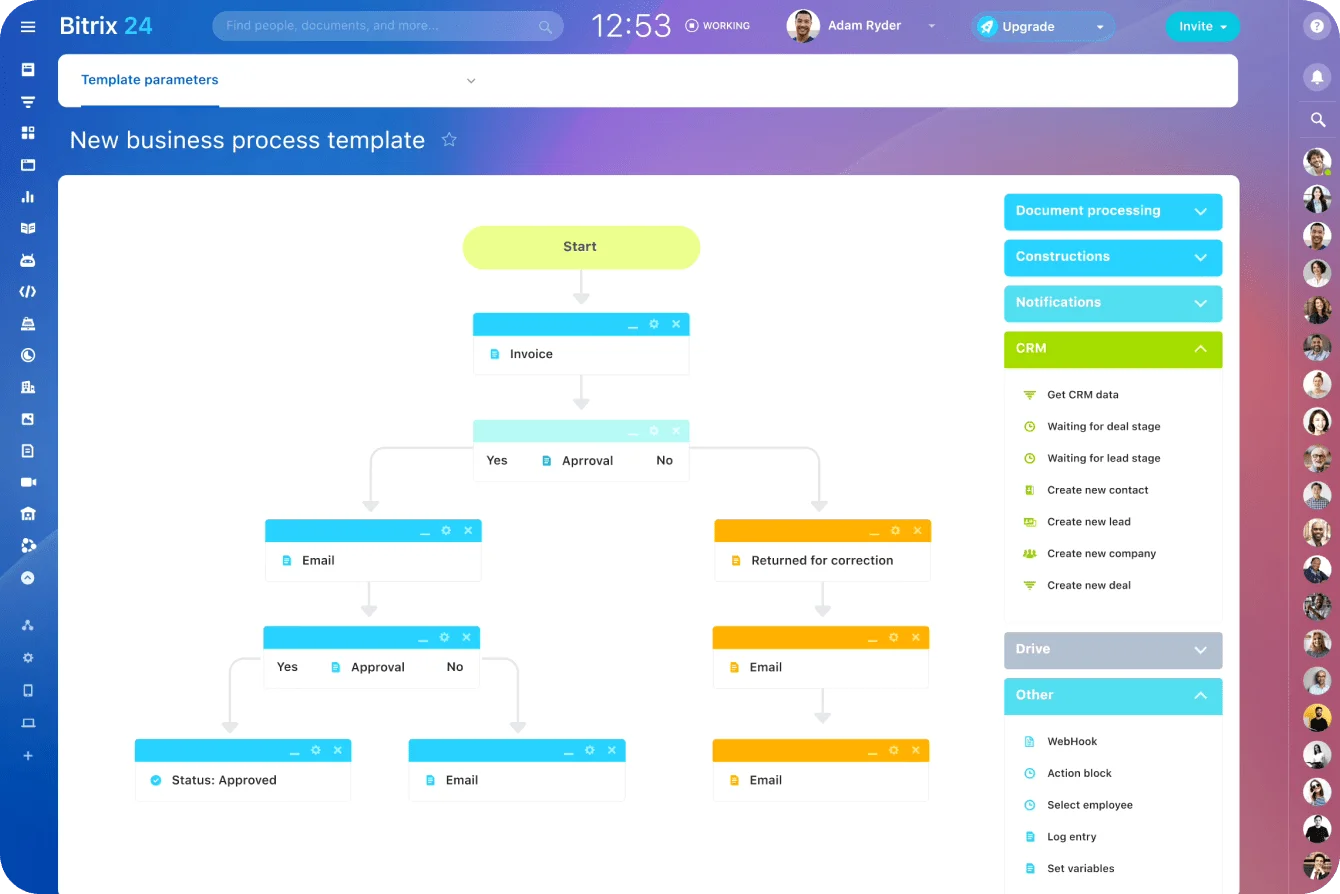
When several applications are involved, document each connection separately. A workflow running third-party tools through Bitrix24 integrations carries different permissions at each step.
Review the matrix from two perspectives
The business owner decides what the process actually requires. The technical owner turns that into API scopes, service-account permissions, field access, and execution rules.
This is the meeting where convenience access gets caught. It's usually a pilot token with edit rights on pricing that three integrations might still be using. Nobody can say which, so nobody dares revoke it, and it stays. A CRM category change and a contract-value change are both database writes, and their consequences are nothing alike. The matrix is where you treat them differently.
The translation step is where the friction lives. API scopes are coarser than the matrix, so the technical owner has to find where the finer boundary sits. In Bitrix24, inbound webhook permissions are assigned per module (CRM, Tasks, and so on), and every REST call runs with the rights of the user who owns the webhook. That's a deliberate design: the agent sits inside the same role-based permission model administrators already maintain for staff. In practice, you create a dedicated Bitrix24 user for each agent, give that user a role limited to the pipelines and entities in the matrix, and issue the webhook from that account. The agent also gets its own identity, which the Microsoft guidance cited below treats as a requirement. An agent never shares a human user's identity.
Security firm Invariant Labs showed what a shared identity costs in a May 2025 demonstration. Its researchers planted instructions in an issue on a public GitHub repository. When the maintainer had his AI agent work through the issues, the agent, connected through GitHub's official MCP server under his own account, read the planted text and drafted a pull request exposing information from his private repositories. No bug in GitHub's server was involved. The agent simply held everything its owner could reach.
Set approval gates for sensitive changes instead of relying on broad write access
Some actions belong inside the workflow and still don't get automatic write access. Anything that can move money, change a contract, reach a customer, alter security settings, or distort operational reporting goes behind a gate.
Decide which actions require review
An agent can generate discount recommendations all day. The one outside the approved pricing range goes to a sales manager.
A finance agent can draft an invoice explanation, while any request to alter payment instructions stays blocked until an authorized employee approves it.
The usual candidates for approval:
- Pricing or discount changes
- Contract terms
- Payment instructions
- Customer-facing messages to high-value accounts
- Forecast-sensitive deal changes
- Account ownership changes
- Access or identity changes
Take the thresholds from your existing pricing and finance policy. The agent project doesn't get to invent them. Here's what a concrete rule looks like, with placeholder numbers rather than benchmarks: discounts above 15% route to the sales manager, and credits above $10,000 route to a named finance approver.
Whatever your numbers are, write them down as numbers. Code can't enforce "large discounts need approval."
Define the gate outside the model
The approval trigger lives in workflow logic. The agent doesn't get a vote on whether its own action needs review.
Microsoft Security recommends deterministic human review for consequential agent actions, with escalation triggers enforced by the application or orchestrator instead of being left to the model.
A workable approval rule answers four questions:
- What condition triggers review?
- Which person or role can authorize it?
- Which source records and rationale does the reviewer see?
- What happens if nobody responds?
Give the reviewer enough to decide without rebuilding the whole workflow in their head.
Decide what happens when approval stalls
Without a no-response rule, old approval requests turn into hidden execution paths.
If the account, invoice, or deal changes while approval is pending, the original request is no longer valid. You find this out when a discount approved for one deal executes weeks later against a much bigger version of it, and finance wants to know who signed off. The workflow then does one of these:
- Expires the request
- Returns it to draft status
- Escalates it to another reviewer
- Requires a fresh evaluation
Pick an expiry window that fits the business rhythm. Twenty-four hours is a reasonable illustrative default for sales approvals, and month-end finance runs tighter. Decide the fallback in advance. The safe default returns the request to draft and notifies the owner. It never executes.
Pro Tip: Treat approval as permission for one action against one record state. An old approval never authorizes a changed record.
Watch for rubber-stamping
Approval gates fail quietly. Picture the sales manager clearing the approval queue from their phone between meetings, one tap per request, because the deal desk is waiting. When reviewers approve nearly every request without editing it, the gate adds latency and controls nothing.
One of two things is going on. Either the threshold is set too low and the action could safely become a validated write, or reviewers don't get enough evidence to disagree. Track the approve-unchanged rate for each gate, and treat a persistently high one as a design problem to fix.

Use hard guardrails: explicit denylist, rate limits, and environment boundaries
Approval rules cover actions that are sometimes legitimate. Other capabilities stay unavailable no matter what the agent requests.
OWASP's Excessive Agency guidance names excessive functionality, excessive permissions, and excessive autonomy as common causes of unsafe LLM-based systems. Its recommendations include limiting available extensions and functions, minimizing permissions, and requiring approval for high-impact actions.
Breach data shows what skipping this costs. IBM's 2026 Cost of a Data Breach research found that among organizations that reported a breach of their AI models or applications, 92% lacked proper AI access controls, and only 40% of the 602 breached organizations studied applied access controls to AI models and data at all.
Start with an explicit denylist
Name the systems, records, fields, and actions the agent can't reach. Depending on the workflow, the list includes:
- Employee compensation data
- Password reset actions
- MFA settings
- Security and identity roles
- Vendor banking details
- Production administration tools
- Legal-hold records
- Any permission that lets the agent expand its own access
"Do not access sensitive information" is too vague to enforce. A field-level or action-level rule gives the system something concrete to block.
Enforce the denylist somewhere the agent can't argue with it: the API scope, the role on the agent's service user, or a middleware blocklist of field IDs and method names that rejects any payload touching a listed item. A line in the system prompt is only a request.
Where the workflow touches business data in Bitrix24, the organization's existing security controls sit alongside the agent-specific restrictions.
Limit how much one failure can affect
Rate and concurrency limits matter whenever one action can touch many records.
A new ticket type appears, the agent files every one of them under the wrong team, and the first anyone hears of it is an escalation from a customer whose ticket sat in the wrong queue all weekend. With no limits, the agent repeats the mistake across the whole queue before a person spots the pattern. A capped batch size gives monitoring and human review time to step in.
Size the caps to what a person could realistically review. As an illustration only: a ticket-categorization agent capped at a handful of writes per minute, a daily ceiling a supervisor could scan the next morning, and low single-digit concurrency. The caps go up when the logs justify it.
Retry loops need the same discipline. A failed integration never gets to resubmit the same malformed or unsafe request indefinitely. Add a circuit breaker that suspends writes after a small number of consecutive validation failures (three is an illustrative starting point, tune it to your error rate) and needs a person to switch them back on.
Microsoft Security researchers Alyssa Ofstein, Senior Program Manager, and Elliot H Omiya, Principal Architect, put the design issue plainly: "Every additional tool expands the attack surface."
Separate testing from production
An agent can hold wide write privileges in a sandbox and stay read-only or proposal-only in production.
When production writes arrive, route them through a narrowly scoped service identity or controlled API. A general-purpose user account is the wrong tool. The separation pays off again during rollback and incident investigation, because agent activity stands apart from employee activity.
There's a well-documented case of what happens without it. In 2025, SaaStr founder Jason Lemkin reported that Replit's coding agent ran destructive commands during a code freeze and wiped production data, despite repeated instructions not to make changes. Replit's CEO apologized publicly, and the company's fix was structural: separating development and production databases so development environments can't reach production. It happened during a 12-day test run, and the lesson carries over to any agent with production access. The freeze was an instruction, and instructions aren't boundaries.

Build failure detection into the live workflow so unsafe actions stop early
Even a tightly scoped agent makes mistakes. What matters is whether the mistake reaches the system of record.
Know the common failure patterns
The usual failures:
- Matching the wrong customer because two records have similar names
- Using stale account or ticket information
- Producing an explanation the source data doesn't support
- Submitting a valid payload to the wrong field
- Repeating an action already completed
- Attempting an update after a record changes state
- Producing an action that conflicts with policy
Every one of these is easier to contain when you've planned for it before the first incident.
Validate immediately before every write
Put deterministic checks between the model's output and execution. Before committing a change, confirm:
- The payload matches the required schema.
- The target record still exists.
- The record remains in the expected state.
- Required source data is current.
- The action hasn't already been completed.
- Policy thresholds still permit the change.
- Any required approval is current.
Duplicate closures are where this bites. The agent proposes closing a ticket as a duplicate, a colleague adds the detail that makes it a separate problem, and without a state check the customer gets a "resolved" email for an issue nobody has looked at. With the check, the closure stops and goes back for review.
Make the checks mechanical
Each check has a standard technique behind it. Schema validation uses strict types, rejects unknown fields instead of ignoring them, and refuses to coerce a string into a number. Version checks compare the record's version or last-modified value with the one captured when the proposal was made (the optimistic-locking pattern).
Diff-based writes send only the fields being changed, so a stale payload can't overwrite fields the agent never meant to touch. Idempotency keys let the executor recognize and refuse an action it's already applied. Duplicate-detection keys on created records, such as customer ID plus ticket subject plus a time window, stop a retry from opening a second ticket.
Define failure behavior before launch
A failed validation never gets an improvised recovery path. Choose the fallback in advance:
- Block the write
- Convert the action into a draft
- Send it to a review queue
- Retry only after a defined condition changes
- Generate a structured error record
The error record shows the trigger, attempted action, validation failure, target system, and agent identity.
Write these records to a central audit store the agent's own credentials can't edit or delete. Retention follows the longest audit or regulatory requirement covering the records the agent touches. A logging tool's default retention is set for debugging, and it runs out long before a finance audit asks what the agent changed last year.
Good logs answer operational questions like "Why are invoice approvals failing this week?" Logs that exist only to prove they exist help nobody.
Assign ownership, offboarding rules, and a break-glass process before launch
An agent without an owner is just a service account with opinions. Every production agent needs at least two named humans: a business owner and a technical owner.
Give each owner a clear job
The business owner answers questions like these:
- Does the workflow still serve its intended purpose?
- Are approval thresholds appropriate?
- Are the agent's recommendations useful?
- Has the process changed enough to require a scope review?
The technical owner handles:
- Integration health
- Authentication and credentials
- Permission enforcement
- Logging
- Failed executions
- Emergency shutdown
Split it this way and incidents don't stall while each team assumes the other one owns the call.
Treat owner changes as a permission event
When an owner changes roles or leaves, the agent doesn't keep running under the old approval structure. Review:
- Service accounts
- API tokens
- Approval routing
- Notification recipients
- Escalation contacts
- Business ownership
- Technical ownership
Offboarding an owner means rotating or revoking every secret they could have seen (check the vault and anyone's personal notes), reissuing tokens and webhooks under the new owner or the agent's service account, and moving dashboards and alerts so failures don't page someone who's left.
Credentials tied to a person are where this goes wrong. In Bitrix24, a webhook acts as the user who created it, and when an administrator edits another user's webhook, the secret key resets and the administrator becomes its owner. That's sound security behavior, and it also means any integration still using the old URL stops on the spot. Plan the cutover. Better still, run the agent on its own dedicated user so an employee leaving never touches it.
The quieter version of this failure is approval routing. Requests keep going to the inbox of an owner who left, the no-response rule sends every one back to draft, and the agent looks idle until someone in sales asks why nothing has moved. For higher-risk processes, suspend the agent automatically until a replacement owner accepts responsibility, so the gap is loud.
Create a break-glass procedure
Someone has to be able to stop the agent fast if its behavior changes. The procedure names who can:
- Disable the agent
- Revoke credentials
- Stop an integration
- Suspend production writes
- Restore a previous permission configuration
Temporary access granted during an incident expires automatically wherever possible and stays logged. Run it as just-in-time access: named approvers, a fixed expiry, and an automatic rollback to the last saved permission configuration when the window closes.
Pro Tip: Test the shutdown path before launch. An untested one fails in a familiar way: the one person who can revoke the token is unreachable, and the runbook points to an admin account that was deactivated during last year's cleanup.
Run a quarterly access review to catch scope creep and prove the agent still deserves its permissions
Agent scope grows through small exceptions. One extra data source for a special case, then another action enabled to save time, and eventually the live permissions look nothing like the design.
A quarterly review gives owners a fixed point to correct that drift. Quarterly is the minimum. A new integration, a new write permission, or an incident triggers a review on the spot.
Compare actual use with the permission matrix
Review what the agent actually did:
- Which data did it read?
- Which actions did it write?
- Which approvals did it request?
- Which permissions were never used?
- Which tools or integrations were added?
- Which blocked actions appeared repeatedly?
Unused access goes first. If the workflow has run fine for months without a permission, keeping it around adds exposure and nothing else. The hardest ones to remove are the permissions granted "temporarily" for a migration whose ticket is closed and whose requester has moved teams. Nobody remembers why they exist, which is exactly why they go.
Review failures and human overrides
Look past the successful actions.
Frequent human overrides point to an agent working near the edge of what it judges reliably. Repeated blocked actions point to a workflow that keeps reaching into areas it shouldn't. If the same fields keep needing rollback or exception handling, demote those actions from direct write to proposal or approval-only.
Update controls as systems change
The applications around the agent keep changing, so its permissions can't stay frozen. During the review, check:
- Newly added fields
- Changed integrations
- New administrative functions
- Approval routes
- Service accounts
- Denylist rules
- Production boundaries
- Validation logic
Then re-certify ownership. Both named owners still need to understand what the agent does and how to respond when it fails.
An agent with no active owner gets suspended or reassigned. "The integration still works" is no reason to leave it running.
Keep the review report short
One page is enough, and it doubles as audit evidence. Include:
- Permissions granted versus permissions used
- Approval requests, plus the share approved without changes
- Human override rate
- Blocked actions, grouped by the rule that blocked them
- Incidents and rollbacks
- What changed as a result (permissions removed, thresholds tightened, owners re-certified)
Export it with the underlying log extract and file it next to the version of the permission matrix it reviewed. An auditor then sees what the agent was allowed to do and what it actually did, in the same quarter.
FAQ
Should an agent ever have direct write access on day one, or should it begin in read-only or draft mode until reliability is proven?
Give it the lowest access level that still proves the workflow works. Direct write on day one is reasonable for narrow, low-risk actions with deterministic validation, clear logging, and an easy rollback path. Higher-impact changes belong in read-only, proposal, or sandbox mode until the logs make the case for more.
How do you handle shared-team agents when no single employee is the obvious owner?
Assign ownership to a business role, then attach real people to the business-owner and technical-owner duties. When the role rotates, the handoff covers permissions, current exceptions, unresolved incidents, approval routes, and emergency contacts.
What is the safest way to let an agent work across CRM, ticketing, and billing tools without giving it full access in each one?
Give the agent separate, workflow-specific access in each system. Limit reads to the fields it needs for context, use proposal mode wherever direct execution isn't necessary, and route sensitive writes through controlled APIs, deterministic checks, and approval steps. One broad identity shared across all three systems makes permission control and incident investigation harder at the same time.
How should an agent handle regulated data such as personal, payment card, or health information?
Mostly by never receiving it. Redact or mask regulated fields before they reach the agent, so a triage agent sees something like "card ending 4421" instead of a full card number. Where the workflow has to reference a sensitive value, pass a token the agent hands back to a controlled system without ever seeing the value itself. Put the raw fields on the field-level denylist, and check with your compliance owner which regulations apply before the agent touches the data at all. Sending regulated data to a model provider raises compliance questions of its own.
Secure AI agent access without slowing work
Bitrix24 helps teams run CRM, tasks, and automation with roles, approvals, and history that keep agent workflows controlled.
Get Started NowEvery permission is a bet
Every permission an agent holds is a bet that it'll never use that access wrongly: under a manipulated prompt, on stale data, or with nobody watching. The matrix, the gates, the denylist, and the review all exist to cut down how many bets you're placing.
An agent can't misuse access it never had.
If your sales and support teams already work in Bitrix24, most of this model maps onto controls you already administer. Role-based CRM permissions set the read and write boundary for the agent's dedicated user, automation rules own the deterministic steps the model shouldn't, and record history gives reviewers the before-and-after state.
Put your permission matrix next to your Bitrix24 role settings, and the gaps show up fast.
Takeaway: Every control that works here lives outside the model, in scopes, gates, and checks the agent can't talk its way past.