Half Your CRM Is Wrong by Now: A Practical Cleanup That Does Not Take a Quarter


One in five US workers had been with their current employer for a year or less when the Bureau of Labor Statistics last checked, in January 2026. Any of them in your CRM are probably still filed under the company they left.
Meanwhile, the same buyer comes in through two channels, becomes two records, and the pipeline report counts one deal twice. Every sales team has a rep who keeps the real numbers in a spreadsheet - and that spreadsheet is the most honest report on your CRM you’ll get.
Most teams answer with a full-database overhaul that never finishes. But a week is enough if you limit the work to records tied to live revenue and close the gaps at entry before the mess reforms.
This article walks you through that week: the scope rule, the merge rules and a day-by-day plan with owners and hours attached. Follow it for seven days and the spreadsheet can go.
TL;DR (Quick Summary)
CRM cleanup fails when it targets the whole database. A one-week sprint aimed at active revenue works. Triage hard, fix only what someone will act on, merge only proven duplicates, and lock the entry rules before the week ends.
- Define the cleanup target for one week, not a full-database overhaul → Scope to records someone will touch in the next month
- Map where bad CRM data shows up and choose the records worth fixing first → Open deals first, the archive last or never
- Pull a fast audit list and score records by impact, recency, and risk → Four tags, one scorer, sized queues by day two
- Run the cleanup in three passes → Correct, merge on survivorship rules, standardize to named formats
- Stop the same mess from coming back at the point of entry → Duplicate checks, list fields, required fields by stage
- Assign ownership so every important record stays honest → One owner per record, one steward, 30 minutes a week
- Use a day-by-day plan and a simple completion check → Owners and hours per day, targets agreed before work starts
Takeaway: Run the cleanup as a one-week sprint with a finish line, aimed only at records your team will act on this month. Everything else waits, and the entry rules go live before the week ends.
Define the cleanup target for one week, not a full-database overhaul
A cleanup target is the line between what you fix this week and what you deliberately leave alone. Draw it narrow enough to finish and close enough to revenue that sales notices by Friday.
What counts as in scope
A record is in if it passes any one of these tests (the day counts are example thresholds; shorten them for fast sales cycles):
- It's linked to an open deal at any stage
- It has a call, email, viewing or meeting logged in the last 90 days
- It arrived as a new lead in the last 30 days and hasn't been qualified out
- It's on an outreach list due to go out in the next month
Everything else is out, including visibly wrong records. That's the rule people break first, and it decides whether the sprint finishes.
Who runs it and what it costs
One lead owns the scope and settles disputes. That's the sales manager or an operations lead. IT doesn't own this. Agents do most of the correcting, because they know which number is current.
Budget one to two hours a day per agent on days three and four, and most of a day from the sprint lead on days one, five and six. Those are planning figures, and day two's queue counts will test them.
Put "tidy up custom fields" on the scope list and day three turns into a meeting. Two managers discover they've used the same field for different things, the argument has no owner, and the Fix Now queue sits untouched while it runs. Custom fields are a separate decision. Keep the week on records.
When a one-week sprint is the wrong tool
The sprint assumes your CRM's structure is sound and only the records have drifted. Skip it when:
- You're moving to a new CRM soon. Clean during export and import, where bulk transforms are cheap.
- Your pipeline stages don't match how you sell. Clean records in a broken stage model are wrong again within a month, so redesign the stages instead.
- An integration is creating the duplicates. Until the feed matches on email or phone, duplicates return as fast as you merge them.
- You have a few hundred records. One person can clean that in an afternoon without queues or tags.
- You need to delete personal data for legal reasons. That's a compliance decision with its own process.
30-Minute CRM Data Triage Checklist and Field Map
Enter your email address to get a comprehensive, step-by-step guide

Map where bad CRM data shows up and choose the records worth fixing first
Bad CRM data takes four forms, and each one shows up differently in a working week:
- Stale contact details: bounced emails, numbers that ring out, agents keeping the real number in their own phone
- Stale context: a reachable contact whose budget, timeline or financing has moved since anyone checked
- Incomplete records: no owner, source or next step, so nobody acts and nobody can report on it
- Duplicates: the same person in two or three records, each holding part of the truth
Stale context is the one teams miss. The number still works, so the record looks healthy, but it describes a search the buyer gave up months ago. When the CRM and the customer disagree, the record is stale.
Real estate shows this clearly. A buyer's budget, preferred neighborhoods, mortgage status and timeline can all move within weeks. Repeated inquiries from portals, agency websites and direct agent outreach also create multiple versions of the same person or property inside systems such as real estate CRM software. One says "viewing booked," another says "new lead," and a third has the latest number.
Store decaying facts as dates
A yes/no field hides expiry. "Mortgage approved: yes" stays true in the CRM long after the approval lapses. Store the date the approval was issued, or the date the budget was last confirmed, and the record tells you its own age. Do the same for ID checks, valuations and anything else that expires.
Triage inside the scope
Within the scope, rank by value. Open deals come first, warm opportunities next, new inbound leads last.
Triage breaks because old records are more satisfying to fix. Nobody's waiting on them, and each correction feels like progress. An agent will happily spend a morning tidying surnames on three-year-old leads and end the week with a beautiful list and an open deal that still has no owner.

Pull a fast audit list and score records by impact, recency, and risk
Build cleanup queues: filtered lists of records that share a problem or a priority, so the team works in batches instead of wandering the CRM record by record. Save each queue as a filter in the CRM. Everyone then works the same live list, and nobody edits from an export that went stale on Tuesday.
Start with filters you can pull in minutes:
- Contacts tied to open deals or active opportunities
- Records touched in the last 6 to 12 months (a suggested range)
- Records missing core fields such as phone, email, owner, source or status
- Contacts with recent outreach failures, bounced emails or failed call attempts
Then add duplicate risk signals. You're only surfacing collisions here:
- Same email across multiple records
- Shared phone numbers
- Very similar names with alternate spellings
- Multiple records from the same inquiry source submitted close together
- One person linked to several open leads with conflicting stages
The sprint lead tags every record. A committee scoring a few hundred records is still scoring on Thursday.
|
Tag |
When to use it |
Action |
|---|---|---|
|
Fix Now |
Active revenue impact, recent activity, obvious data gaps |
Review and correct immediately |
|
Verify |
Likely useful record, but details may be stale |
Confirm key fields before next outreach |
|
Merge |
High-confidence duplicate risk |
Check and combine carefully |
|
Archive Later |
Low-value or old inactive record |
Leave for backlog review |
Size the queues before day three
Count each queue and multiply by a realistic time per record. For example, 240 Fix Now records at four minutes each is 16 hours of work, or four agents at two hours a day across days three and four. If the arithmetic doesn't fit, tighten the recency window. Don't let the queue spill into merge day.
When a record sits in two queues
A Fix Now record that's also in the Merge queue needs a decision before anyone touches it. Pick the copy that survives, correct only that one, and leave the other until day five. Skip it and two agents spend a morning correcting both copies. On merge day, someone keeps one and throws away the other agent's work.

Run the cleanup in three passes: correct, merge, and standardize
Fix everything about a record in one sitting and each person improvises formats as they go. Three passes, one job each, keep the output consistent.
Pass one: correct
Bring each live record up to the minimum viable truth, meaning what an agent needs to work it properly tomorrow:
- Current phone and email, confirmed by a successful contact this week
- Current requirement: budget, area, property type, timeline
- A lifecycle stage that matches the last real conversation
- One assigned owner
- A dated next step
For a buyer, that's a new number, a revised area, the mortgage approval date and a booked follow-up. Leave historical notes alone.
Sort bounces by type before you touch the address field. Mail servers report delivery failures with the status codes defined in RFC 3463, where 5.x.x codes are permanent failures and 4.x.x codes are temporary ones. A hard bounce (5.x.x, such as a mailbox that doesn't exist) means the address is wrong, so the record goes to Verify. A soft bounce (4.x.x, such as a full mailbox) says nothing about the address, and deleting it throws away good data.
Pass two: merge
Merge only once you've checked that two records are the same entity. Confidence depends on which fields agree:
- Same email, compared in lowercase with spaces trimmed: high confidence
- Same phone in a standard format plus a similar name: high confidence
- Same phone, different names: low confidence, often a shared office line or a household
- Similar names only: no merge without a second matching field
Before the first merge, agree a survivorship rule for each field, meaning which record's value wins:
- Contact details: the most recently verified value, which isn't always the most recently edited one
- Lead source: the earliest value, so first-touch attribution survives
- Owner: the owner of the open deal, if there is one
- Notes and activity: keep the history from both records
A shared surname and a shared landline don't make a duplicate. "John and Jane Smith" are usually a household, and merging them deletes one of your buyers. Keep two contacts on the same deal so each keeps their own number. A similarity score is a reason to look, never a reason to merge, however high the tool rates it.
The merge that hurts is the one that quietly overwrites lead source. Keep the newer record's values across the board and every portal lead who later rang the office becomes a phone inquiry. The marketing report then says the portal you pay for produces nothing, and nobody connects it to the cleanup until the renewal conversation.
Pro tip: Before merge day, export every pair you plan to merge, with both record IDs and the fields that differ. Unmerging is messy or impossible in most CRMs, and that sheet is your only way back from a false merge.
Pass three: standardize
Loose formats break filtering and reporting, because automation rules, search, routing and reports all match on exact values. If one lead source appears as "Web," "Website," "Site Form" and "Inbound Web," your source report is already wrong. Use a recognized standard where one exists, so nobody invents a convention mid-sprint:
|
Field |
Format |
Example |
|---|---|---|
|
Phone |
ITU-T E.164 international format: plus sign, country code, number, no spaces |
+14155550123 |
|
|
Lowercase, no leading or trailing spaces |
|
|
Country |
ISO 3166-1 alpha-2 code |
US, GB, PH |
|
Dates in imports and exports |
ISO 8601, YYYY-MM-DD |
2026-10-20 |
|
Names |
First and last name in separate fields, as the customer writes them |
Jane / Doe |
|
Lead source |
Fixed list, channel first, then detail |
Portal → named portal |
Stop the same mess from coming back at the point of entry
Leave entry loose and the database drifts within days, and the cleanup becomes a weekly tax. In Validity's 2026 survey of 500 B2B and B2C marketers, nearly a third of teams said they spend six or more hours a week fixing and reconciling data. Entry rules are how you stop paying it.
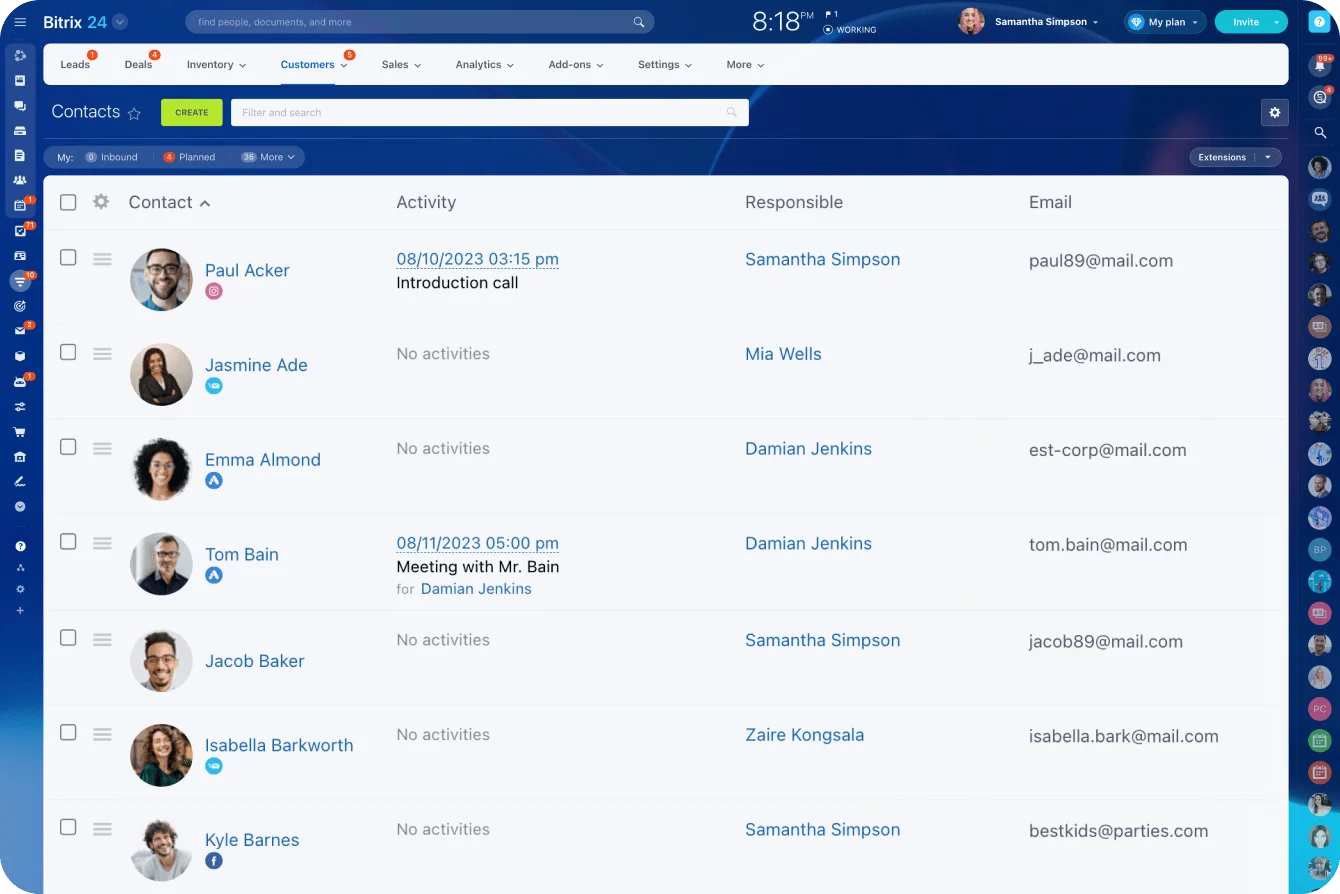
The new-record check uses the same email, phone and name matching as the merge, and CRM platforms with duplicate control and field validation run it inside the system. In Bitrix24's CRM, that means:
- Duplicate checks on name, phone and email for leads, contacts and companies
- A manual merge where you pick the surviving record and choose which field values carry over, so your survivorship rules apply in one place
- An automatic merge that fires only when every checked field matches, which is the right default
Stage-level required fields and automatic merging aren't on every plan, and the pricing page lists analytics and reporting tools and sales automation from the Professional plan up. Check your plan before you design day six around them.
The rules to lock this week
Keep required fields to four:
- One owner on every record
- One primary contact method in a valid format
- Lead source picked from a fixed list, never typed
- Stage or status picked from a fixed list
Lead source, lifecycle stage, property type, territory and qualification status belong in list fields. Notes stay free text. Where information only exists later in the sale, require the field at that stage of the sales pipeline instead of at capture, so a deal can't move to "viewing booked" until its source and budget fields are filled.
One working rule covers changes. When a buyer updates budget, timeline, area or financing, the agent edits the existing record. A new inquiry from a known contact becomes a new deal or activity on that contact, never a fresh contact.
Close the channel gaps
Most duplicates start at the channels, because portals, web forms, chats and calls each create records on their own logic. A contact center that routes calls, chats, form inquiries and email into the CRM puts every channel behind the same duplicate rules.
Test each portal feed and third-party form. Submit an inquiry with an email that's already in the CRM and see whether a new lead appears. Then set up automated lead management so every new inquiry lands with an owner on arrival instead of in a shared inbox.
Require a field at capture, before anyone has spoken to the customer, and people fill it with 0000000 or a colleague's email. A placeholder is worse than a blank. The blank shows up in the missing-field queue. The placeholder sits there looking complete until someone dials it.
Pro tip: Add a deliberate "Unknown" value to required list fields such as lead source. People get an honest option when they don't know, and a filter on "Unknown" becomes a weekly chase list where invented values would have hidden.
Assign ownership so every important record stays honest after the reset
One person owns the truth of each active record. Shared ownership on a CRM record means nobody updates it.
The owner updates key fields within a working day of any of these:
- A call or viewing that changes requirements or timeline
- A change in qualification or financing status
- A handover
- An agreed next step
Most of those moments happen away from a desk, so the truth lives in agents' heads and phones. Updating the record from the Bitrix24 mobile app straight after a viewing takes a minute. Reconstructing it on Friday afternoon never happens.
Owners and stewards do different jobs
Owners keep record truth because they're closest to the customer. The steward, an operations lead or sales ops manager, owns the rules, the duplicate queue and field usage, and leaves customer details to the owners.
The steward's weekly review takes about 30 minutes (a planning figure) and covers:
- New duplicates flagged since last week
- Active records with no owner or no next step
- Placeholder and "Unknown" values in required fields
- Records whose owner has left or moved team
Automation does some of the chasing first. An automation rule can create a task with a deadline for the owner whenever a deal enters a stage. A stalled deal then shows up as an overdue task, and the steward reviews exceptions instead of hunting for them.
Handovers
Whether an agent leaves, changes territory or passes a deal on, the receiving owner inherits the existing record and never creates a replacement. The handover carries:
- Current stage and the real status behind it
- The next action and its date
- Unresolved data issues, such as an unconfirmed number or a suspected duplicate
Departures are where handovers fail. Records get bulk-reassigned to a manager with no time to work them, and next steps lapse quietly for weeks. Reassign a departing agent's open deals to named people before their last day, and check that list at the next weekly review.
Use a day-by-day one-week plan and a simple completion check
The plan works because every day forces a decision. Each day ends with a queue that's done or consciously cut.
|
Day |
Work |
Owner |
Time (planning figure) |
|---|---|---|---|
|
1 |
Confirm in-scope record types, segments and core fields; agree survivorship rules and completion targets |
Sprint lead |
Most of the day |
|
2 |
Pull saved filters for open deals, recent records, missing fields and likely duplicates; tag and count |
Sprint lead, CRM admin |
Half a day |
|
3–4 |
Work the Fix Now and Verify queues: correct details, confirm requirements, assign owners, set next steps |
Agents |
One to two hours a day each |
|
5 |
Export merge pairs, review them, merge using survivorship rules |
Sprint lead plus an agent who knows the accounts |
Most of the day |
|
6 |
Switch on duplicate checks, stage-level required fields, list fields for source and stage, the one-owner rule |
Sprint lead, CRM admin |
Half to a full day |
|
7 |
Measure against targets, review the Archive Later backlog, book the first weekly review |
Sprint lead, sales manager |
Two hours |
Pro tip: Before day three, ask each agent for the five deals they'd least like to lose and put those at the top of their Fix Now queue. It takes a two-minute message, and the cleanup shows up in the next pipeline meeting, where the team will judge it.
Completion checks
Agree the targets on day one, so the week gets judged on numbers instead of on how the CRM feels by Friday. These are example targets for the in-scope segment. They aren't industry benchmarks:
- Core fields complete on at least 95% of active records
- Zero active records without an owner
- Zero known unmerged duplicates in the priority segments
- Zero placeholder values in required fields
- Fewer hard bounces on the next send than on the last send to the same segment
Build each check as a saved report in your CRM analytics and reports, so day seven and every weekly review read from the same numbers.
Day seven is the one teams skip, because by then the CRM feels better. A few months on, the sales manager says the data's slipping, nobody has a baseline, and the loudest person in the meeting settles it.
FAQ
How often should we run a CRM cleanup sprint?
Once, if the entry rules and weekly review hold. Rerun it after a structural change such as combining two teams' data or a large import. I'd rather run a 30-minute weekly review forever than a big cleanup every year.
Should we delete old records instead of archiving them?
Not during the sprint. Deletion is a retention decision. If you hold personal data on people in the EU or UK, the GDPR's storage limitation principle says you mustn't keep it longer than you need it, and you have to be able to justify the period. Make that call with whoever owns compliance, on its own timeline.
How fast does CRM contact data really go stale?
Fast. Distrust the popular number, though. The "22.5% a year" decay rate repeated across vendor blogs traces back to an old MarketingSherpa estimate that isn't publicly available to check. Job tenure is verifiable. About one US worker in five had been with their employer a year or less in January 2026, and that's before new phone numbers and switched email providers.
Can we automate duplicate merging?
Automate detection. Keep a person on the merge. Exact email matches are safe to fast-track, but phone and name matches need review, because households and shared office lines look identical to a matching rule.
What if agents won't keep records updated after the sprint?
Check what an update costs them. If logging a viewing takes a desktop login and six fields, it won't happen. Cut required fields to the ones you report on and make updates possible from a phone. The weekly review then chases specific records with specific owners.
Clean CRM data without a long overhaul
Bitrix24 helps teams prevent duplicate records, enforce key fields, automate follow-ups, and keep CRM data trusted.
Get Started NowTrusted live records beat a perfect archive
The sprint is a trade. Old records stay messy so the records behind this month's revenue are right. The difference shows first in the pipeline meeting, when nobody corrects the numbers out loud.
Skip day six and you'll be running this cleanup again before long. If you run your CRM in Bitrix24, these three settings hold the line after the sprint:
- The duplicate check at entry
- Required fields set by pipeline stage
- The saved reports your weekly review reads from
Switch them on and the steward's 30 minutes stay 30 minutes.
Takeaway: A cleanup is finished when the side spreadsheet goes and stays gone. The week gets you there. The entry rules and the 30-minute review keep it that way.