Budget Season: How to Defend, or Cut, the Software Line With Evidence


Finance cuts the software it can’t see. A tool with an owner, clean usage data and a net number attached gets through the budget review. A tool defended on enthusiasm loses its line in the meeting, and the team that relied on it only finds out at renewal…
The trouble is that the evidence is scattered. The contract sits with procurement, the usage data sits in an admin console nobody’s opened since onboarding, and the one person who knows the tool feeds month-end reporting is on leave the week of the review.
Usage alone won’t settle it either: lightly used software can be essential, and the obvious cut can turn out to hold the audit trail.
This article walks you through pulling that evidence together for every major software line and turning it into one of four decisions: renew, right-size, consolidate or cut. You’ll be able to defend each call in the finance review and still stand behind it once the change takes effect.
TL;DR (Quick Summary)
Every major software line gets one of four decisions, backed by the same evidence: cost, real use, who depends on it, and net impact after transition costs. Build that evidence before anyone forms an opinion. Test every cut with the teams it touches, and work to the notice date.
- What finance is deciding → One of four actions per line, backed by seven facts
- The evidence pack → Reconcile contracts, invoices, consoles and the HR roster before judging any tool
- Shelfware and overlap → Usage thresholds find the waste; dependency checks stop the clumsy cuts
- The recommendation → One sentence, one owner, one net number per line
- Pressure-testing cuts → A saving that lands in another team's budget isn't a saving
- The renewal negotiation → Your bargaining position expires on the notice date
- The finance presentation → Gross and net side by side, with a dated action list
Takeaway: Finance approves what it can check: cost, real use, dependency and net impact, one row per tool.
Start with the budget question finance will ask: keep, reduce, or replace this software?
Every line ends in one of four verdicts, and "the team relies on it" supports none of them. Define them before the meeting so nobody spends it arguing about words:
- Renew as-is keeps seats, edition and modules unchanged, with a reason the current footprint is right
- Right-size keeps the platform and cuts seats, edition level or add-on modules to match use
- Consolidate moves the work into a tool already in the stack and retires this one
- Cut ends the spend with no paid replacement
Finance wants the same seven facts for every line before it approves a dollar:
- Current annual spend, including add-ons and usage overages
- Renewal date and the non-renewal notice deadline
- Active users, measured against paid seats
- A named business owner accountable for the spend
- The workflows that break if the tool changes
- The realistic alternative (another tool in the stack, a lower plan or a manual fallback)
- The risk of removal to operations, compliance, customers or reporting
Defend a tool with "everyone loves it" and finance asks one question: where's the usage? The admin export takes ten days, and the budget locks at the lower number on day eight.
Who owns the review, and when it starts
One coordinator, the operations lead or the finance business partner, chases the evidence. Every tool gets a named owner who defends it or cuts it. Run it in a Bitrix24 workgroup and the evidence requests, owner answers and deadlines sit in one place instead of forty email threads.
Start 90 to 120 days before budget lock (my working window). The analysis takes a few days for a typical mid-size stack. The rest is waiting on admin exports and on department heads who haven't answered the dependency questions. If budget locks in December and you're starting in November, rank lines by notice date and review only those due before mid-year. The rest get a proper spring review instead of a rushed one.
Agree the scope with finance before anyone pulls data:
- Review individually every line above an agreed threshold (around $5,000 a year for a smaller business, as an example)
- Add anything with a notice date in the next two quarters
- Batch the long tail into one line and review it from card statements
A tool with no owner is your first finding. I'd treat it as a cut candidate until someone claims it.
When to skip the full review
If your whole stack is a dozen subscriptions on one company card, skip all of this. Spend an hour with twelve months of card statements, cancel what nobody claims, and move on. At that size the process costs more than it saves.
The same goes for a multi-year deal with no exit this cycle: note the next decision date and spend the review on lines you can change.
Software Spend Review Toolkit: ROI Model + Scoring Sheet
Enter your email address to get a comprehensive, step-by-step guide

Assemble a clean evidence pack before you evaluate the software
Bad software decisions start with sources that disagree. Finance holds the invoices, IT or a power user holds admin access, procurement holds the signed terms, and department heads hold the workflow knowledge. Reconcile them before anyone forms a view, because a view formed on bad data doesn't unwind.
Pull from the sources that show what's happening:
- Contracts and order forms for pricing, minimums, renewal terms and price-increase clauses
- Invoices for what you actually paid, including overages
- Admin consoles for assigned seats, edition mix and feature use
- SSO logs for last-login dates across users and teams
- Expense reports and card statements for tools bought outside procurement
- The HR roster for leavers, role changes and contractors
- Department owners for the dependencies nobody wrote down
Expense reports are the source people skip. Gartner found that 41% of employees acquired, modified or created technology outside IT's visibility in 2022, and projects that share will reach 75% by 2027.
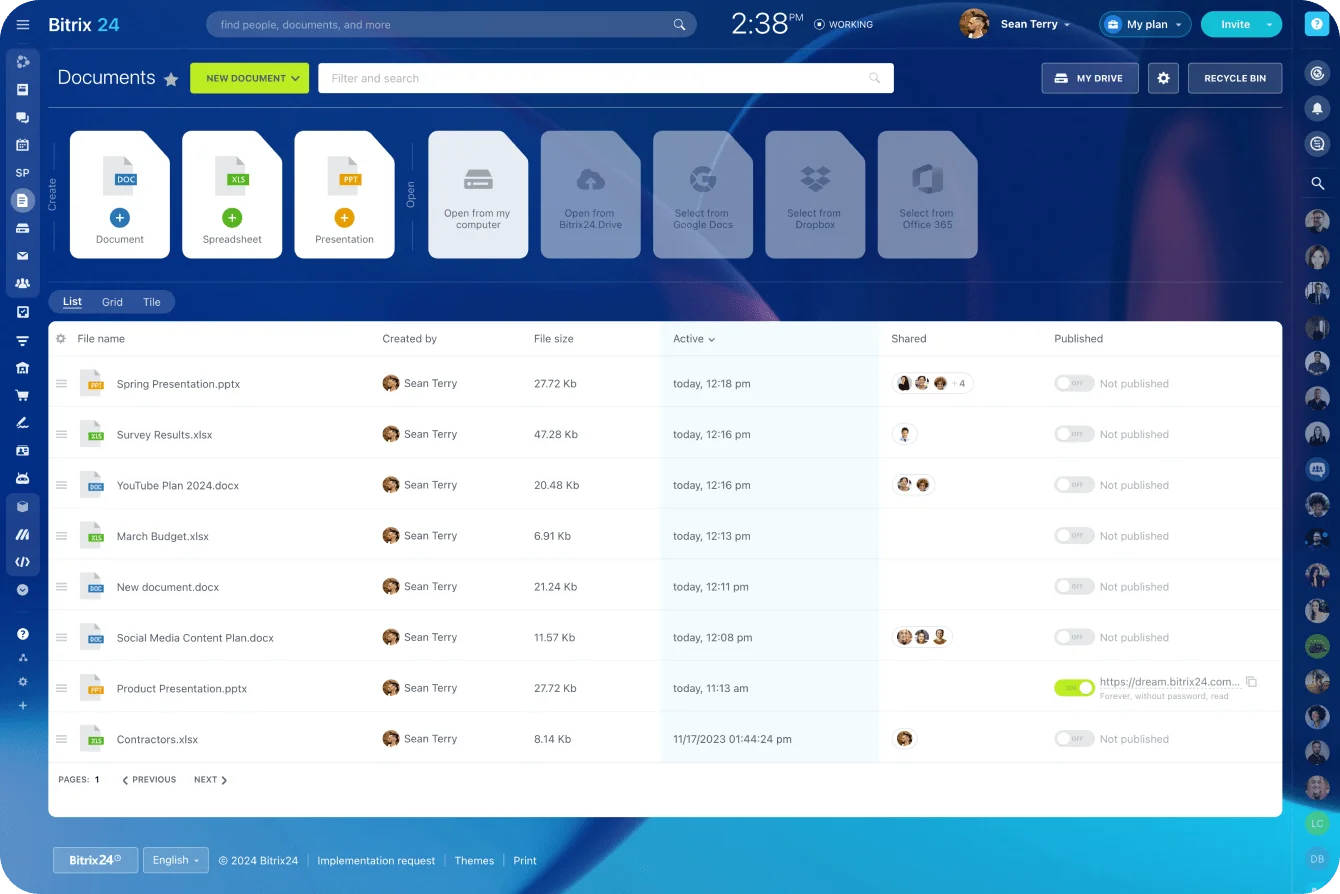
Keep the pack in one place. Bitrix24's document management holds signed order forms and console exports in a shared space the review team can open.
Define "active" before you pull a single report
An active-user count means nothing until you fix the window and the definition. Fix both before the first export and apply them to every tool, or no two lines compare.
My thresholds, labeled in the pack as your rules rather than industry benchmarks:
- Count a user as active if they did meaningful work in the tool in the last 90 days
- Treat 90 days with no meaningful action as dormant and a reclaim candidate
- Judge seasonal tools (year-end close, annual reviews) on their season rather than the window
- Calculate seat utilization as active users ÷ paid seats, and explain anything under 80%
SSO last-login data flatters every tool. A login isn't work, and tools outside SSO don't show up at all. Use in-app activity wherever the console exposes it.
Match the records
Reconcile on email address or employee ID. Never match on display names, because "J. Smith" in one system and "John Smith" in another produce false matches and missed leavers. Then run three checks:
- Licensed users who appear on the HR leaver list
- Paid seats assigned to shared or generic accounts
- Invoiced amounts that differ from contract price (overages, uplifts, reseller margin)
The fields finance will ask for, with an illustrative entry for one project management tool to show the level of detail (all values invented):
|
Field |
Why finance asks for it |
Illustrative entry |
|---|---|---|
|
Total annual cost |
Current budget exposure |
$18,600 (60 seats at $25/month plus a $600 reporting add-on) |
|
Pricing model |
Whether cost scales by seat, usage, module or tier |
Per editor seat; viewers free |
|
Paid seats vs. active users |
Purchase level against actual need |
60 paid, 34 active in 90 days (57%) |
|
Renewal date, notice period, auto-renew |
What can change this cycle, and by when |
Renews March 1; 60-day notice, so act by December 31; auto-renews 12 months |
|
Price-increase terms |
Whether the renewal price is capped |
No cap in the order form |
|
Committed minimums |
Where seat cuts won't lower spend yet |
50-seat minimum until renewal |
|
Implementation costs |
Subscription vs. total cost to operate |
$4,000 one-time setup, year one |
|
Data export terms |
What you get back if you leave |
CSV export, available 30 days after termination |
The tool that shows up only on an expense report is the dangerous one. It renews on a personal card under a personal login. The day that card expires, the account suspends with two years of client files inside, and you find out when someone needs one for a dispute (with the vendor wanting proof of ownership you can't give!).
Separate essential software from shelfware and overlap
Expect slack. Zylo's 2026 SaaS Management Index reports that the average organization uses only 54% of its provisioned licenses. The data comes from Zylo's own customers, who skew large, so read it as a direction rather than your number.
Seat mix before seat count
Low utilization is mostly a seat-mix problem. A department buys editor seats for everyone, and half the team only ever views, approves or pulls a monthly report.
Check each tool for:
- Which paid features each user actually used in the window
- Cheaper viewer, approver or guest roles the vendor offers
- One team's need setting the edition for the whole contract
Zylo recommends a utilization rate of at least 90 to 95%. I'd accept 80% at a small business, where one hire or one departure swings the ratio by several points.
Pro tip: Export each console's user list with roles before you reclaim a single seat, and file it in the pack. When someone loses access the week after renewal and turns out to need it, you restore the exact role in minutes instead of rebuilding permissions from memory.
Overlap versus redundancy
Map tools by the job they do rather than their vendor category. Overlap clusters in the same places every time:
- Project and task management
- Notes, wikis and documentation
- Dashboards and reporting
- E-signature
- Internal messaging and video calls
Overlap and redundancy are different findings. Two project tools overlap, but if one carries a client portal, an audit log, a required integration or a report the board receives, the overlap is partial. The pricier tool can be the one that stays.
A second tool is redundant only when all of these hold:
- Every workflow it supports runs in another tool you already pay for
- No integration, report or automated process reads from it
- No compliance or retention requirement attaches to its data
- The team using it can name the replacement and has used it
Fail any one and the answer is right-size.
Consolidation is where an all-in-one platform earns a look. Bitrix24 puts task management, chat and video calls, CRM and document storage in one workspace, so a stack with a separate tool for each has one place to land. The design choice is breadth. A team running advanced BI or a niche industry system keeps that tool and connects it.
Reclaim every seat dormant for 90 days and the list looks clean until quarter-end, when the finance approvers who log in four times a year can't sign off. Check approval chains before you reclaim, or the saving buys you a delayed close.

Build the recommendation for each tool: renew, right-size, consolidate, or cut
If the tool stays, state the case in terms finance can check: hours saved, revenue the tool touches, risk it removes, a service level it holds up, headcount it avoids. Skip the heroic ROI math, since finance discounts it anyway. Show the work the spend supports and what happens to that work without it.
If it shrinks or goes, the sticker price isn't the budget impact. Net it against migration effort, retraining, contract penalties, replacement costs and the productivity lost during the switch.
One decision row per tool. Here are its seven fields, filled in for the illustrative project tool from the evidence pack (figures invented):
|
Decision field |
Illustrative entry |
|---|---|
|
Current spend |
$18,600/year |
|
Evidence of use |
34 of 60 seats active; reporting add-on unused |
|
Business dependency |
Delivery team's client project tracking; owner: Head of Delivery |
|
Viable alternative |
Task tool already licensed company-wide |
|
Risk if changed |
Client-facing status reports must be rebuilt |
|
Recommended action |
Consolidate at renewal; retire the tool March 1 |
|
Net budget impact |
$8,400 saving in year one, $13,800 a year after |
Sticker price vs. net impact
How the illustrative row's net figure is built:
- Gross saving: $18,600 a year in subscription removed
- Migration and data cleanup: 40 hours × $50 loaded cost = $2,000
- Retraining: 34 active users × 2 hours × $50 = $3,400
- Added seats on the consolidation target: $4,800 a year
- Year-one net saving: $18,600 − $2,000 − $3,400 − $4,800 = $8,400
- Year-two net saving: $18,600 − $4,800 = $13,800
The gap between $18,600 and $8,400 is a conversation finance would have had with you anyway. Show both years. A consolidation that looks thin in year one can be the strongest line on the sheet by year two.
Write it in one sentence
Every recommendation fits in one sentence an outsider can act on: "Right-size to fewer editor seats and the lower edition; keep for approvals and records." If you can't write that sentence, the evidence isn't finished. If the sentence has no owner and no date, it won't get done.
Decision rules when the evidence is mixed
The rules I'd apply when the call isn't obvious (examples, not benchmarks):
- Utilization under 50% with no seasonal pattern: right-size at renewal, whatever the team says
- Two tools on one job, one with a unique compliance or integration need: keep that one
- Migration cost above 12 months of subscription savings: renew, and budget the migration for next cycle
- No owner after two requests: recommend the cut and let the silence be the evidence
Check the accounting before you set a cut date
Under US GAAP, ASU 2018-15 amends ASC 350-40 so that qualifying implementation costs for cloud software that's a service contract are capitalized under internal-use software rules, then amortized over the hosting term. Cut the tool early and the unamortized balance can hit the P&L in one go, and your "saving" lands as a cost spike this year. IFRS treatment differs, so ask your controller which applies before a cut date goes on the sheet.
"Consolidate" without an owner is how companies pay for both tools for a year. The old tool's renewal comes round, the migration never started because nobody was assigned to it, and you renew at full price under protest.

Pressure-test proposed cuts so they don't create hidden costs elsewhere
Teams under pressure skip this step, and it decides whether the saving is real. A removed tool can leave behind duplicate work, shadow IT, broken integrations, compliance gaps, or another team buying a substitute next quarter.
None of it shows on the subscription invoice. All of it shows up in the operating budget.
Who signs off before a cut goes to finance
Each function sees a different failure, so get a yes from every one the tool touches:
- IT and security: SSO, provisioning, admin access and integrations
- Legal and compliance: records retention periods, audit evidence, data residency
- Data and analytics: reports, dashboards and exports that read from the tool
- Customer success or support: anything a customer sees or relies on
- Procurement: notice terms, minimums, early-exit fees
Run the dependency interview
Fifteen minutes per affected team. Ask:
- What stops working the day the tool goes?
- What moves to another tool, and does that tool have room for it?
- What becomes manual, and who does it?
- What would you buy instead if we cut this?
- What data do you need to keep, and for how long?
Write the answers into the recommendation. They prove the saving is net of operational impact, and they protect you when the cost turns up in someone else's budget.
Check the plumbing and the data
Interviews miss what nobody knows is there. Before canceling, check for:
- API keys and webhooks the tool issues or receives
- Web forms or embedded widgets on your site that post into it
- Scheduled exports or reports other teams receive
- SSO and user-provisioning connections
Retention and residency are where cuts get expensive. If the tool holds personal data of people in the EU, GDPR Article 28(3)(g) requires the processor to delete or return that data at the end of the service, at your choice as controller, so decide which before the notice goes out.
Where your own rules require keeping records, export them in a format you can still open in five years, and confirm the replacement stores data in a region your obligations allow.
Consolidating into a platform? Confirm its integrations cover the connections the old tool handled. Moving into Bitrix24 is still a migration, and its cutover costs go into the net number like any other.
When to right-size instead of cut
Systems tied to records retention, audit trails, customer delivery or multi-team workflows get a seat reduction instead of a cancellation. I'd never cancel the system holding audit evidence in the middle of an audit year. Drop it to the minimum seats that preserve access and decide properly once the audit closes.
Cut a form or survey tool and it looks harmless until you learn the website's demo-request form posted into it. Nothing throws an error. The leads just stop, and sales notices weeks later when the pipeline thins. Test every inbound path the day after any cancellation.
Use the renewal window to negotiate from actual usage
Vendors hear "our budget is tight" every day, and it moves nothing. Specifics move a renewal: unused seat counts, adoption data, a consolidation plan you can show, and flexibility on term or package.
Assume the opening quote is higher than last year's. Vertice, which tracks pricing across the software spend it processes, put SaaS inflation at a record 16.4% in June 2026, and it hasn't dropped below 12% in any month since. A budget that carries last year's software line forward unchanged is already short.
Headline discount is the least of it. The terms worth fighting for:
- Seat count, where provisioned users exceed real need
- Edition level, since premium tiers outlive the use case that justified them
- Bundled modules nobody adopted
- A price-increase cap (a fixed percentage or an index) written into the order form
- Term length, traded for a cap or for an exit right
- Ramp pricing, where you pay for seats as they're actually filled
- Opt-out clauses and service credits where service levels matter
- A flex-down right that lets you cut seats if headcount falls past a set threshold
That last clause earns its keep. The Social Security Administration's Microsoft 365 deal committed it to 94,500 licenses a year unless a reorganization moved its needs by more than 10%. After staffing fell by about 6,500, the agency invoked the clause and cut its final-year order to 82,514 licenses, saving about $6 million by its inspector general's estimate.
Pro tip: Ask the vendor's account team for their own usage report before the renewal call. Vendors track activity your console doesn't always expose, so the report surfaces inactive seats and unadopted modules you'd otherwise miss. It's also their data, which makes it hard for them to dispute across the table.
Work backward from the notice date
Track the notice date; the renewal date arrives too late to matter. Once the notice date passes, "we might cancel" stops being true, and the vendor knows it. Notice periods vary by contract, so read the clause for each line.
An example countdown per line, with intervals to adjust to your own approval cycle:
|
Days before notice deadline |
What should be done |
|---|---|
|
90 |
Evidence pack complete; owner confirmed |
|
60 |
Sign-offs and dependency interviews done; recommendation drafted |
|
45 |
Finance approval on the action |
|
30 |
Renewal quote requested in writing; negotiation open |
|
0 |
Written non-renewal or change notice sent, if the decision is to cut or right-size |
If the negotiation hasn't closed by the deadline and you're prepared to walk, send a written non-renewal notice anyway. It keeps the exit open, and a vendor that wants the business will still sign a new order form afterward. Skip conditional wording ("we will not renew unless..."), because a conditional notice may not count as valid notice under the contract.
Put every notice date on a shared Bitrix24 calendar, with a task for each one assigned to the tool's owner and due three weeks early. A date that lives in one person's inbox is one sick day away from a missed deadline.
Miss a notice date by a week and you've bought a full term. The contract auto-renews with the uplift clause nobody read, and the cut you planned becomes next year's problem.
Present the final budget recommendation in a format finance can approve quickly
Finance needs to approve, question or reject each line without opening an email thread. One page does it, with one row per tool and the same columns every time:
- Owner
- Annual spend and notice date
- Seat utilization
- Business purpose in one line
- Recommendation in one sentence
- Gross saving
- One-time costs, itemized (migration, retraining, early-exit fees, unamortized implementation)
- Recurring costs added elsewhere (replacement seats, a higher tier on the consolidation target)
- Net saving in year one and year two, or the risk avoided
- What implementation requires, and from whom
Present gross savings and the controller nets the first line down in the room. Then they hunt for the missing migration cost on every row, and your strongest case gets discounted with the rest.
Pro tip: Walk your finance partner through the sheet one-on-one a week before the review and ask which lines they'd challenge. Rework those first. Lines that arrive pre-questioned get approved; lines that surprise the room get deferred.
End with a dated action list
Close the sheet with what happens next, in order:
- Seat reductions you can execute before renewal, with the date
- Renewals to defend because the case is strong
- Contracts to renegotiate in the coming window, with notice dates
- Tools to retire before their next renewal, each with a migration owner
FAQ
Should we cancel a tool mid-contract?
Rarely. Without an early-termination right, you'll pay out the term anyway. Reclaim seats where the contract allows, block expansion, and decide at the notice date.
What about tools bought on personal or department cards?
Bring them into the pack with an owner, or cancel them. A tool whose admin login the company doesn't hold is an offboarding and data risk whatever it costs.
Turn software renewals into clear decisions
Use Bitrix24 to centralize owners, tasks, documents and calendars so renewal evidence, deadlines and migrations stay on track.
Get Started NowDecide every line on its net number
Every renewal you don't decide gets decided for you, on the vendor's terms and at this year's inflation. The net number is how you take the decision back. The records the review leaves behind (owners, dependency answers, notice dates) turn next year's review into an update of this sheet.
If your overlap map keeps landing on separate tools for chat, tasks, documents and CRM, Bitrix24 runs those jobs in one workspace with one notice date to track. Compare plans on the pricing page before a consolidation figure goes on the sheet.
Create a Bitrix24 account and use the 15-day trial of the paid plans to run the workflows your interviews flagged before anyone commits to the move.
Takeaway: Bring finance the net number before they calculate it themselves. A saving you've already discounted is the only kind that survives the meeting.